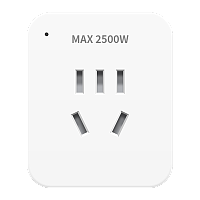
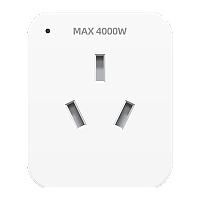
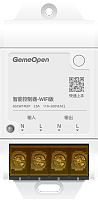
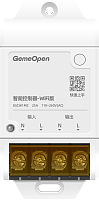
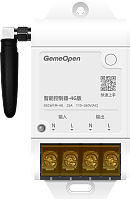
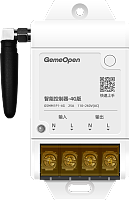
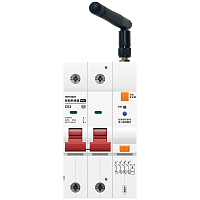
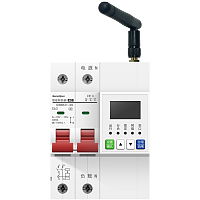
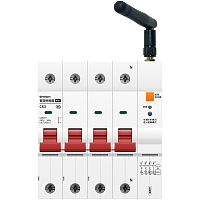
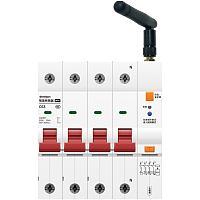
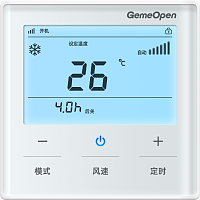
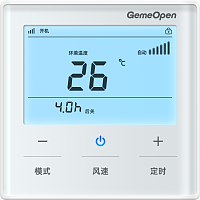
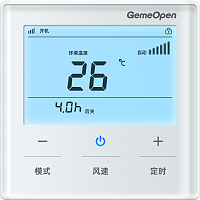
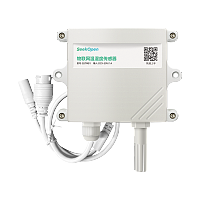
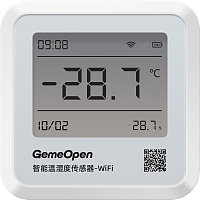
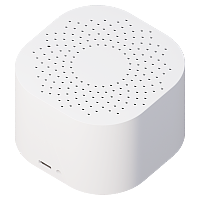
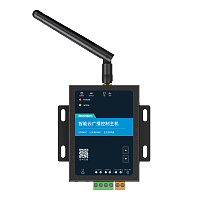
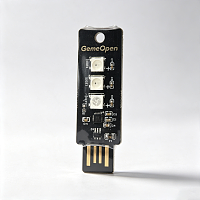
一款支持学习的红外遥控器,采用MQTT/TCP协议控制,上行使用WiFi网络连接,开发者使用任意开发语言,实现对遥控器的控制,5V USB-C供电,发射有效距离6米。
常用于空调遥控、电视遥控、电扇遥控,接入开发者私有物联网平台,实现远程控制以及智能联动。
## 红外控制
### 发射红外码
*controller-infrared-emit*
发送对应学习过的红外码指令。
**向设备发送指令(服务端向设备订阅topic发送消息)**
```json
{
"action" : "emit",
"data" :
{
"no" : 110
},
"type" : "infrared"
}
```
#### 字段属性
---
| 字段名称 | 字段类型 | 字段说明 | 示例值 |
|------|------|------|------|
| action | String | 发射红外码,固定为"emit" | emit |
| data | Object | 数据 | |
| no | int | 红外码编号,编号范围1~248 | 110 |
| type | String | 红外相关指令默认填"infrared" | infrared |
---
**设备返回信息(设备向服务端订阅topic上报消息)**
```json
{
"action" : "emit",
"mac" : "10b41d1a2f40",
"messageId" : "2026092201",
"no" : 110,
"success" : true,
"type" : "infrared"
}
```
#### 字段属性
---
| 字段名称 | 字段类型 | 字段说明 | 示例值 |
|------|------|------|------|
| action | String | 发射红外码默认填"emit" | emit |
| mac | String | wifi设备MAC地址或4G设备的IMEI号,唯一标识 | 10b41d1a2f40 |
| messageId | String | 业务流水号。由请求方生成的唯一标识,响应方原样回显,用于请求与响应的关联匹配。 | 2026092201 |
| no | int | 红外码编号,编号范围1~248 | 110 |
| success | boolean | 执行结果,执行成功:true;执行失败:false | true |
| type | String | 红外相关指令默认填"infrared" | infrared |
---
### 擦除红外指令
*controller-infrared-erase*
将全部学习过的擦除。
**向设备发送指令(服务端向设备订阅topic发送消息)**
```json
{
"action" : "erase",
"type" : "infrared"
}
```
#### 字段属性
---
| 字段名称 | 字段类型 | 字段说明 | 示例值 |
|------|------|------|------|
| action | String | 擦除红外码,固定为"erase" | erase |
| type | String | 红外相关指令默认填"infrared" | infrared |
---
**设备返回信息(设备向服务端订阅topic上报消息)**
```json
{
"action" : "erase",
"mac" : "10b41d1a2f40",
"messageId" : "2026092201",
"success" : true,
"type" : "infrared"
}
```
#### 字段属性
---
| 字段名称 | 字段类型 | 字段说明 | 示例值 |
|------|------|------|------|
| action | String | 擦除红外码默认填"erase" | erase |
| mac | String | wifi设备MAC地址,唯一标识 | 10b41d1a2f40 |
| messageId | String | 业务流水号。由请求方生成的唯一标识,响应方原样回显,用于请求与响应的关联匹配。 | 2026092201 |
| success | boolean | 执行结果,执行成功:true;执行失败:false | true |
| type | String | 固定值"infrared" | infrared |
---
### 学习红外码
*controller-infrared-learn*
通过该指令可以学习遥控器发射出来的红外信号
**向设备发送指令(服务端向设备订阅topic发送消息)**
```json
{
"action" : "learn",
"data" :
{
"no" : 110
},
"type" : "infrared"
}
```
#### 字段属性
---
| 字段名称 | 字段类型 | 字段说明 | 示例值 |
|------|------|------|------|
| action | String | 学习红外码指令默认填"learn" | learn |
| data | Object | 数据 | |
| no | int | 红外码编号,编号范围1~248 | 110 |
| type | String | 红外相关指令默认填"infrared" | infrared |
---
**设备返回信息(设备向服务端订阅topic上报消息)**
```json
{
"action" : "learn",
"mac" : "10b41d1a2f40",
"messageId" : " 2026092201",
"no" : 110,
"success" : true,
"type" : "infrared"
}
```
#### 字段属性
---
| 字段名称 | 字段类型 | 字段说明 | 示例值 |
|------|------|------|------|
| action | String | 学习红外码指令默认填"learn" | learn |
| mac | String | wifi设备MAC地址或4G设备的IMEI号,唯一标识 | 10b41d1a2f40 |
| messageId | String | 业务流水号。由请求方生成的唯一标识,响应方原样回显,用于请求与响应的关联匹配。 | 2026092201 |
| no | int | 红外码编号,编号范围1~248 | 110 |
| success | boolean | 执行结果,执行成功:true;执行失败:false | true |
| type | String | 红外相关指令默认填"infrared" | infrared |
---
### 取消学习
*controller-infrared-learnCancel*
对处于学习状态的设备,取消学习状态
**向设备发送指令(服务端向设备订阅topic发送消息)**
```json
{
"action":"learnCancel",
"messageId":"20260520",
"type":"infrared"
}
```
#### 字段属性
---
| 字段名称 | 字段类型 | 字段说明 | 示例值 |
|------|------|------|------|
| action | String | 学习红外码指令默认填"learn" | learnCancel |
| messageId | String | 业务流水号。由请求方生成的唯一标识,响应方原样回显,用于请求与响应的关联匹配。 | 20260520 |
| type | String | 固定值"xxx" | infrared |
---
**设备返回信息(设备向服务端订阅topic上报消息)**
```json
{
"commandName":"controller-infrared-learn-learn",
"mac":"2026bb16aa14",
"message":"ok",
"messageId":"20260520",
"source":"command",
"success":true
}
```
#### 字段属性
---
| 字段名称 | 字段类型 | 字段说明 | 示例值 |
|------|------|------|------|
| commandName | String | 指令名称 | controller-infrared-learn-learn |
| mac | String | wifi设备mac地址,唯一标识 | 2026bb16aa14 |
| message | String | 执行结果描述:对命令执行结果的文本说明。执行完成且无异常:ok ;如果出现异常,返回异常结果描述。 | ok |
| messageId | String | 业务流水号。由请求方生成的唯一标识,响应方原样回显,用于请求与响应的关联匹配。 | 20260520 |
| source | String | 指令回复“command" | command |
| success | boolean | 执行结果,执行成功:true;执行失败:false | true |
---
### 读取红外码
*controller-infrared-read*
读取指定编号的红外码数据。
**向设备发送指令(服务端向设备订阅topic发送消息)**
```json
{
"action" : "ir_read",
"data" :
{
"no" : 100
},
"messageId" : "API-xxx",
"type" : "infrared"
}
```
#### 字段属性
---
| 字段名称 | 字段类型 | 字段说明 | 示例值 |
|------|------|------|------|
| action | String | 学习红外码指令默认填"learn" | ir_read |
| data | Object | 数据 | {"no":100} |
| messageId | String | 业务流水号。由请求方生成的唯一标识,响应方原样回显,用于请求与响应的关联匹配。 | API-xxx |
| no | int | 红外码编号,编号范围1~248 | 100 |
| type | String | 固定值"xxx" | infrared |
---
**设备返回信息(设备向服务端订阅topic上报消息)**
```json
{
"commandName" : "controller-infrared-read",
"ir_data" : "00495D2D0606060506060606060506060606060605110611051106110511061006110610060606060606060506060606061006060610061106100611061006110606061006FFFFFFFF",
"mac" : "10b41d1a2f40",
"message" : "ok",
"messageId" : "API-xxx",
"no" : 100,
"source" : "command",
"success" : true
}
```
#### 字段属性
---
| 字段名称 | 字段类型 | 字段说明 | 示例值 |
|------|------|------|------|
| commandName | String | 指令名称 | controller-infrared-read |
| mac | String | wifi设备MAC地址或4G设备的IMEI号,唯一标识 | 10b41d1a2f40 |
| message | String | 执行结果描述:对命令执行结果的文本说明。执行完成且无异常:ok ;如果出现异常,返回异常结果描述。 | ok |
| messageId | String | 业务流水号。由请求方生成的唯一标识,响应方原样回显,用于请求与响应的关联匹配。 | API-xxx |
| no | int | 红外码编号,编号范围1~248 | 100 |
| source | String | 指令回复“command" | command |
| success | boolean | 执行结果,执行成功:true;执行失败:false | true |
---
### 写入红外码
*controller-infrared-write*
往指定编号的红外编号写入红外数据
**向设备发送指令(服务端向设备订阅topic发送消息)**
```json
{
"action" : "ir_write",
"ir_data" : "00495D2D0606060506060606060506060606060605110611051106110511061006110610060606060606060506060606061006060610061106100611061006110606061006FFFFFFFF",
"messageId" : "API-xxx",
"no" : 110,
"type" : "infrared"
}
```
#### 字段属性
---
| 字段名称 | 字段类型 | 字段说明 | 示例值 |
|------|------|------|------|
| action | String | 学习红外码指令默认填"learn" | ir_write |
| messageId | String | 业务流水号。由请求方生成的唯一标识,响应方原样回显,用于请求与响应的关联匹配。 | API-xxx |
| no | int | 红外码编号,编号范围1~248 | 110 |
| type | String | 固定值"xxx" | infrared |
---
**设备返回信息(设备向服务端订阅topic上报消息)**
```json
{
"commandName" : "controller-infrared-write",
"mac" : "10b41d1a2f40",
"message" : "ok",
"messageId" : "API-xxx",
"no" : 110,
"source" : "command",
"success" : true
}
```
#### 字段属性
---
| 字段名称 | 字段类型 | 字段说明 | 示例值 |
|------|------|------|------|
| commandName | String | 指令名称 | controller-infrared-write |
| mac | String | wifi设备MAC地址或4G设备的IMEI号,唯一标识 | 10b41d1a2f40 |
| message | String | 执行结果描述:对命令执行结果的文本说明。执行完成且无异常:ok ;如果出现异常,返回异常结果描述。 | ok |
| messageId | String | 业务流水号。由请求方生成的唯一标识,响应方原样回显,用于请求与响应的关联匹配。 | API-xxx |
| no | int | 红外码编号,编号范围1~248 | 110 |
| source | String | 指令回复“command" | command |
| success | boolean | 执行结果,执行成功:true;执行失败:false | true |
---
## 设备维护
### 恢复出厂
*controller-reset*
恢复出厂设置后配网信息和自定义信息都会清空,请谨慎操作!
**向设备发送指令(服务端向设备订阅topic发送消息)**
```json
{
"system" : "reset",
"type" : "setting"
}
```
#### 字段属性
---
| 字段名称 | 字段类型 | 字段说明 | 示例值 |
|------|------|------|------|
| system | String | 重置/恢复出厂设置默认填"reset" | reset |
| type | String | 设备设置固定传"setting" | setting |
---
**设备返回信息(设备向服务端订阅topic上报消息)**
```json
{
"commandName" : "controller-reset",
"mac" : "10b41d1a2f40",
"message" : "ok",
"messageId" : "20260520",
"source" : "command",
"success" : true
}
```
#### 字段属性
---
| 字段名称 | 字段类型 | 字段说明 | 示例值 |
|------|------|------|------|
| commandName | String | 指令名称 | controller-reset |
| mac | String | wifi设备MAC地址,唯一标识 | 10b41d1a2f40 |
| message | String | 执行结果描述:对命令执行结果的文本说明。执行完成且无异常:ok ;如果出现异常,返回异常结果描述。 | ok |
| messageId | String | 业务流水号。由请求方生成的唯一标识,响应方原样回显,用于请求与响应的关联匹配。
| 20260520 |
| source | String | 指令回复“command" | command |
| success | boolean | 执行结果,执行成功:true;执行失败:false | true |
---
### 设备软重启
*controller-restart*
软重启后,通过指令设置的参数将生效,同时设备将重新连接Wifi/4G网络,注意设备IP地址可能发生变化
**向设备发送指令(服务端向设备订阅topic发送消息)**
```json
{
"system" : "restart",
"type" : "setting"
}
```
#### 字段属性
---
| 字段名称 | 字段类型 | 字段说明 | 示例值 |
|------|------|------|------|
| system | String | 设备软重启固定传"restart" | restart |
| type | String | 设备设置固定传"setting" | setting |
---
**设备返回信息(设备向服务端订阅topic上报消息)**
```json
{
"commandName" : "controller-restart",
"mac" : "10b41d1a2f40",
"message" : "ok",
"messageId" : "20260520",
"source" : "command",
"success" : true
}
```
#### 字段属性
---
| 字段名称 | 字段类型 | 字段说明 | 示例值 |
|------|------|------|------|
| commandName | String | 指令名称 | controller-restart |
| mac | String | wifi设备MAC地址,唯一标识 | 10b41d1a2f40 |
| message | String | 执行结果描述:对命令执行结果的文本说明。执行完成且无异常:ok ;如果出现异常,返回异常结果描述。 | ok |
| messageId | String | 业务流水号。由请求方生成的唯一标识,响应方原样回显,用于请求与响应的关联匹配。
| 20260520 |
| source | String | 指令回复“command" | command |
| success | boolean | 执行结果,执行成功:true;执行失败:false | true |
---
### 获取设备基础信息
*info-all*
查询当前设备的基础信息,如设备MAC地址、设备型号、固件版本号、当前连接的WiFi名称(ssid)、当前设备被分配的IP地址、WiFi信号强度及相关配置信息。
**向设备发送指令(服务端向设备订阅topic发送消息)**
```json
{
"messageId" : "2026092201",
"type" : "info"
}
```
#### 字段属性
---
| 字段名称 | 字段类型 | 字段说明 | 示例值 |
|------|------|------|------|
| messageId | String | 业务流水号。由请求方生成的唯一标识,响应方原样回显,用于请求与响应的关联匹配。 | 2026092201 |
| type | String | 固定值"info" | info |
---
**设备返回信息(设备向服务端订阅topic上报消息)**
```json
{
"code" : "Infrared-Controller-wifi",
"ip" : "192.168.0.223",
"mac" : "10b41d1a2f40",
"messageId" : "2026092201",
"signal" : -45,
"ssid" : "gemeopen",
"type" : "info",
"version" : "1.1.6",
"wifiLock" : 0
}
```
#### 字段属性
---
| 字段名称 | 字段类型 | 字段说明 | 示例值 |
|------|------|------|------|
| code | String | 设备型号 | Infrared-Controller-wifi |
| ip | String | 设备连接WIFI后获取的IP | 192.168.0.223 |
| mac | String | wifi设备MAC地址或4G设备的IMEI号,唯一标识 | 10b41d1a2f40 |
| messageId | String | 业务流水号。由请求方生成的唯一标识,响应方原样回显,用于请求与响应的关联匹配。
| 2026092201 |
| signal | int | 信号强度,显示规则为: signal<= 0 && signal>= -50
//信号最好 signal< -50 && signal>= -70
//信号较好 signal< -70 && signal>= -80
//信号一般 signal<-80 && signal>= -100
//信号较差 signal没有在0~(-100)之间,表示无信号 | -45 |
| ssid | String | 设备当前连接的WIFI名称 | gemeopen |
| type | String | 固定值"info" | info |
| version | String | 当前固件版本号 | 1.1.6 |
| wifiLock | int | 配网锁,0:关闭,1:开启 | 0 |
---
### 自定义MQTT
*setting-mqtt*
设备支持自定义MQTT,注意:在通过MQTT自定义MQTT信息后,需要将设备断电重启或者向设备发送重启命令才可生效。
**向设备发送指令(服务端向设备订阅topic发送消息)**
```json
{
"clientId" : "admin",
"password" : "password",
"port" : "1883",
"protocol" : "mqtt",
"publish" : "/topic/qos0",
"server" : "192.168.0.66",
"subcribe" : "/topic/qos1",
"type" : "custom",
"username" : "username"
}
```
#### 字段属性
---
| 字段名称 | 字段类型 | 字段说明 | 示例值 |
|------|------|------|------|
| clientId | String | 自定义MQTT客户端ID注意:不可重复 | admin |
| password | String | 密码 | password |
| port | String | 端口号 | 1883 |
| protocol | String | 协议类型 | mqtt |
| publish | String | 自定义发布主题 注意:不可重复 | /topic/qos0 |
| server | String | 自定义服务器地址 | 192.168.0.66 |
| subcribe | String | 自定义订阅主题,注意:不可重复 | /topic/qos1 |
| type | String | 自定义MQTT配置默认填"custom" | custom |
| username | String | 自定义服务器用户名 | username |
---
**设备返回信息(设备向服务端订阅topic上报消息)**
```json
{
"clientId" : "admin",
"commandName" : "setting-mqtt",
"mac" : "10b41d1a2f40",
"messageId" : "202201241610366046",
"password" : "123456",
"port" : "1883",
"protocol" : "mqtt",
"publish" : "/rqlMqR/GYofdXmMpHQa/8cce4e51e2c7/subscribe",
"server" : "broker.emqx.io",
"source" : "command",
"subcribe" : "/topic/qos1 ",
"username" : "admin"
}
```
#### 字段属性
---
| 字段名称 | 字段类型 | 字段说明 | 示例值 |
|------|------|------|------|
| clientId | String | 自定义MQTT客户端ID注意:不可重复
| admin |
| commandName | String | 指令名称 | setting-mqtt |
| mac | String | wifi设备MAC地址,唯一标识 | 10b41d1a2f40 |
| messageId | String | 业务流水号。由请求方生成的唯一标识,响应方原样回显,用于请求与响应的关联匹配。 | 202201241610366046 |
| password | String | 密码 | 123456 |
| port | String | 端口号 | 1883 |
| protocol | String | 协议类型 | mqtt |
| publish | String | 自定义发布主题 注意:不可重复 | /rqlMqR/GYofdXmMpHQa/8cce4e51e2c7/subscribe |
| server | String | 自定义服务器地址 | broker.emqx.io |
| source | String | 指令回复“command" | command |
| subcribe | String | 自定义订阅主题,注意:不可重复 | /topic/qos1 |
| username | String | 自定义服务器用户名 | admin |
---
### 自定义TCP
*setting-tcp*
设备支持通过MQTT方式自定义TCP信息,注意:通过MQTT自定义TCP信息后,需要将设备断电重启或者向设备发送重启命令才可生效。
**向设备发送指令(服务端向设备订阅topic发送消息)**
```json
{
"port" : "1883",
"protocol" : "tcp",
"server" : "192.168.0.66",
"type" : "custom"
}
```
#### 字段属性
---
| 字段名称 | 字段类型 | 字段说明 | 示例值 |
|------|------|------|------|
| port | String | 端口号 | 1883 |
| protocol | String | 协议类型 | tcp |
| server | String | 自定义服务器地址 | 192.168.0.66 |
| type | String | 默认填"custom" | custom |
---
**设备返回信息(设备向服务端订阅topic上报消息)**
```json
{
"commandName" : "setting-tcp",
"mac" : "10b41d1a2f40",
"messageId" : "202201241610366046",
"port" : "8080",
"protocol" : "tcp",
"server" : "192.168.0.66",
"source" : "command"
}
```
#### 字段属性
---
| 字段名称 | 字段类型 | 字段说明 | 示例值 |
|------|------|------|------|
| commandName | String | 指令名称 | setting-tcp |
| mac | String | wifi设备MAC地址,唯一标识 | 10b41d1a2f40 |
| messageId | String | 业务流水号。由请求方生成的唯一标识,响应方原样回显,用于请求与响应的关联匹配。
| 202201241610366046 |
| port | String | 端口号 | 8080 |
| protocol | String | 协议类型 | tcp |
| server | String | 自定义服务器地址 | 192.168.0.66 |
| source | String | 指令回复“command" | command |
---



 下载
下载
 复制
复制