




















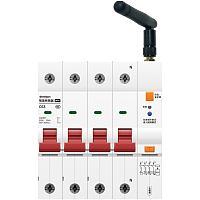
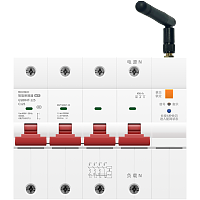
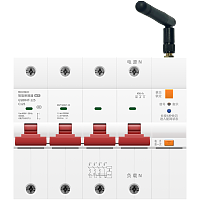

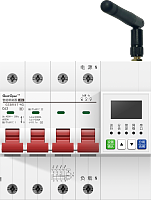




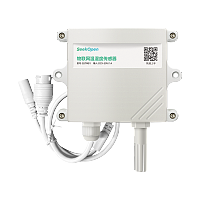
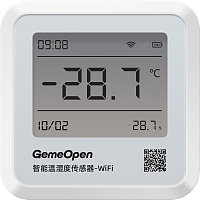

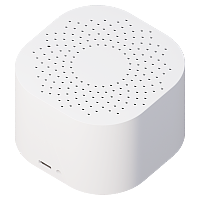
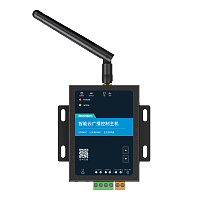
GemeOpen
写几行代码,就可以控制的智能设备!
交流双路智能通断器10A-WiFi开发者文档
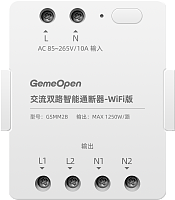
产品型号:GSMM2B
产品概要信息
基本描述
主要特点
WiFi网络,双路输出,
AC85~265V宽电压输入,
AC85~265V宽电压输入,
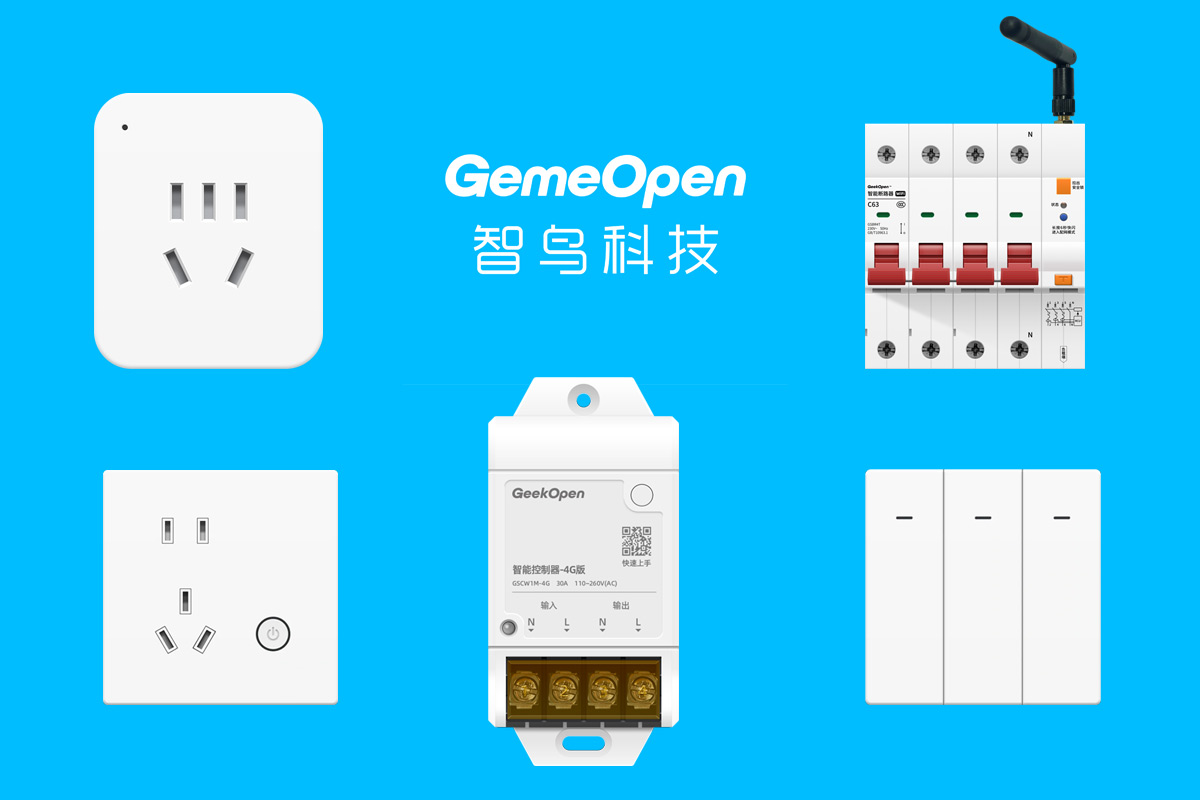
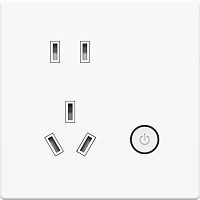
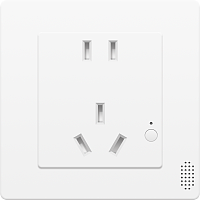
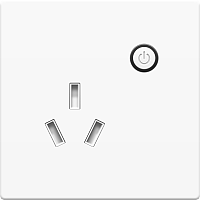
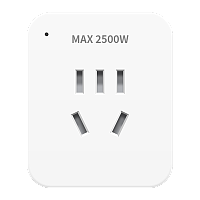
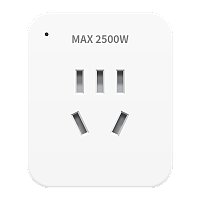
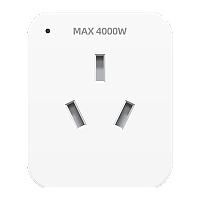
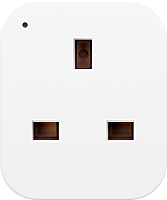
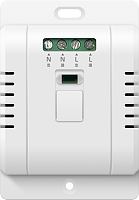
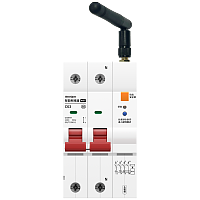
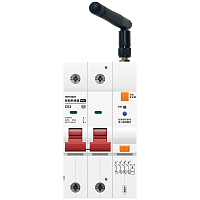
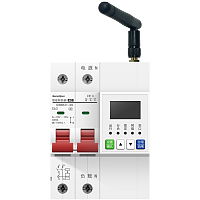
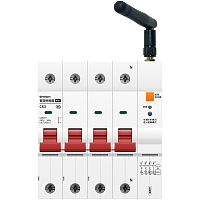
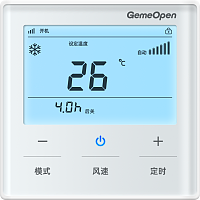
产品图片
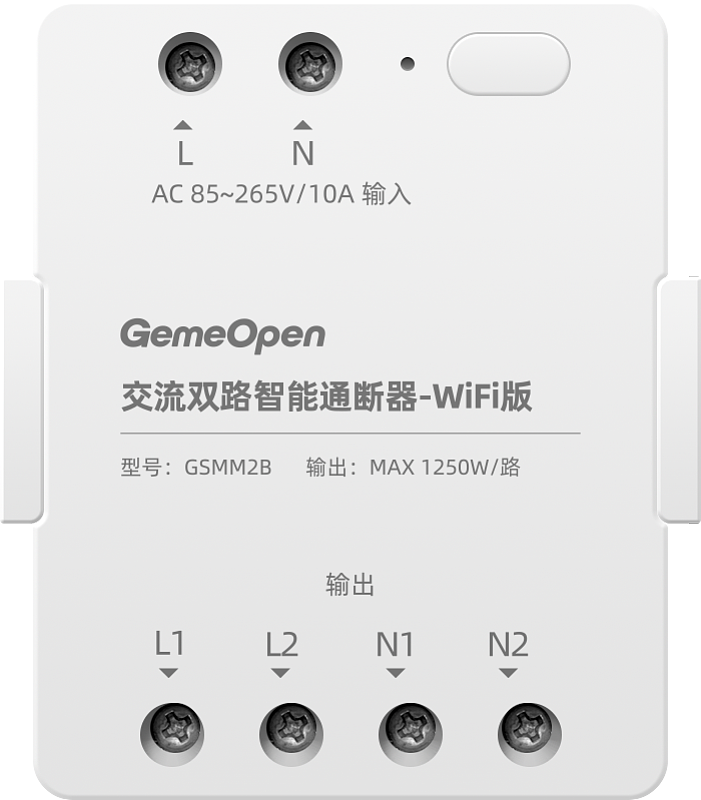
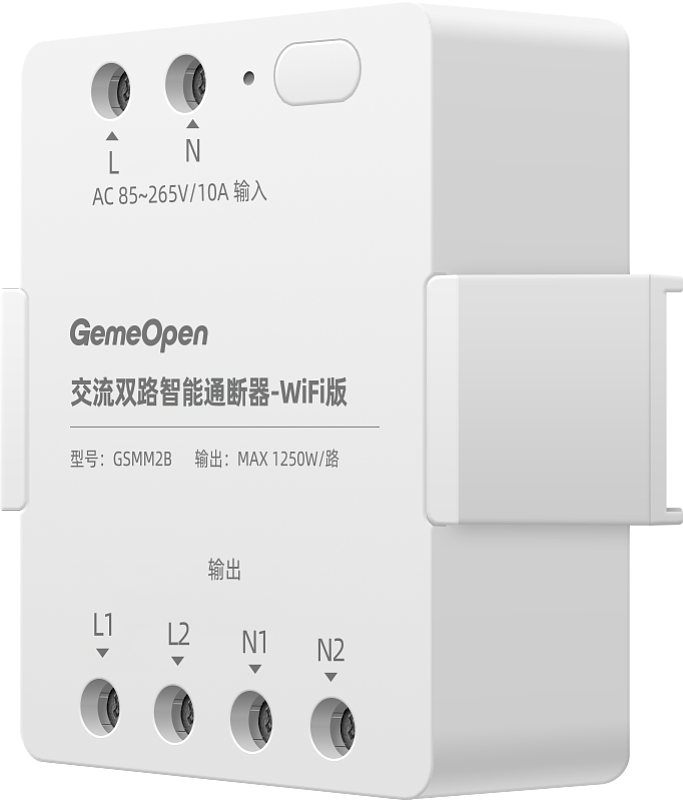
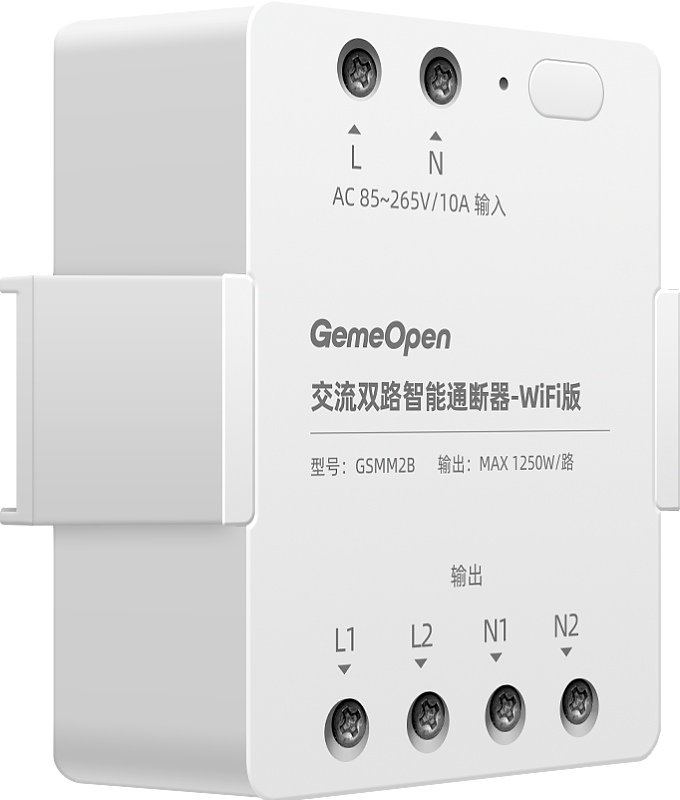


技术支持

企业微信扫一扫
武汉智鸟科技有限责任公司
企业官网:www.smart-bird.cn
服务热线:130-0715-9689
办公地址:湖北省武汉市高新大道光谷崇文中心B1栋1401、1409
控制采集
远程控制设备
controller-event
指令简介
通断器、空开、10A-86插座、16A-86插座、10A转换器插座、16A转换器插座等单路设备的通电或断电操作
向设备发送指令
服务端向设备订阅topic发送消息
{
"key1" : 0,
"key2" : 0,
"type" : "event"
}
"key1" : 0,
"key2" : 0,
"type" : "event"
}
字段属性
| # | 字段名称 | 字段类型 | 字段说明 | 示例值 |
|---|---|---|---|---|
| 1 | key1 | int | 控制设备一路通断 0:关灯,1:开灯 | 0 |
| 2 | key2 | int | 控制设备二路通断 0:关灯,1:开灯 | 0 |
| 3 | type | String | 控制设备开关固定传"event" | event |
设备返回信息
设备向服务端订阅topic上报消息
{
"bssid" : "742ad7790468",
"commandName" : "controller-event",
"ip" : "192.168.0.112",
"key1" : 0,
"key2" : 0,
"keyLock" : 0,
"mac" : "b0a6044bb720",
"onState" : 1,
"signal" : -47,
"source" : "command",
"ssid" : "gemeopen",
"timerEnable" : 1,
"timerInterval" : 15,
"type" : "GSMM2B",
"version" : "1.0.7",
"wifiLock" : 0
}
"bssid" : "742ad7790468",
"commandName" : "controller-event",
"ip" : "192.168.0.112",
"key1" : 0,
"key2" : 0,
"keyLock" : 0,
"mac" : "b0a6044bb720",
"onState" : 1,
"signal" : -47,
"source" : "command",
"ssid" : "gemeopen",
"timerEnable" : 1,
"timerInterval" : 15,
"type" : "GSMM2B",
"version" : "1.0.7",
"wifiLock" : 0
}
字段属性
| # | 字段名称 | 字段类型 | 字段说明 | 示例值 |
|---|---|---|---|---|
| 1 | bssid | String | 路由器 MAC 地址 | 742ad7790468 |
| 2 | commandName | String | 指令名称 | controller-event |
| 3 | ip | String | 设备连接WIFI后获取的IP | 192.168.0.112 |
| 4 | key1 | int | 控制设备一路通断 0:关灯,1:开灯 | 0 |
| 5 | key2 | int | 控制设备二路通断 0:关灯,1:开灯 | 0 |
| 6 | keyLock | int | 按键锁,0:关闭,1:开启 | 0 |
| 7 | mac | String | wifi设备MAC地址或4G设备的IMEI号,唯一标识 | b0a6044bb720 |
| 8 | onState | int | 设备上电的默认状态: 0:记忆;是指记忆最后一次设备断电前的状态,如断电前设备是通电状态(指示灯是蓝的),设备下次上电默认是通电状态(指示灯是蓝的)。 1:关闭,即断电状态(指示灯是灭的),如断电前,设备是通电状态(指示灯是蓝的),设备下次上电默认是依旧是断电状态(指示灯是灭的)。需要手动/远程开启通电状态。 2:开启,即通电状态(指示灯是蓝色的),是指设备上电之后,默认是通电状态,此刻需要注意,插在设备上的负载会通电运行,会有安全风险,所以建议是默认上电状态为关闭。 | 1 |
| 9 | signal | int | 信号强度,显示规则为: signal<= 0 && signal>= -50 //信号最好 signal< -50 && signal>= -70 //信号较好 signal< -70 && signal>= -80 //信号一般 signal<-80 && signal>= -100 //信号较差 signal没有在0~(-100)之间,表示无信号 | -47 |
| 10 | source | String | 指令回复“command" | command |
| 11 | ssid | String | 设备当前连接的WIFI名称 | gemeopen |
| 12 | timerEnable | int | 设备统计信息定时上报状态,0:关闭;1:开启 | 1 |
| 13 | timerInterval | int | 设备统计信息上报时间间隔(单位秒),取值范围5-86400 | 15 |
| 14 | type | String | 设备型号 | GSMM2B |
| 15 | version | String | 当前固件版本号 | 1.0.7 |
| 16 | wifiLock | int | 配网锁,0:关闭,1:开启 | 0 |
获取设备信息
info-all
指令简介
获取设备信息一般会包含:设备通断电状态、MAC/IMEI、固件版本、设备内网IP地址、设备WIFI网络名称等信息,不同的产品返回的信息有所差异
向设备发送指令
服务端向设备订阅topic发送消息
{
"type" : "info"
}
"type" : "info"
}
字段属性
| # | 字段名称 | 字段类型 | 字段说明 | 示例值 |
|---|---|---|---|---|
| 1 | type | String | 获取设备基本信息固定传"info" | info |
设备返回信息
设备向服务端订阅topic上报消息
字段属性
| # | 字段名称 | 字段类型 | 字段说明 | 示例值 |
|---|---|---|---|---|
| 1 | commandName | String | 指令名称 | info-all |
| 2 | ip | String | 设备连接WIFI后获取的IP | 192.168.122.119 |
| 3 | key1 | int | 控制设备一路通断 0:关灯,1:开灯 | 0 |
| 4 | key2 | int | 控制设备二路通断 0:关灯,1:开灯 | 0 |
| 5 | keyLock | int | 按键锁,0:关闭,1:开启 | 0 |
| 6 | mac | String | wifi设备MAC地址或4G设备的IMEI号,唯一标识 | 4CEBD60BFD62 |
| 7 | onState | int | 设备上电的默认状态: 0:记忆;是指记忆最后一次设备断电前的状态,如断电前设备是通电状态(指示灯是蓝的),设备下次上电默认是通电状态(指示灯是蓝的)。 1:关闭,即断电状态(指示灯是灭的),如断电前,设备是通电状态(指示灯是蓝的),设备下次上电默认是依旧是断电状态(指示灯是灭的)。需要手动/远程开启通电状态。 2:开启,即通电状态(指示灯是蓝色的),是指设备上电之后,默认是通电状态,此刻需要注意,插在设备上的负载会通电运行,会有安全风险,所以建议是默认上电状态为关闭。 | 1 |
| 8 | signal | int | 信号强度,显示规则为: signal<= 0 && signal>= -50 //信号最好 signal< -50 && signal>= -70 //信号较好 signal< -70 && signal>= -80 //信号一般 signal<-80 && signal>= -100 //信号较差 signal没有在0~(-100)之间,表示无信号 | -75 |
| 9 | source | String | 指令回复“command" | command |
| 10 | ssid | String | 设备当前连接的WIFI名称 | GemeOpen |
| 11 | timerEnable | int | 设备电量信息定时上报状态,0:关闭;1:开启 | 1 |
| 12 | type | String | 设备类型 | GSMM2B |
| 13 | version | String | 当前固件版本号 | 1.2.3 |
| 14 | wifiLock | int | 配网锁,0:关闭,1:开启 | 0 |
获取设备统计信息
info-statistic
指令简介
获取设备采集的累积电量、实时电压、实时电流、实时功率信息,注意不同的设备数值单位有区别,取决于设备设计的精度
向设备发送指令
服务端向设备订阅topic发送消息
{
"type" : "statistic"
}
"type" : "statistic"
}
字段属性
| # | 字段名称 | 字段类型 | 字段说明 | 示例值 |
|---|---|---|---|---|
| 1 | type | String | 获取设备电量信息固定传"statistic" | statistic |
设备返回信息
设备向服务端订阅topic上报消息
{
"mac": "b0a6044bb720",
"commandName": "info-statistic",
"source": "command",
"voltage": 231.973,
"current_1": 0.004,
"power_1": 0.314,
"energy_1": 0,
"current_2": 0.004,
"power_2": 0.252,
"energy_2": 0,
"key1": 0,
"key2": 0
}
"mac": "b0a6044bb720",
"commandName": "info-statistic",
"source": "command",
"voltage": 231.973,
"current_1": 0.004,
"power_1": 0.314,
"energy_1": 0,
"current_2": 0.004,
"power_2": 0.252,
"energy_2": 0,
"key1": 0,
"key2": 0
}
字段属性
| # | 字段名称 | 字段类型 | 字段说明 | 示例值 |
|---|---|---|---|---|
| 1 | commandName | String | 指令名称 | info-statistic |
| 2 | key1 | int | 控制设备一路通断 0:关灯,1:开灯 | 0 |
| 3 | key2 | int | 控制设备二路通断 0:关灯,1:开灯 | 0 |
| 4 | mac | String | wifi设备MAC地址或4G设备的IMEI号,唯一标识 | b0a6044bb720 |
| 5 | source | String | 指令回复“command" | command |
| 6 | voltage | float | 当前电压,单位V,保留三位小数 | 231.973 |
设置按键控制锁
setting-key-lock
指令简介
功能按键锁定后,设备仅能通过MQTT/TCP协议操作,例如控制开关的通断、插座的通断电,都只能通过指令操作
向设备发送指令
服务端向设备订阅topic发送消息
{
"keyLock" : 1,
"type" : "setting"
}
"keyLock" : 1,
"type" : "setting"
}
字段属性
| # | 字段名称 | 字段类型 | 字段说明 | 示例值 |
|---|---|---|---|---|
| 1 | keyLock | int | 按键锁,0:关闭,1:开启 | 1 |
| 2 | type | String | 设备设置固定传"setting" | setting |
设备返回信息
设备向服务端订阅topic上报消息
{
"bssid" : "742ad7790468",
"commandName" : "setting-key-lock",
"ip" : "192.168.0.112",
"key1" : 1,
"key2" : 1,
"keyLock" : 1,
"mac" : "b0a6044bb720",
"onState" : 1,
"signal" : -47,
"source" : "command",
"ssid" : "gemeopen",
"timerEnable" : 1,
"timerInterval" : 15,
"type" : "GSMM2B",
"version" : "1.0.7",
"wifiLock" : 0
}
"bssid" : "742ad7790468",
"commandName" : "setting-key-lock",
"ip" : "192.168.0.112",
"key1" : 1,
"key2" : 1,
"keyLock" : 1,
"mac" : "b0a6044bb720",
"onState" : 1,
"signal" : -47,
"source" : "command",
"ssid" : "gemeopen",
"timerEnable" : 1,
"timerInterval" : 15,
"type" : "GSMM2B",
"version" : "1.0.7",
"wifiLock" : 0
}
字段属性
| # | 字段名称 | 字段类型 | 字段说明 | 示例值 |
|---|---|---|---|---|
| 1 | bssid | String | 路由器 MAC 地址 | 742ad7790468 |
| 2 | commandName | String | 指令名称 | setting-key-lock |
| 3 | ip | String | 设备连接WIFI后获取的IP | 192.168.0.112 |
| 4 | key1 | int | 控制设备一路通断 0:关灯,1:开灯 | 1 |
| 5 | key2 | int | 控制设备二路通断 0:关灯,1:开灯 | 1 |
| 6 | keyLock | int | 按键锁,0:关闭,1:开启 | 1 |
| 7 | mac | String | wifi设备MAC地址或4G设备的IMEI号,唯一标识 | b0a6044bb720 |
| 8 | onState | int | 设备上电的默认状态: 0:记忆;是指记忆最后一次设备断电前的状态,如断电前设备是通电状态(指示灯是蓝的),设备下次上电默认是通电状态(指示灯是蓝的)。 1:关闭,即断电状态(指示灯是灭的),如断电前,设备是通电状态(指示灯是蓝的),设备下次上电默认是依旧是断电状态(指示灯是灭的)。需要手动/远程开启通电状态。 2:开启,即通电状态(指示灯是蓝色的),是指设备上电之后,默认是通电状态,此刻需要注意,插在设备上的负载会通电运行,会有安全风险,所以建议是默认上电状态为关闭。 | 1 |
| 9 | signal | int | 信号强度,显示规则为: signal<= 0 && signal>= -50 //信号最好 signal< -50 && signal>= -70 //信号较好 signal< -70 && signal>= -80 //信号一般 signal<-80 && signal>= -100 //信号较差 signal没有在0~(-100)之间,表示无信号 | -47 |
| 10 | source | String | 指令回复“command" | command |
| 11 | ssid | String | 设备当前连接的WIFI名称 | gemeopen |
| 12 | timerEnable | int | 设备统计信息定时上报状态,0:关闭;1:开启 | 1 |
| 13 | timerInterval | int | 设备统计信息上报时间间隔(单位秒),取值范围5-86400 | 15 |
| 14 | type | String | 设备型号 | GSMM2B |
| 15 | version | String | 当前固件版本号 | 1.0.7 |
| 16 | wifiLock | int | 配网锁,0:关闭,1:开启 | 0 |
定时任务
定时任务查询
info-timer-task-query
指令简介
查询设备已设置的定时通断电任务列表及详情。
向设备发送指令
服务端向设备订阅topic发送消息
{
"action" : "timerTaskQuery",
"type" : "event"
}
"action" : "timerTaskQuery",
"type" : "event"
}
字段属性
| # | 字段名称 | 字段类型 | 字段说明 | 示例值 |
|---|---|---|---|---|
| 1 | action | String | 固定值timerTaskQuery | timerTaskQuery |
| 2 | type | String | 设备设置固定传"event" | event |
设备返回信息
设备向服务端订阅topic上报消息
{
"action" : "timerTaskQuery",
"commandName" : "info-timer-task-query",
"list" : [{"number":1,"hour":0,"repeat":"oneof","command":{"key1":0,"key2":0,"type":"event"},"minute":0}],
"mac" : "b0a6044bb720",
"source" : "command",
"type" : "event"
}
"action" : "timerTaskQuery",
"commandName" : "info-timer-task-query",
"list" : [{"number":1,"hour":0,"repeat":"oneof","command":{"key1":0,"key2":0,"type":"event"},"minute":0}],
"mac" : "b0a6044bb720",
"source" : "command",
"type" : "event"
}
字段属性
| # | 字段名称 | 字段类型 | 字段说明 | 示例值 |
|---|---|---|---|---|
| 1 | action | String | 设备定时任务查询默认填"timerTaskQuery" | timerTaskQuery |
| 2 | commandName | String | 指令名称 | info-timer-task-query |
| 3 | list | List | list为列表,参数带number、week、hour、minute、repeat是定时按星期时分执行一次,参数不带week则是每天按时分循环执行,key1、key2、key3含义同event指令 | [{"number":1,"hour":0,"repeat":"oneof","command":{"key1":0,"key2":0,"type":"event"},"minute":0}] |
| 4 | mac | String | wifi设备MAC地址或4G设备的IMEI号,唯一标识 | b0a6044bb720 |
| 5 | source | String | 指令回复“command" | command |
| 6 | type | String | 固定值"event" | event |
设计倒计时任务
setting-timer-countdown
指令简介
设置倒计时任务——指定时长与到点动作(关闭/开启)。
向设备发送指令
服务端向设备订阅topic发送消息
{
"countdownSecond" : 10,
"finishCommand" :
{
"duty1" : 100,
"duty2" : 100,
"duty3" : 100,
"type" : "event"
},
"messageId" : "$messageId",
"task" : "countdown",
"timerInterval" : 1,
"type" : "setting"
}
"countdownSecond" : 10,
"finishCommand" :
{
"duty1" : 100,
"duty2" : 100,
"duty3" : 100,
"type" : "event"
},
"messageId" : "$messageId",
"task" : "countdown",
"timerInterval" : 1,
"type" : "setting"
}
字段属性
| # | 字段名称 | 字段类型 | 字段说明 | 示例值 |
|---|---|---|---|---|
| 1 | countdownSecond | int | 倒计时总时间 | 10 |
| 2 | duty1 | int | 输出占空比 范围0-100 | 100 |
| 3 | duty2 | int | 输出占空比 范围0-100 | 100 |
| 4 | duty3 | int | 输出占空比 范围0-100 | 100 |
| 5 | finishCommand | Object | 完成任务 | {"duty1":100,"duty2":100,"duty3":100,"type":"event"} |
| 6 | messageId | String | 业务流水号。由请求方生成的唯一标识,响应方原样回显,用于请求与响应的关联匹配。 | $messageId |
| 7 | task | String | 固定值“countdown" | countdown |
| 8 | timerInterval | int | 设备统计信息上报时间间隔(单位秒),取值范围5-86400 | 1 |
| 9 | type | String | 固定值"event" | event |
| 10 | type | String | 固定值"setting" | setting |
设备返回信息
设备向服务端订阅topic上报消息
{
"commandName" : "setting-timer-countdown",
"countdownSecond" : 10,
"finishCommand" :
{
"key1" : 0,
"key2" : 0,
"type" : "event"
},
"mac" : "b0a6044bb720",
"messageId" : "$messageId",
"source" : "command",
"task" : "countdown",
"timerInterval" : 1,
"type" : "setting"
}
"commandName" : "setting-timer-countdown",
"countdownSecond" : 10,
"finishCommand" :
{
"key1" : 0,
"key2" : 0,
"type" : "event"
},
"mac" : "b0a6044bb720",
"messageId" : "$messageId",
"source" : "command",
"task" : "countdown",
"timerInterval" : 1,
"type" : "setting"
}
字段属性
| # | 字段名称 | 字段类型 | 字段说明 | 示例值 |
|---|---|---|---|---|
| 1 | commandName | String | 指令名称 | setting-timer-countdown |
| 2 | countdownSecond | int | 倒计时总时间 | 10 |
| 3 | finishCommand | Object | 完成任务 | {"key1":0,"key2":0,"type":"event"} |
| 4 | key1 | int | 控制设备一路通断 0:关灯,1:开灯 | 0 |
| 5 | key2 | int | 控制设备二路通断 0:关灯,1:开灯 | 0 |
| 6 | mac | String | wifi设备MAC地址或4G设备的IMEI号,唯一标识 | b0a6044bb720 |
| 7 | messageId | String | 业务流水号。由请求方生成的唯一标识,响应方原样回显,用于请求与响应的关联匹配。 | $messageId |
| 8 | source | String | 指令回复“command" | command |
| 9 | task | String | 固定值“countdown" | countdown |
| 10 | timerInterval | int | 设备统计信息上报时间间隔(单位秒),取值范围5-86400 | 1 |
| 11 | type | String | 固定值"event" | event |
| 12 | type | String | 固定值"setting" | setting |
倒计时任务自动上报
setting-timer-countdown-active
指令简介
查看设备倒计时状态上报的 JSON 格式定义,供服务端对接解析设备上报的倒计时状态数据。上报频率由"设置倒计时任务"指令配置,配置后设备按周期将数据发布至约定主题(topic),设备端无订阅行为(仅发布),服务端订阅该发布主题后即可接收上报数据。
向设备发送指令
服务端向设备订阅topic发送消息
{
"commandName":"setting-timer-countdown-active",
"countdownSecond":10,
"mac":"78E36D1DFB78",
"remainingSecond":10,
"source":"auto",
"state":0
}
"commandName":"setting-timer-countdown-active",
"countdownSecond":10,
"mac":"78E36D1DFB78",
"remainingSecond":10,
"source":"auto",
"state":0
}
字段属性
| # | 字段名称 | 字段类型 | 字段说明 | 示例值 |
|---|---|---|---|---|
| 1 | commandName | String | 指令名称 | setting-timer-countdown-active |
| 2 | countdownSecond | int | 倒计时总时间 | 10 |
| 3 | mac | String | wifi设备MAC地址或4G设备的IMEI号,唯一标识 | 78E36D1DFB78 |
| 4 | remainingSecond | int | 倒计时剩余时间,单位S | 10 |
| 5 | source | String | 指令回复“command" | auto |
| 6 | state | int | 任务状态:0:待启动,1:正在进行,2:结束 | 0 |
设备返回信息
设备向服务端订阅topic上报消息
{
"state": 0,
"remainingSecond": 10,
"countdownSecond": 10,
"mac": "b0a6044bb720",
"commandName": "setting-timer-countdown-active",
"source": "auto"
}
"state": 0,
"remainingSecond": 10,
"countdownSecond": 10,
"mac": "b0a6044bb720",
"commandName": "setting-timer-countdown-active",
"source": "auto"
}
字段属性
| # | 字段名称 | 字段类型 | 字段说明 | 示例值 |
|---|---|---|---|---|
| 1 | commandName | String | 指令名称 | setting-timer-countdown-active |
| 2 | countdownSecond | int | 倒计时总时间 | 10 |
| 3 | mac | String | wifi设备MAC地址或4G设备的IMEI号,唯一标识 | b0a6044bb720 |
| 4 | remainingSecond | int | 倒计时剩余时间,单位S | 10 |
| 5 | source | String | 指令回复“command" | auto |
| 6 | state | int | 任务状态:0:待启动,1:正在进行,2:结束 | 0 |
清除倒计时任务
setting-timer-countdown-clear
指令简介
清除设备中已设置的倒计时任务。
向设备发送指令
服务端向设备订阅topic发送消息
{
"messageId" : "202201241610366046",
"task" : "countdown-clear",
"type" : "setting"
}
"messageId" : "202201241610366046",
"task" : "countdown-clear",
"type" : "setting"
}
字段属性
| # | 字段名称 | 字段类型 | 字段说明 | 示例值 |
|---|---|---|---|---|
| 1 | messageId | String | 消息ID字段 | 202201241610366046 |
| 2 | task | String | 固定值"countdown-clear" | countdown-clear |
| 3 | type | String | 设备设置固定传"setting" | setting |
设备返回信息
设备向服务端订阅topic上报消息
{
"messageId": "202201241610366046",
"success": true,
"message": "ok",
"commandName": "setting-timer-countdown-clear",
"source": "command",
"mac": "b0a6044bb720"
}
"messageId": "202201241610366046",
"success": true,
"message": "ok",
"commandName": "setting-timer-countdown-clear",
"source": "command",
"mac": "b0a6044bb720"
}
字段属性
| # | 字段名称 | 字段类型 | 字段说明 | 示例值 |
|---|---|---|---|---|
| 1 | commandName | String | 指令名称 | setting-timer-countdown-clear |
| 2 | mac | String | wifi设备MAC地址或4G设备的IMEI号,唯一标识 | b0a6044bb720 |
| 3 | message | String | 执行结果描述:对命令执行结果的文本说明。执行完成且无异常:ok ;如果出现异常,返回异常结果描述。 | ok |
| 4 | messageId | String | 业务流水号。由请求方生成的唯一标识,响应方原样回显,用于请求与响应的关联匹配。 | 202201241610366046 |
| 5 | source | String | 指令回复“command" | command |
| 6 | success | boolean | 执行结果,执行成功:true;执行失败:false | true |
删除定时任务
setting-timer-delete
指令简介
删除设备中已设置的单条定时通断电任务,删除为不可逆操作,删除后需重新设置。
向设备发送指令
服务端向设备订阅topic发送消息
{
"action" : "delete",
"countdownSecond" : 10,
"finishCommand" :
{
"duty1" : 100,
"duty2" : 100,
"duty3" : 100,
"type" : "event"
},
"messageId" : "202201241610366046",
"number" : 1,
"task" : "countdown",
"timerInterval" : 1,
"type" : "setting"
}
"action" : "delete",
"countdownSecond" : 10,
"finishCommand" :
{
"duty1" : 100,
"duty2" : 100,
"duty3" : 100,
"type" : "event"
},
"messageId" : "202201241610366046",
"number" : 1,
"task" : "countdown",
"timerInterval" : 1,
"type" : "setting"
}
字段属性
| # | 字段名称 | 字段类型 | 字段说明 | 示例值 |
|---|---|---|---|---|
| 1 | action | String | 固定值delete | delete |
| 2 | countdownSecond | int | 倒计时总时间 | 10 |
| 3 | duty1 | int | 输出占空比 范围0-100 | 100 |
| 4 | duty2 | int | 输出占空比 范围0-100 | 100 |
| 5 | duty3 | int | 输出占空比 范围0-100 | 100 |
| 6 | finishCommand | Object | 完成任务 | {"duty1":100,"duty2":100,"duty3":100,"type":"event"} |
| 7 | messageId | String | 消息ID字段 | 202201241610366046 |
| 8 | number | int | 任务编号 | 1 |
| 9 | task | String | 固定值“countdown" | countdown |
| 10 | timerInterval | int | 设备统计信息上报时间间隔(单位秒),取值范围5-86400 | 1 |
| 11 | type | String | 设备设置固定传"setting" | setting |
| 12 | type | String | 固定值"event" | event |
设备返回信息
设备向服务端订阅topic上报消息
{
"commandName" : "setting-timer-delete",
"mac" : "b0a6044bb720",
"message" : "ok",
"messageId" : "202201241610366046",
"source" : "command",
"success" : true
}
"commandName" : "setting-timer-delete",
"mac" : "b0a6044bb720",
"message" : "ok",
"messageId" : "202201241610366046",
"source" : "command",
"success" : true
}
字段属性
| # | 字段名称 | 字段类型 | 字段说明 | 示例值 |
|---|---|---|---|---|
| 1 | commandName | String | 指令名称 | setting-timer-delete |
| 2 | mac | String | wifi设备MAC地址或4G设备的IMEI号,唯一标识 | b0a6044bb720 |
| 3 | message | String | 执行结果描述:对命令执行结果的文本说明。执行完成且无异常:ok ;如果出现异常,返回异常结果描述。 | ok |
| 4 | messageId | String | 业务流水号。由请求方生成的唯一标识,响应方原样回显,用于请求与响应的关联匹配。 | 202201241610366046 |
| 5 | source | String | 指令回复“command" | command |
| 6 | success | boolean | 执行结果,执行成功:true;执行失败:false | true |
设置定时任务
setting-timer-task
指令简介
新增或编辑定时通断电任务,设置后到点执行开启/关闭操作。
向设备发送指令
服务端向设备订阅topic发送消息
{
"command" :
{
"key1" : 0,
"key2" : 0
},
"hour" : 0,
"messageId" : "202201241610366046",
"minute" : 0,
"number" : 1,
"repeat" : "oneof",
"task" : "timer",
"type" : "setting"
}
"command" :
{
"key1" : 0,
"key2" : 0
},
"hour" : 0,
"messageId" : "202201241610366046",
"minute" : 0,
"number" : 1,
"repeat" : "oneof",
"task" : "timer",
"type" : "setting"
}
字段属性
| # | 字段名称 | 字段类型 | 字段说明 | 示例值 |
|---|---|---|---|---|
| 1 | command | Object | 指令 | {"key1":0,"key2":0} |
| 2 | hour | int | 小时0~23 | 0 |
| 3 | key1 | int | 控制设备一路通断 0:关灯,1:开灯 | 0 |
| 4 | key2 | int | 控制设备二路通断 0:关灯,1:开灯 | 0 |
| 5 | messageId | String | 业务流水号。由请求方生成的唯一标识,响应方原样回显,用于请求与响应的关联匹配。 | 202201241610366046 |
| 6 | minute | int | 分钟0~60 | 0 |
| 7 | number | int | 任务编号 | 1 |
| 8 | repeat | String | 重复weekdays:按周重复,day:按天重复,oneof:一次任务 | oneof |
| 9 | task | String | 固定值“countdown" | timer |
| 10 | type | String | 固定值"setting" | setting |
设备返回信息
设备向服务端订阅topic上报消息
{
"commandName" : "setting-timer-delete",
"mac" : "b0a6044bb720",
"message" : "ok",
"messageId" : "202201241610366046",
"source" : "command",
"success" : true
}
"commandName" : "setting-timer-delete",
"mac" : "b0a6044bb720",
"message" : "ok",
"messageId" : "202201241610366046",
"source" : "command",
"success" : true
}
字段属性
| # | 字段名称 | 字段类型 | 字段说明 | 示例值 |
|---|---|---|---|---|
| 1 | commandName | String | 指令名称 | setting-timer-delete |
| 2 | mac | String | wifi设备MAC地址或4G设备的IMEI号,唯一标识 | b0a6044bb720 |
| 3 | message | String | 执行结果描述:对命令执行结果的文本说明。执行完成且无异常:ok ;如果出现异常,返回异常结果描述。 | ok |
| 4 | messageId | String | 业务流水号。由请求方生成的唯一标识,响应方原样回显,用于请求与响应的关联匹配。 | 202201241610366046 |
| 5 | source | String | 指令回复“command" | command |
| 6 | success | boolean | 执行结果,执行成功:true;执行失败:false | true |
设备维护
重置/恢复出厂设置
controller-reset
指令简介
恢复出厂设置后配网信息和自定义信息都会清空,请谨慎操作!
向设备发送指令
服务端向设备订阅topic发送消息
{
"system" : "reset",
"type" : "setting"
}
"system" : "reset",
"type" : "setting"
}
字段属性
| # | 字段名称 | 字段类型 | 字段说明 | 示例值 |
|---|---|---|---|---|
| 1 | system | String | 重置/恢复出厂设置默认填"reset" | reset |
| 2 | type | String | 设备设置固定传"setting" | setting |
设备返回信息
设备向服务端订阅topic上报消息
{
"success": true,
"message": "ok",
"commandName": "controller-reset",
"source": "command",
"mac": "b0a6044bb720"
}
"success": true,
"message": "ok",
"commandName": "controller-reset",
"source": "command",
"mac": "b0a6044bb720"
}
字段属性
| # | 字段名称 | 字段类型 | 字段说明 | 示例值 |
|---|---|---|---|---|
| 1 | commandName | String | 指令名称 | controller-reset |
| 2 | mac | String | wifi设备MAC地址或4G设备的IMEI号,唯一标识 | b0a6044bb720 |
| 3 | message | String | 执行结果描述:对命令执行结果的文本说明。执行完成且无异常:ok ;如果出现异常,返回异常结果描述。 | ok |
| 4 | source | String | 指令回复“command" | command |
| 5 | success | boolean | 执行结果,执行成功:true;执行失败:false | true |
设备软重启·
controller-restart
指令简介
软重启后,通过指令设置的参数将生效,同时设备将重新连接Wifi/4G网络,注意设备IP地址可能发生变化
向设备发送指令
服务端向设备订阅topic发送消息
{
"system" : "restart",
"type" : "setting"
}
"system" : "restart",
"type" : "setting"
}
字段属性
| # | 字段名称 | 字段类型 | 字段说明 | 示例值 |
|---|---|---|---|---|
| 1 | system | String | 设备软重启固定传"restart" | restart |
| 2 | type | String | 设备设置固定传"setting" | setting |
设备返回信息
设备向服务端订阅topic上报消息
{
"success": true,
"message": "ok",
"commandName": "controller-restart",
"source": "command",
"mac": "b0a6044bb720"
}
"success": true,
"message": "ok",
"commandName": "controller-restart",
"source": "command",
"mac": "b0a6044bb720"
}
字段属性
| # | 字段名称 | 字段类型 | 字段说明 | 示例值 |
|---|---|---|---|---|
| 1 | commandName | String | 指令名称 | controller-restart |
| 2 | mac | String | wifi设备MAC地址或4G设备的IMEI号,唯一标识 | b0a6044bb720 |
| 3 | message | String | 执行结果描述:对命令执行结果的文本说明。执行完成且无异常:ok ;如果出现异常,返回异常结果描述。 | ok |
| 4 | source | String | 指令回复“command" | command |
| 5 | success | boolean | 执行结果,执行成功:true;执行失败:false | true |
电量清零
energy-clear
指令简介
将设备累计用电量清零,清零后从零开始重新累计统计,仅清除累计用电量,不影响其他数据。清零为不可逆操作,清除后累计数据无法恢复!
向设备发送指令
服务端向设备订阅topic发送消息
{
"system" : "energy-clear",
"type" : "setting"
}
"system" : "energy-clear",
"type" : "setting"
}
字段属性
| # | 字段名称 | 字段类型 | 字段说明 | 示例值 |
|---|---|---|---|---|
| 1 | system | String | energy-clear 电量清零 | energy-clear |
| 2 | type | String | 设置设备固定传"setting" | setting |
设备返回信息
设备向服务端订阅topic上报消息
{
"success": true,
"message": "ok",
"commandName": "energy-clear",
"source": "command",
"mac": "b0a6044bb720"
}
"success": true,
"message": "ok",
"commandName": "energy-clear",
"source": "command",
"mac": "b0a6044bb720"
}
字段属性
| # | 字段名称 | 字段类型 | 字段说明 | 示例值 |
|---|---|---|---|---|
| 1 | commandName | String | 指令名称 | energy-clear |
| 2 | mac | String | wifi设备MAC地址或4G设备的IMEI号,唯一标识 | b0a6044bb720 |
| 3 | message | String | 执行结果描述:对命令执行结果的文本说明。执行完成且无异常:ok ;如果出现异常,返回异常结果描述。 | ok |
| 4 | source | String | 指令回复“command" | command |
| 5 | success | boolean | 执行结果,执行成功:true;执行失败:false | true |
获取设备通讯信息
info-protocol
指令简介
获取设备通讯信息
向设备发送指令
服务端向设备订阅topic发送消息
{
"type" : "protocol"
}
"type" : "protocol"
}
字段属性
| # | 字段名称 | 字段类型 | 字段说明 | 示例值 |
|---|---|---|---|---|
| 1 | type | String | 获取设备通讯协议固定传protocol | protocol |
设备返回信息
设备向服务端订阅topic上报消息
{
"protocol": "mqtt",
"mac": "b0a6044bb720",
"source": "command",
"commandName": "info-protocol",
"server": "mqtt.smart-bird.cn",
"port": 1883,
"clientId": "b0a6044bb720",
"username": "uYDyeMaaKDxV",
"subcribe": "/uefyqI/uYDyeMaaKDxV/b0a6044bb720/publish",
"publish": "/uefyqI/uYDyeMaaKDxV/b0a6044bb720/subscribe"
}
"protocol": "mqtt",
"mac": "b0a6044bb720",
"source": "command",
"commandName": "info-protocol",
"server": "mqtt.smart-bird.cn",
"port": 1883,
"clientId": "b0a6044bb720",
"username": "uYDyeMaaKDxV",
"subcribe": "/uefyqI/uYDyeMaaKDxV/b0a6044bb720/publish",
"publish": "/uefyqI/uYDyeMaaKDxV/b0a6044bb720/subscribe"
}
字段属性
| # | 字段名称 | 字段类型 | 字段说明 | 示例值 |
|---|---|---|---|---|
| 1 | clientId | String | 自定义MQTT客户端ID注意:不可重复 | b0a6044bb720 |
| 2 | commandName | String | 指令名称 | info-protocol |
| 3 | mac | String | wifi设备MAC地址或4G设备的IMEI号,唯一标识 | b0a6044bb720 |
| 4 | port | String | 端口号 | 1883 |
| 5 | protocol | String | 协议类型 | mqtt |
| 6 | publish | String | 自定义发布主题 注意:不可重复 | /uefyqI/uYDyeMaaKDxV/b0a6044bb720/subscribe |
| 7 | server | String | 自定义服务器地址 | mqtt.smart-bird.cn |
| 8 | source | String | 指令回复“command" | command |
| 9 | subcribe | String | 自定义订阅主题,注意:不可重复 | /uefyqI/uYDyeMaaKDxV/b0a6044bb720/publish |
| 10 | username | String | 自定义服务器用户名 | uYDyeMaaKDxV |
自定义MQTT
setting-mqtt
指令简介
设备支持自定义MQTT,注意:在通过MQTT自定义MQTT信息后,需要将设备断电重启或者向设备发送重启命令才可生效。
向设备发送指令
服务端向设备订阅topic发送消息
字段属性
| # | 字段名称 | 字段类型 | 字段说明 | 示例值 |
|---|---|---|---|---|
| 1 | clientId | String | 自定义MQTT客户端ID注意:不可重复 | admin |
| 2 | password | String | 密码 | password |
| 3 | port | String | 端口号 | 1883 |
| 4 | protocol | String | 协议类型 | mqtt |
| 5 | publish | String | 自定义发布主题 注意:不可重复 | /topic/qos0 |
| 6 | server | String | 自定义服务器地址 | 192.168.0.66 |
| 7 | subcribe | String | 自定义订阅主题,注意:不可重复 | /topic/qos1 |
| 8 | type | String | 设备自定义固定传"custom" | custom |
| 9 | username | String | 自定义服务器用户名 | username |
设备返回信息
设备向服务端订阅topic上报消息
字段属性
| # | 字段名称 | 字段类型 | 字段说明 | 示例值 |
|---|---|---|---|---|
| 1 | clientId | String | 自定义MQTT客户端ID注意:不可重复 | admin |
| 2 | commandName | String | 指令名称 | setting-mqtt |
| 3 | mac | String | wifi设备MAC地址或4G设备的IMEI号,唯一标识 | 4CEBD60BFD62 |
| 4 | port | String | 端口号 | 1883 |
| 5 | protocol | String | 协议类型 | mqtt |
| 6 | publish | String | 自定义发布主题 注意:不可重复 | /topic/qos0 |
| 7 | server | String | 自定义服务器地址 | 192.168.0.66 |
| 8 | source | String | 指令回复“command" | command |
| 9 | subcribe | String | 自定义订阅主题,注意:不可重复 | /topic/qos1 |
| 10 | username | String | 自定义服务器用户名 | username |
设置上电默认状态
setting-on-state
指令简介
断电记忆功能,默认关闭,即设备重新上电后,设备输出将处于断电状态
向设备发送指令
服务端向设备订阅topic发送消息
{
"onState" : 1,
"type" : "setting"
}
"onState" : 1,
"type" : "setting"
}
字段属性
| # | 字段名称 | 字段类型 | 字段说明 | 示例值 |
|---|---|---|---|---|
| 1 | onState | int | 设备上电的默认状态: 0:记忆;是指记忆最后一次设备断电前的状态,如断电前设备是通电状态(指示灯是蓝的),设备下次上电默认是通电状态(指示灯是蓝的)。 1:关闭,即断电状态(指示灯是灭的),如断电前,设备是通电状态(指示灯是蓝的),设备下次上电默认是依旧是断电状态(指示灯是灭的)。需要手动/远程开启通电状态。 2:开启,即通电状态(指示灯是蓝色的),是指设备上电之后,默认是通电状态,此刻需要注意,插在设备上的负载会通电运行,会有安全风险,所以建议是默认上电状态为关闭。 | 1 |
| 2 | type | String | 设备设置固定传"setting" | setting |
设备返回信息
设备向服务端订阅topic上报消息
{
"bssid" : "742ad7790468",
"commandName" : "setting-on-state",
"ip" : "192.168.0.112",
"key1" : 0,
"key2" : 0,
"keyLock" : 0,
"mac" : "b0a6044bb720",
"onState" : 1,
"signal" : -47,
"source" : "command",
"ssid" : "gemeopen",
"timerEnable" : 1,
"timerInterval" : 15,
"type" : "GSMM2B",
"version" : "1.0.7",
"wifiLock" : 0
}
"bssid" : "742ad7790468",
"commandName" : "setting-on-state",
"ip" : "192.168.0.112",
"key1" : 0,
"key2" : 0,
"keyLock" : 0,
"mac" : "b0a6044bb720",
"onState" : 1,
"signal" : -47,
"source" : "command",
"ssid" : "gemeopen",
"timerEnable" : 1,
"timerInterval" : 15,
"type" : "GSMM2B",
"version" : "1.0.7",
"wifiLock" : 0
}
字段属性
| # | 字段名称 | 字段类型 | 字段说明 | 示例值 |
|---|---|---|---|---|
| 1 | bssid | String | 路由器 MAC 地址 | 742ad7790468 |
| 2 | commandName | String | 指令名称 | setting-on-state |
| 3 | ip | String | 设备连接WIFI后获取的IP | 192.168.0.112 |
| 4 | key1 | int | 控制设备一路通断 0:关灯,1:开灯 | 0 |
| 5 | key2 | int | 控制设备二路通断 0:关灯,1:开灯 | 0 |
| 6 | keyLock | int | 按键锁,0:关闭,1:开启 | 0 |
| 7 | mac | String | wifi设备MAC地址或4G设备的IMEI号,唯一标识 | b0a6044bb720 |
| 8 | onState | int | 设备上电的默认状态: 0:记忆;是指记忆最后一次设备断电前的状态,如断电前设备是通电状态(指示灯是蓝的),设备下次上电默认是通电状态(指示灯是蓝的)。 1:关闭,即断电状态(指示灯是灭的),如断电前,设备是通电状态(指示灯是蓝的),设备下次上电默认是依旧是断电状态(指示灯是灭的)。需要手动/远程开启通电状态。 2:开启,即通电状态(指示灯是蓝色的),是指设备上电之后,默认是通电状态,此刻需要注意,插在设备上的负载会通电运行,会有安全风险,所以建议是默认上电状态为关闭。 | 1 |
| 9 | signal | int | 信号强度,显示规则为: signal<= 0 && signal>= -50 //信号最好 signal< -50 && signal>= -70 //信号较好 signal< -70 && signal>= -80 //信号一般 signal<-80 && signal>= -100 //信号较差 signal没有在0~(-100)之间,表示无信号 | -47 |
| 10 | source | String | 指令回复“command" | command |
| 11 | ssid | String | 设备当前连接的WIFI名称 | gemeopen |
| 12 | timerEnable | int | 设备统计信息定时上报状态,0:关闭;1:开启 | 1 |
| 13 | timerInterval | int | 设备统计信息上报时间间隔(单位秒),取值范围5-86400 | 15 |
| 14 | type | String | 设备型号 | GSMM2B |
| 15 | version | String | 当前固件版本号 | 1.0.7 |
| 16 | wifiLock | int | 配网锁,0:关闭,1:开启 | 0 |
自定义TCP客户端
setting-tcp
指令简介
设备支持通过MQTT方式自定义TCP信息,注意:通过MQTT自定义TCP信息后,需要将设备断电重启或者向设备发送重启命令才可生效。
向设备发送指令
服务端向设备订阅topic发送消息
{
"port" : "1883",
"protocol" : "tcp",
"server" : "192.168.0.66",
"type" : "custom"
}
"port" : "1883",
"protocol" : "tcp",
"server" : "192.168.0.66",
"type" : "custom"
}
字段属性
| # | 字段名称 | 字段类型 | 字段说明 | 示例值 |
|---|---|---|---|---|
| 1 | port | String | 端口号 | 1883 |
| 2 | protocol | String | 协议类型 | tcp |
| 3 | server | String | 自定义服务器地址 | 192.168.0.66 |
| 4 | type | String | 设备自定义固定传"custom" | custom |
设备返回信息
设备向服务端订阅topic上报消息
{
"commandName" : "setting-tcp",
"mac" : "b0a6044bb720",
"port" : "1883",
"protocol" : "tcp",
"server" : "192.168.0.66",
"source" : "command"
}
"commandName" : "setting-tcp",
"mac" : "b0a6044bb720",
"port" : "1883",
"protocol" : "tcp",
"server" : "192.168.0.66",
"source" : "command"
}
字段属性
| # | 字段名称 | 字段类型 | 字段说明 | 示例值 |
|---|---|---|---|---|
| 1 | commandName | String | 指令名称 | setting-tcp |
| 2 | mac | String | wifi设备MAC地址或4G设备的IMEI号,唯一标识 | b0a6044bb720 |
| 3 | port | String | 端口号 | 1883 |
| 4 | protocol | String | 协议类型 | tcp |
| 5 | server | String | 自定义服务器地址 | 192.168.0.66 |
| 6 | source | String | 指令回复“command" | command |
设置WiFi配网锁
setting-wifi-lock
指令简介
wifi配网锁定后,设备无法通过长按配网按钮进入配网操作,仅能通过MQTT/TCP协议解锁配网功能
向设备发送指令
服务端向设备订阅topic发送消息
{
"type" : "setting",
"wifiLock" : 0
}
"type" : "setting",
"wifiLock" : 0
}
字段属性
| # | 字段名称 | 字段类型 | 字段说明 | 示例值 |
|---|---|---|---|---|
| 1 | type | String | 设备设置固定传"setting" | setting |
| 2 | wifiLock | int | 配网锁,0:关闭,1:开启 | 0 |
设备返回信息
设备向服务端订阅topic上报消息
{
"bssid" : "742ad7790468",
"commandName" : "setting-wifi-lock",
"ip" : "192.168.0.112",
"key1" : 0,
"key2" : 0,
"keyLock" : 0,
"mac" : "b0a6044bb720",
"onState" : 1,
"signal" : -47,
"source" : "command",
"ssid" : "gemeopen",
"timerEnable" : 1,
"timerInterval" : 15,
"type" : "GSMM2B",
"version" : "1.0.7",
"wifiLock" : 0
}
"bssid" : "742ad7790468",
"commandName" : "setting-wifi-lock",
"ip" : "192.168.0.112",
"key1" : 0,
"key2" : 0,
"keyLock" : 0,
"mac" : "b0a6044bb720",
"onState" : 1,
"signal" : -47,
"source" : "command",
"ssid" : "gemeopen",
"timerEnable" : 1,
"timerInterval" : 15,
"type" : "GSMM2B",
"version" : "1.0.7",
"wifiLock" : 0
}
字段属性
| # | 字段名称 | 字段类型 | 字段说明 | 示例值 |
|---|---|---|---|---|
| 1 | bssid | String | 路由器 MAC 地址 | 742ad7790468 |
| 2 | commandName | String | 指令名称 | setting-wifi-lock |
| 3 | ip | String | 设备连接WIFI后获取的IP | 192.168.0.112 |
| 4 | key1 | int | 控制设备一路通断 0:关灯,1:开灯 | 0 |
| 5 | key2 | int | 控制设备二路通断 0:关灯,1:开灯 | 0 |
| 6 | keyLock | int | 按键锁,0:关闭,1:开启 | 0 |
| 7 | mac | String | wifi设备MAC地址或4G设备的IMEI号,唯一标识 | b0a6044bb720 |
| 8 | onState | int | 设备上电的默认状态: 0:记忆;是指记忆最后一次设备断电前的状态,如断电前设备是通电状态(指示灯是蓝的),设备下次上电默认是通电状态(指示灯是蓝的)。 1:关闭,即断电状态(指示灯是灭的),如断电前,设备是通电状态(指示灯是蓝的),设备下次上电默认是依旧是断电状态(指示灯是灭的)。需要手动/远程开启通电状态。 2:开启,即通电状态(指示灯是蓝色的),是指设备上电之后,默认是通电状态,此刻需要注意,插在设备上的负载会通电运行,会有安全风险,所以建议是默认上电状态为关闭。 | 1 |
| 9 | signal | int | 信号强度,显示规则为: signal<= 0 && signal>= -50 //信号最好 signal< -50 && signal>= -70 //信号较好 signal< -70 && signal>= -80 //信号一般 signal<-80 && signal>= -100 //信号较差 signal没有在0~(-100)之间,表示无信号 | -47 |
| 10 | source | String | 指令回复“command" | command |
| 11 | ssid | String | 设备当前连接的WIFI名称 | gemeopen |
| 12 | timerEnable | int | 设备统计信息定时上报状态,0:关闭;1:开启 | 1 |
| 13 | timerInterval | int | 设备统计信息上报时间间隔(单位秒),取值范围5-86400 | 15 |
| 14 | type | String | 设备型号 | GSMM2B |
| 15 | version | String | 当前固件版本号 | 1.0.7 |
| 16 | wifiLock | int | 配网锁,0:关闭,1:开启 | 0 |