





















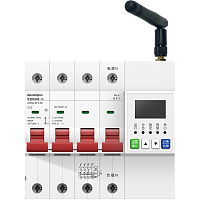
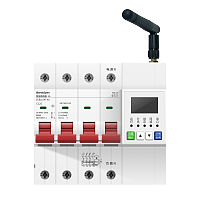





GemeOpen
写几行代码,就可以控制的智能设备!
智能转换器断电告警插座10A-通断-4G开发者文档
产品型号:GSPMA1B-4G
产品概要信息
基本描述
主要特点
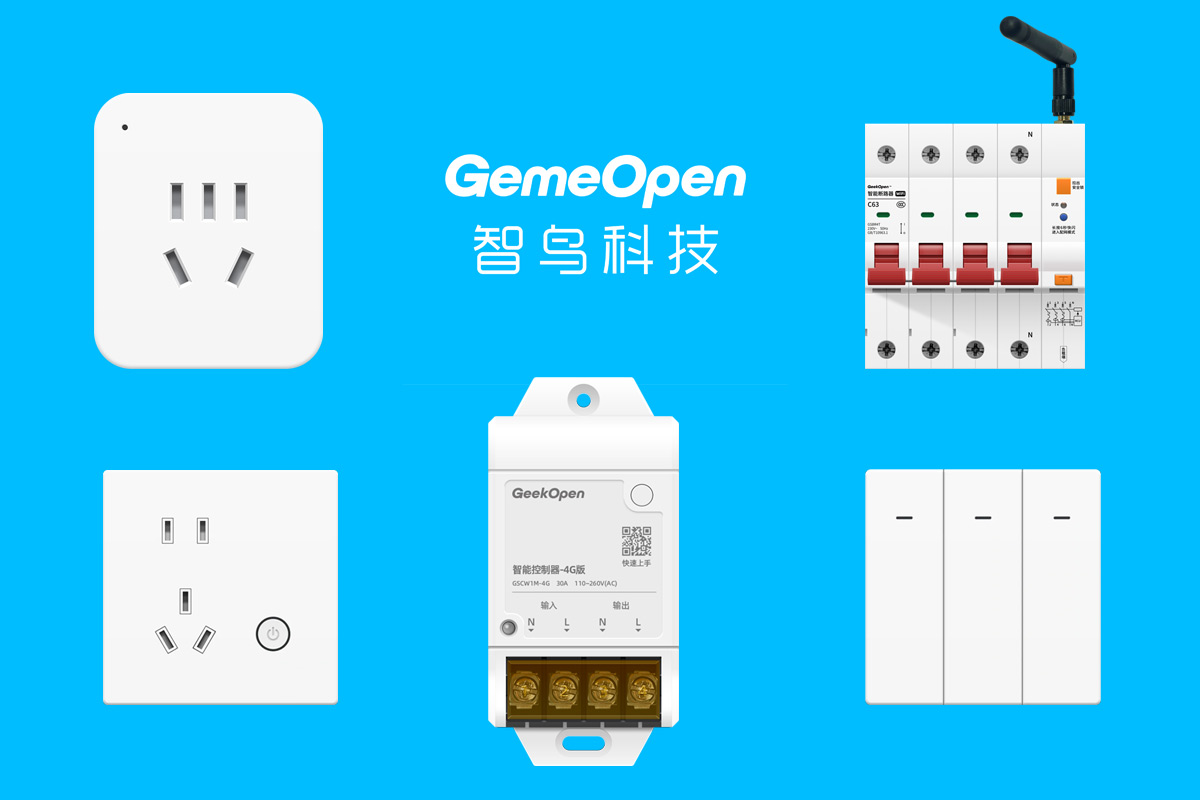
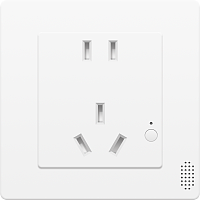
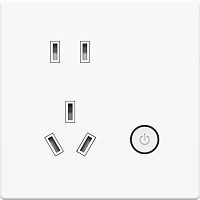
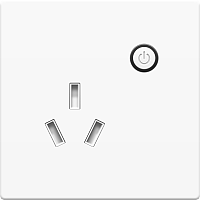
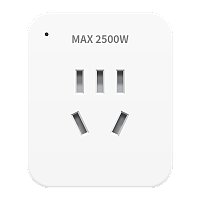
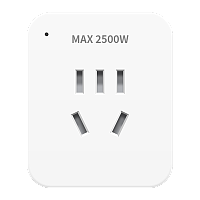
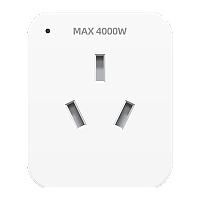
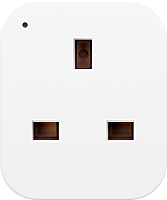
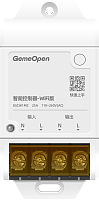
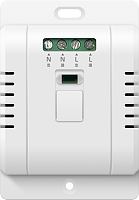
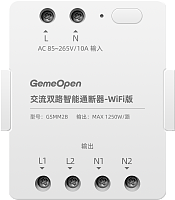
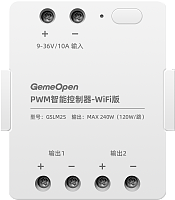
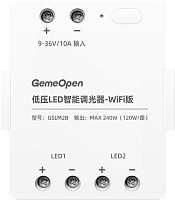
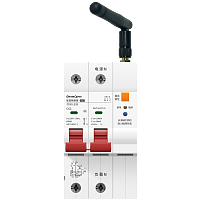
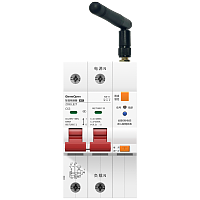
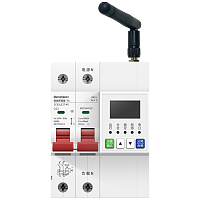
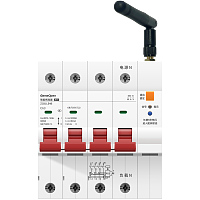
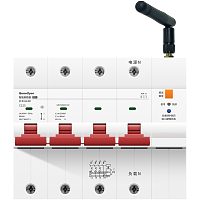
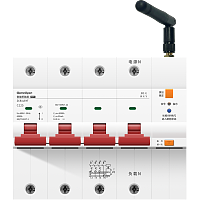
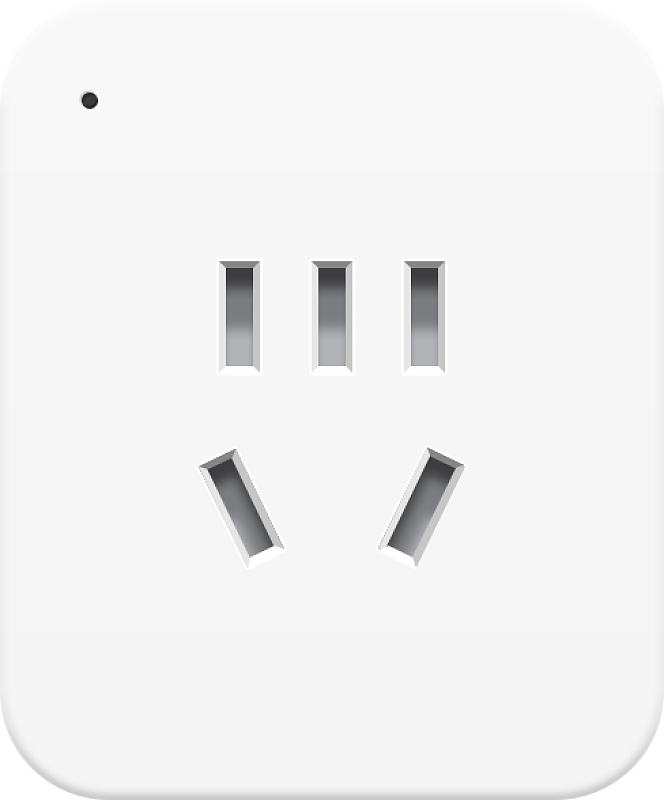
产品图片
技术支持

企业微信扫一扫
武汉智鸟科技有限责任公司
企业官网:www.smart-bird.cn
服务热线:130-0715-9689
办公地址:湖北省武汉市高新大道光谷崇文中心B1栋1401、1409
常用指令
控制设备通断
controller-event
指令简介
控制设备的通断电操作
向设备发送指令
服务端向设备订阅topic发送消息
{
"key" : 0,
"messageId" : "test-relay-on-001",
"type" : "event"
}
"key" : 0,
"messageId" : "test-relay-on-001",
"type" : "event"
}
字段属性
| # | 字段名称 | 字段类型 | 字段说明 | 示例值 |
|---|---|---|---|---|
| 1 | key | int | 插座通断电状态,0:断电,1:通电 | 0 |
| 2 | messageId | String | 消息ID字段 | test-relay-on-001 |
| 3 | type | String | 控制设备开关固定传"event" | event |
设备返回信息
设备向服务端订阅topic上报消息
{
"code" : "GSPMA1B-4G",
"commandName" : "controller-event",
"iccid" : "898608361924D2182927",
"imei" : "863434083576113",
"key" : 0,
"keyLock" : 0,
"messageId" : "test-relay-on-001",
"onState" : 2,
"resetLock" : 0,
"signal" : 27,
"source" : "command",
"timerEnable" : 1,
"timerInterval" : 60,
"version" : "1.1.1"
}
"code" : "GSPMA1B-4G",
"commandName" : "controller-event",
"iccid" : "898608361924D2182927",
"imei" : "863434083576113",
"key" : 0,
"keyLock" : 0,
"messageId" : "test-relay-on-001",
"onState" : 2,
"resetLock" : 0,
"signal" : 27,
"source" : "command",
"timerEnable" : 1,
"timerInterval" : 60,
"version" : "1.1.1"
}
字段属性
| # | 字段名称 | 字段类型 | 字段说明 | 示例值 |
|---|---|---|---|---|
| 1 | code | String | 产品类型,固定为"GSPMA1B-4G" | GSPMA1B-4G |
| 2 | commandName | String | 指令名称 | controller-event |
| 3 | iccid | String | SIM 卡号 | 898608361924D2182927 |
| 4 | imei | String | 设备 IMEI,唯一标识 | 863434083576113 |
| 5 | key | int | 设备通断电状态,0:断电,1:通电 | 0 |
| 6 | keyLock | int | 按键锁:0未锁,1锁定(锁定后本地按键无效) | 0 |
| 7 | messageId | String | 消息ID字段 | test-relay-on-001 |
| 8 | onState | int | 设备上电的默认状态: 0:记忆;是指记忆最后一次设备断电前的状态,如断电前设备是通电状态(指示灯是蓝的),设备下次上电默认是通电状态(指示灯是蓝的)。 1:关闭,即断电状态(指示灯是灭的),如断电前,设备是通电状态(指示灯是蓝的),设备下次上电默认是依旧是断电状态(指示灯是灭的)。需要手动/远程开启通电状态。 2:开启,即通电状态(指示灯是蓝色的),是指设备上电之后,默认是通电状态,此刻需要注意,插在设备上的负载会通电运行,会有安全风险,所以建议是默认上电状态为关闭。 | 2 |
| 9 | resetLock | int | 重置锁:0未锁,1锁定(锁定后长按重置无效) | 0 |
| 10 | signal | int | 4G 信号强度(CSQ)范围 0~31, CSQ值小于10,网络较差。 CSQ值在10和25之间,网络中等。 CSQ值大于25,网络较好。 | 27 |
| 11 | source | String | 指令回复“command" | command |
| 12 | timerEnable | int | 定时电量上报开关:0关闭,1 开启 | 1 |
| 13 | timerInterval | int | 定时上报间隔(秒);仅 timerEnable=1`时返回,取值范围5-86400 | 60 |
| 14 | version | String | 固件版本号 | 1.1.1 |
查询设备信息
info-all
指令简介
查询设备基础信息,包括型号、固件版本、继电器当前状态、4G 信号强度、SIM 卡 ICCID,以及按键锁、重置锁、定时上报、断电恢复策略等配置参数。
向设备发送指令
服务端向设备订阅topic发送消息
{
"type": "info",
"messageId": "test-info-001"
}
"type": "info",
"messageId": "test-info-001"
}
字段属性
| # | 字段名称 | 字段类型 | 字段说明 | 示例值 |
|---|---|---|---|---|
| 1 | messageId | String | 业务流水号。由请求方生成的唯一标识,响应方原样回显,用于请求与响应的关联匹配。 | test-info-001 |
| 2 | type | String | 固定值"xxx" | info |
设备返回信息
设备向服务端订阅topic上报消息
{
"imei": "860123456789012",
"code": "GSPMA1B-4G",
"version": "1.0.0",
"key": 0,
"signal": 25,
"iccid": "89860123456789012345",
"keyLock": 0,
"resetLock": 0,
"timerEnable": 1,
"timerInterval": 60,
"onState": 0,
"messageId": "test-info-001",
"commandName": "info-all",
"source": "command"
}
"imei": "860123456789012",
"code": "GSPMA1B-4G",
"version": "1.0.0",
"key": 0,
"signal": 25,
"iccid": "89860123456789012345",
"keyLock": 0,
"resetLock": 0,
"timerEnable": 1,
"timerInterval": 60,
"onState": 0,
"messageId": "test-info-001",
"commandName": "info-all",
"source": "command"
}
字段属性
| # | 字段名称 | 字段类型 | 字段说明 | 示例值 |
|---|---|---|---|---|
| 1 | code | String | 设备型号代码 | GSPMA1B-4G |
| 2 | commandName | String | 指令名称 | info-all |
| 3 | iccid | String | SIM-卡ICCID值 | 89860123456789012345 |
| 4 | imei | String | 设备唯一标识 | 860123456789012 |
| 5 | key | int | 设备通断电状态,0:断电,1:通电 | 1 |
| 6 | keyLock | int | 按键锁,0:关闭,1:开启 | 0 |
| 7 | messageId | String | 业务流水号。由请求方生成的唯一标识,响应方原样回显,用于请求与响应的关联匹配。 | test-info-001 |
| 8 | onState | int | 设备上电的默认状态: 0:记忆;是指记忆最后一次设备断电前的状态,如断电前设备是通电状态(指示灯是蓝的),设备下次上电默认是通电状态(指示灯是蓝的)。 1:关闭,即断电状态(指示灯是灭的),如断电前,设备是通电状态(指示灯是蓝的),设备下次上电默认是依旧是断电状态(指示灯是灭的)。需要手动/远程开启通电状态。 2:开启,即通电状态(指示灯是蓝色的),是指设备上电之后,默认是通电状态,此刻需要注意,插在设备上的负载会通电运行,会有安全风险,所以建议是默认上电状态为关闭。 | 2 |
| 9 | resetLock | int | 重置锁,0:关闭,1:开启 | 0 |
| 10 | signal | int | 4G 信号强度(CSQ)范围 0~31, CSQ值小于10,网络较差。 CSQ值在10和25之间,网络中等。 CSQ值大于25,网络较好。 | 25 |
| 11 | source | String | 指令回复“command" | command |
| 12 | timerEnable | int | 设备统计信息定时上报状态,0:关闭;1:开启 | 1 |
| 13 | timerInterval | int | 设备统计信息上报时间间隔(单位秒),取值范围5-86400 | 60 |
| 14 | version | String | 当前固件版本号 | 1.0.0 |
查询电量统计
info-statistic
指令简介
获取设备采集的累积电量、实时电压、实时电流、有功功率
向设备发送指令
服务端向设备订阅topic发送消息
{
"messageId" : "test-stat-001",
"type" : "statistic"
}
"messageId" : "test-stat-001",
"type" : "statistic"
}
字段属性
| # | 字段名称 | 字段类型 | 字段说明 | 示例值 |
|---|---|---|---|---|
| 1 | messageId | String | 业务流水号。由请求方生成的唯一标识,响应方原样回显,用于请求与响应的关联匹配。 | test-stat-001 |
| 2 | type | String | 获取设备电量信息固定传"statistic" | statistic |
设备返回信息
设备向服务端订阅topic上报消息
{
"commandName" : "info-statistic",
"current" : 15.027,
"energy" : 25.047,
"imei" : "860123456789012",
"key" : 0,
"messageId" : "test-stat-001",
"power" : 2921.511,
"powerState" : 1,
"source" : "command",
"voltage" : 226.024
}
"commandName" : "info-statistic",
"current" : 15.027,
"energy" : 25.047,
"imei" : "860123456789012",
"key" : 0,
"messageId" : "test-stat-001",
"power" : 2921.511,
"powerState" : 1,
"source" : "command",
"voltage" : 226.024
}
字段属性
| # | 字段名称 | 字段类型 | 字段说明 | 示例值 |
|---|---|---|---|---|
| 1 | commandName | String | 指令名称 | info-statistic |
| 2 | current | float | 当前电流,单位A,保留三位小数 | 15.027 |
| 3 | energy | float | 累计用电量,单位KW*H,保留三位小数,断电后不会归零,重置后会归零 | 25.047 |
| 4 | imei | String | 设备唯一标识 | 860123456789012 |
| 5 | key | int | 插座通断电状态,0:断电,1:通电 | 0 |
| 6 | messageId | String | 消息ID字段 | test-stat-001 |
| 7 | power | float | 当前功率,单位W,保留三位小数 | 2921.511 |
| 8 | powerState | int | 供电状态:1 正常供电,0检测到断电(内部供电) | 1 |
| 9 | source | String | 指令回复“command" | command |
| 10 | voltage | float | 当前电压,单位V,保留三位小数 | 226.024 |
主动上报
断电上报
device-power-warnl
指令简介
当设备检测到断电时,自动切换为内部供电,并使用QoS 1确保告警可靠送达
向设备发送指令
服务端向设备订阅topic发送消息
字段属性
| # | 字段名称 | 字段类型 | 字段说明 | 示例值 |
|---|
设备返回信息
设备向服务端订阅topic上报消息
{
"commandName" : "device-power-warnl",
"current" : 0.0,
"energy" : 1.234,
"imei" : "860123456789012",
"key" : 0,
"power" : 0.0,
"powerState" : 0,
"source" : "auto",
"voltage" : 15.2
}
"commandName" : "device-power-warnl",
"current" : 0.0,
"energy" : 1.234,
"imei" : "860123456789012",
"key" : 0,
"power" : 0.0,
"powerState" : 0,
"source" : "auto",
"voltage" : 15.2
}
字段属性
| # | 字段名称 | 字段类型 | 字段说明 | 示例值 |
|---|---|---|---|---|
| 1 | commandName | String | 指令名称 | device-power-warnl |
| 2 | current | float | 当前电流,单位A,保留三位小数 | 0.0 |
| 3 | energy | float | 累计用电量,单位KW*H,保留三位小数,断电后不会归零,重置后会归零 | 1.234 |
| 4 | imei | String | 设备唯一标识 | 860123456789012 |
| 5 | key | int | 设备通断电状态,0:断电,1:通电 | 0 |
| 6 | power | float | 当前功率,单位W,保留三位小数 | 0.0 |
| 7 | powerState | int | 固定为 0(检测到断电,内部供电) | 0 |
| 8 | source | String | 指令回复“command" | auto |
| 9 | voltage | float | 当前电压,单位V,保留三位小数 | 15.2 |
定时电量上报
device-timer-task
指令简介
开启 timerEnable后,按 timerInterval周期上报
向设备发送指令
服务端向设备订阅topic发送消息
字段属性
| # | 字段名称 | 字段类型 | 字段说明 | 示例值 |
|---|
设备返回信息
设备向服务端订阅topic上报消息
{
"commandName" : "device-timer-task",
"current" : 0.12,
"energy" : 1.234,
"imei" : "860123456789012",
"key" : 0,
"power" : 26.4,
"powerState" : 1,
"source" : "auto",
"voltage" : 220.5
}
"commandName" : "device-timer-task",
"current" : 0.12,
"energy" : 1.234,
"imei" : "860123456789012",
"key" : 0,
"power" : 26.4,
"powerState" : 1,
"source" : "auto",
"voltage" : 220.5
}
字段属性
| # | 字段名称 | 字段类型 | 字段说明 | 示例值 |
|---|---|---|---|---|
| 1 | commandName | String | 指令名称 | device-timer-task |
| 2 | current | float | 当前电流,单位A,保留三位小数 | 0.12 |
| 3 | energy | float | 累计用电量,单位KW*H,保留三位小数,断电后不会归零,重置后会归零 | 1.234 |
| 4 | imei | String | 设备唯一标识 | 860123456789012 |
| 5 | key | int | 设备通断电状态,0:断电,1:通电 | 0 |
| 6 | power | float | 当前功率,单位W,保留三位小数 | 26.4 |
| 7 | powerState | int | 供电状态:1:正常供电,0:检测到断电(内部供电) | 1 |
| 8 | source | String | 指令回复“command" | auto |
| 9 | voltage | float | 当前电压,单位V,保留三位小数 | 220.5 |
本地按键触发
info-all
指令简介
单击按键(`keyLock=0` 时)切换继电器后上报
向设备发送指令
服务端向设备订阅topic发送消息
字段属性
| # | 字段名称 | 字段类型 | 字段说明 | 示例值 |
|---|---|---|---|---|
| 1 | messageId | String | 业务流水号。由请求方生成的唯一标识,响应方原样回显,用于请求与响应的关联匹配。 | test-info-001 |
| 2 | type | String | 固定值"xxx" | info |
设备返回信息
设备向服务端订阅topic上报消息
{
"code" : "GSPMA1B-4G",
"commandName" : "info-all",
"iccid" : "89860123456789012345",
"imei" : "860123456789012",
"key" : 1,
"keyLock" : 0,
"messageId" : "test-info-001",
"onState" : 2,
"resetLock" : 0,
"signal" : 25,
"source" : "command",
"timerEnable" : 1,
"timerInterval" : 60,
"version" : "1.0.0"
}
"code" : "GSPMA1B-4G",
"commandName" : "info-all",
"iccid" : "89860123456789012345",
"imei" : "860123456789012",
"key" : 1,
"keyLock" : 0,
"messageId" : "test-info-001",
"onState" : 2,
"resetLock" : 0,
"signal" : 25,
"source" : "command",
"timerEnable" : 1,
"timerInterval" : 60,
"version" : "1.0.0"
}
字段属性
| # | 字段名称 | 字段类型 | 字段说明 | 示例值 |
|---|---|---|---|---|
| 1 | code | String | 设备型号代码 | GSPMA1B-4G |
| 2 | commandName | String | 指令名称 | info-all |
| 3 | iccid | String | SIM-卡ICCID值 | 89860123456789012345 |
| 4 | imei | String | 设备唯一标识 | 860123456789012 |
| 5 | key | int | 设备通断电状态,0:断电,1:通电 | 1 |
| 6 | keyLock | int | 按键锁,0:关闭,1:开启 | 0 |
| 7 | messageId | String | 业务流水号。由请求方生成的唯一标识,响应方原样回显,用于请求与响应的关联匹配。 | test-info-001 |
| 8 | onState | int | 设备上电的默认状态: 0:记忆;是指记忆最后一次设备断电前的状态,如断电前设备是通电状态(指示灯是蓝的),设备下次上电默认是通电状态(指示灯是蓝的)。 1:关闭,即断电状态(指示灯是灭的),如断电前,设备是通电状态(指示灯是蓝的),设备下次上电默认是依旧是断电状态(指示灯是灭的)。需要手动/远程开启通电状态。 2:开启,即通电状态(指示灯是蓝色的),是指设备上电之后,默认是通电状态,此刻需要注意,插在设备上的负载会通电运行,会有安全风险,所以建议是默认上电状态为关闭。 | 2 |
| 9 | resetLock | int | 重置锁,0:关闭,1:开启 | 0 |
| 10 | signal | int | 4G 信号强度(CSQ)范围 0~31, CSQ值小于10,网络较差。 CSQ值在10和25之间,网络中等。 CSQ值大于25,网络较好。 | 25 |
| 11 | source | String | 指令回复“command" | command |
| 12 | timerEnable | int | 设备统计信息定时上报状态,0:关闭;1:开启 | 1 |
| 13 | timerInterval | int | 设备统计信息上报时间间隔(单位秒),取值范围5-86400 | 60 |
| 14 | version | String | 当前固件版本号 | 1.0.0 |
设备维护
恢复出厂(重置)
controller-reset
指令简介
恢复出厂设置后配网信息和自定义信息都会清空,请谨慎操作!
向设备发送指令
服务端向设备订阅topic发送消息
{
"messageId" : "test-reset-001",
"system" : "reset",
"type" : "setting"
}
"messageId" : "test-reset-001",
"system" : "reset",
"type" : "setting"
}
字段属性
| # | 字段名称 | 字段类型 | 字段说明 | 示例值 |
|---|---|---|---|---|
| 1 | messageId | String | 业务流水号。由请求方生成的唯一标识,响应方原样回显,用于请求与响应的关联匹配。 | test-reset-001 |
| 2 | system | String | 重置/恢复出厂设置默认填"reset" | reset |
| 3 | type | String | 设备设置固定传"setting" | setting |
设备返回信息
设备向服务端订阅topic上报消息
{
"commandName" : "controller-reset",
"imei" : "860123456789012",
"message" : "ok",
"messageId" : "test-reset-001",
"source" : "command",
"success" : true
}
"commandName" : "controller-reset",
"imei" : "860123456789012",
"message" : "ok",
"messageId" : "test-reset-001",
"source" : "command",
"success" : true
}
字段属性
| # | 字段名称 | 字段类型 | 字段说明 | 示例值 |
|---|---|---|---|---|
| 1 | commandName | String | 指令名称 | controller-reset |
| 2 | imei | String | 设备唯一标识 | 860123456789012 |
| 3 | message | String | 执行返回结果 | ok |
| 4 | messageId | String | 业务流水号。由请求方生成的唯一标识,响应方原样回显,用于请求与响应的关联匹配。 | test-reset-001 |
| 5 | source | String | 指令回复“command" | command |
| 6 | success | boolean | 执行结果 | true |
软重启
controller-restart
指令简介
远程触发设备软重启。设备会先回复 MQTT 响应消息,等待 4 秒后执行重启操作。
向设备发送指令
服务端向设备订阅topic发送消息
{
"messageId" : "test-restart-001",
"system" : "restart",
"type" : "setting"
}
"messageId" : "test-restart-001",
"system" : "restart",
"type" : "setting"
}
字段属性
| # | 字段名称 | 字段类型 | 字段说明 | 示例值 |
|---|---|---|---|---|
| 1 | messageId | String | 业务流水号。由请求方生成的唯一标识,响应方原样回显,用于请求与响应的关联匹配。 | test-restart-001 |
| 2 | system | String | 重置/恢复出厂设置默认填"reset" | restart |
| 3 | type | String | 固定值"xxx" | setting |
设备返回信息
设备向服务端订阅topic上报消息
{
"commandName" : "controller-restart",
"imei" : "860123456789012",
"message" : "ok",
"messageId" : "test-restart-001",
"source" : "command",
"success" : true
}
"commandName" : "controller-restart",
"imei" : "860123456789012",
"message" : "ok",
"messageId" : "test-restart-001",
"source" : "command",
"success" : true
}
字段属性
| # | 字段名称 | 字段类型 | 字段说明 | 示例值 |
|---|---|---|---|---|
| 1 | commandName | String | 指令名称 | controller-restart |
| 2 | imei | String | 设备唯一标识 | 860123456789012 |
| 3 | message | String | 执行结果描述:对命令执行结果的文本说明。执行完成且无异常:ok ;如果出现异常,返回异常结果描述。 | ok |
| 4 | messageId | String | 业务流水号。由请求方生成的唯一标识,响应方原样回显,用于请求与响应的关联匹配。 | test-restart-001 |
| 5 | source | String | 指令回复“command" | command |
| 6 | success | boolean | 执行结果,执行成功:true;执行失败:false | true |
定时上报间隔
device-timer-interval
指令简介
配置设备定时电量上报的开关和上报间隔。开启后设备将按设定周期自动上报电压、电流、功率、累计电量等数据。
向设备发送指令
服务端向设备订阅topic发送消息
{
"messageId" : "test-timer-report-001",
"timerEnable" : 1,
"timerInterval" : 10,
"type" : "setting"
}
"messageId" : "test-timer-report-001",
"timerEnable" : 1,
"timerInterval" : 10,
"type" : "setting"
}
字段属性
| # | 字段名称 | 字段类型 | 字段说明 | 示例值 |
|---|---|---|---|---|
| 1 | messageId | String | 消息ID字段 | test-timer-report-001 |
| 2 | timerEnable | int | 设备电量信息定时上报状态,0:关闭;1:开启 | 1 |
| 3 | timerInterval | int | 电量信息上报时间间隔(单位秒),取值范围5-86400 | 10 |
| 4 | type | String | 设备设置固定传"setting" | setting |
设备返回信息
设备向服务端订阅topic上报消息
{
"code" : "GSPMA1B-4G",
"commandName" : "device-timer-interval",
"iccid" : "89860123456789012345",
"imei" : "860123456789012",
"key" : 0,
"keyLock" : 0,
"messageId" : "test-timer-report-001",
"onState" : 1,
"powerState" : 1,
"resetLock" : 0,
"signal" : 27,
"source" : "command",
"timerEnable" : 1,
"timerInterval" : 10,
"version" : "1.2.3"
}
"code" : "GSPMA1B-4G",
"commandName" : "device-timer-interval",
"iccid" : "89860123456789012345",
"imei" : "860123456789012",
"key" : 0,
"keyLock" : 0,
"messageId" : "test-timer-report-001",
"onState" : 1,
"powerState" : 1,
"resetLock" : 0,
"signal" : 27,
"source" : "command",
"timerEnable" : 1,
"timerInterval" : 10,
"version" : "1.2.3"
}
字段属性
| # | 字段名称 | 字段类型 | 字段说明 | 示例值 |
|---|---|---|---|---|
| 1 | code | String | 设备型号代码 | GSPMA1B-4G |
| 2 | commandName | String | 指令名称 | device-timer-interval |
| 3 | iccid | String | SIM-卡ICCID值 | 89860123456789012345 |
| 4 | imei | String | 设备唯一标识 | 860123456789012 |
| 5 | key | int | 插座通断电状态,0:断电,1:通电 | 0 |
| 6 | keyLock | int | 按键锁,0:关闭,1:开启 | 0 |
| 7 | messageId | String | 消息ID字段 | test-timer-report-001 |
| 8 | onState | int | 设备上电的默认状态: 0:记忆;是指记忆最后一次设备断电前的状态,如断电前设备是通电状态(指示灯是蓝的),设备下次上电默认是通电状态(指示灯是蓝的)。 1:关闭,即断电状态(指示灯是灭的),如断电前,设备是通电状态(指示灯是蓝的),设备下次上电默认是依旧是断电状态(指示灯是灭的)。需要手动/远程开启通电状态。 2:开启,即通电状态(指示灯是蓝色的),是指设备上电之后,默认是通电状态,此刻需要注意,插在设备上的负载会通电运行,会有安全风险,所以建议是默认上电状态为关闭。 | 1 |
| 9 | powerState | int | 报警器电源状态,1:市电供电:0:电池供电 | 1 |
| 10 | resetLock | int | 重置锁,0:关闭,1:开启 | 0 |
| 11 | signal | int | 4G 信号强度(CSQ)范围 0~31, CSQ值小于10,网络较差。 CSQ值在10和25之间,网络中等。 CSQ值大于25,网络较好。 | 27 |
| 12 | source | String | 指令回复“command" | command |
| 13 | timerEnable | int | 设备电量信息定时上报状态,0:关闭;1:开启 | 1 |
| 14 | timerInterval | int | 电量信息上报时间间隔(单位秒),取值范围5-86400 | 10 |
| 15 | version | String | 当前固件版本号 | 1.2.3 |
清除累计用电量
energy-clear
指令简介
清除累计用电量
向设备发送指令
服务端向设备订阅topic发送消息
{
"messageId" : "test-energy-clear-001",
"system" : "energy-clear",
"type" : "setting"
}
"messageId" : "test-energy-clear-001",
"system" : "energy-clear",
"type" : "setting"
}
字段属性
| # | 字段名称 | 字段类型 | 字段说明 | 示例值 |
|---|---|---|---|---|
| 1 | messageId | String | 业务流水号。由请求方生成的唯一标识,响应方原样回显,用于请求与响应的关联匹配。 | test-energy-clear-001 |
| 2 | system | String | 固定为 `energy-clear` | energy-clear |
| 3 | type | String | 固定 "setting" | setting |
设备返回信息
设备向服务端订阅topic上报消息
{
"commandName" : "energy-clear",
"imei" : "860123456789012",
"message" : "ok",
"messageId" : "test-energy-clear-001",
"source" : "command",
"success" : true
}
"commandName" : "energy-clear",
"imei" : "860123456789012",
"message" : "ok",
"messageId" : "test-energy-clear-001",
"source" : "command",
"success" : true
}
字段属性
| # | 字段名称 | 字段类型 | 字段说明 | 示例值 |
|---|---|---|---|---|
| 1 | commandName | String | 指令名称 | energy-clear |
| 2 | imei | String | 设备唯一标识 | 860123456789012 |
| 3 | message | String | 执行返回结果 | ok |
| 4 | messageId | String | 业务流水号。由请求方生成的唯一标识,响应方原样回显,用于请求与响应的关联匹配。 | test-energy-clear-001 |
| 5 | source | String | 指令回复“command" | command |
| 6 | success | boolean | 执行结果 | true |
查询当前协议 配置
info-protocol
指令简介
查询 当前协议 配置
向设备发送指令
服务端向设备订阅topic发送消息
{
"messageId" : "test-protocol-001",
"type" : "protocol"
}
"messageId" : "test-protocol-001",
"type" : "protocol"
}
字段属性
| # | 字段名称 | 字段类型 | 字段说明 | 示例值 |
|---|---|---|---|---|
| 1 | messageId | String | 业务流水号。由请求方生成的唯一标识,响应方原样回显,用于请求与响应的关联匹配。 | test-protocol-001 |
| 2 | type | String | 获取设备通讯协议固定传protocol | protocol |
设备返回信息
设备向服务端订阅topic上报消息
{
"clientId" : "868926080557405",
"commandName" : "info-protocol",
"messageId" : "test-protocol-001",
"password" : "123456",
"port" : "1883",
"protocol" : "mqtt",
"publish" : "/GeekOpen/qos0",
"server" : "broker.emqx.io",
"source" : "command",
"subcribe" : "/GeekOpen/qos1",
"username" : "admin"
}
"clientId" : "868926080557405",
"commandName" : "info-protocol",
"messageId" : "test-protocol-001",
"password" : "123456",
"port" : "1883",
"protocol" : "mqtt",
"publish" : "/GeekOpen/qos0",
"server" : "broker.emqx.io",
"source" : "command",
"subcribe" : "/GeekOpen/qos1",
"username" : "admin"
}
字段属性
| # | 字段名称 | 字段类型 | 字段说明 | 示例值 |
|---|---|---|---|---|
| 1 | clientId | String | 自定义MQTT客户端ID注意:不可重复 | 868926080557405 |
| 2 | commandName | String | 指令名称 | info-protocol |
| 3 | messageId | String | 业务流水号。由请求方生成的唯一标识,响应方原样回显,用于请求与响应的关联匹配。 | test-protocol-001 |
| 4 | password | String | 密码 | 123456 |
| 5 | port | String | 端口号 | 1883 |
| 6 | protocol | String | 协议类型 | mqtt |
| 7 | publish | String | 自定义发布主题 注意:不可重复 | /GeekOpen/qos0 |
| 8 | server | String | 自定义服务器地址 | broker.emqx.io |
| 9 | source | String | 指令回复“command" | command |
| 10 | subcribe | String | 自定义订阅主题,注意:不可重复 | /GeekOpen/qos1 |
| 11 | username | String | 自定义服务器用户名 | admin |
按键锁
setting-key-lock
指令简介
功能按键锁定后,设备仅能通指令远程操作,例如控制开关的通断、插座的通断电,都只能通过指令操作
向设备发送指令
服务端向设备订阅topic发送消息
{
"keyLock" : 0,
"messageId" : "test-keylock-001",
"type" : "setting"
}
"keyLock" : 0,
"messageId" : "test-keylock-001",
"type" : "setting"
}
字段属性
| # | 字段名称 | 字段类型 | 字段说明 | 示例值 |
|---|---|---|---|---|
| 1 | keyLock | int | 按键锁,0:关闭,1:开启 | 0 |
| 2 | messageId | String | 业务流水号。由请求方生成的唯一标识,响应方原样回显,用于请求与响应的关联匹配。 | test-keylock-001 |
| 3 | type | String | 设备设置固定传"setting" | setting |
设备返回信息
设备向服务端订阅topic上报消息
{
"code" : "GSPMA1B-4G",
"commandName" : "setting-key-lock",
"iccid" : "89860123456789012345",
"imei" : "860123456789012",
"key" : 0,
"keyLock" : 0,
"messageId" : "test-keylock-001",
"onState" : 1,
"resetLock" : 0,
"signal" : 25,
"source" : "command",
"timerEnable" : 1,
"timerInterval" : 60,
"version" : "1.1.1"
}
"code" : "GSPMA1B-4G",
"commandName" : "setting-key-lock",
"iccid" : "89860123456789012345",
"imei" : "860123456789012",
"key" : 0,
"keyLock" : 0,
"messageId" : "test-keylock-001",
"onState" : 1,
"resetLock" : 0,
"signal" : 25,
"source" : "command",
"timerEnable" : 1,
"timerInterval" : 60,
"version" : "1.1.1"
}
字段属性
| # | 字段名称 | 字段类型 | 字段说明 | 示例值 |
|---|---|---|---|---|
| 1 | code | String | 设备型号代码 | GSPMA1B-4G |
| 2 | commandName | String | 指令名称 | setting-key-lock |
| 3 | iccid | String | SIM-卡ICCID值 | 89860123456789012345 |
| 4 | imei | String | 设备唯一标识 | 860123456789012 |
| 5 | key | int | 插座通断电状态,0:断电,1:通电 | 0 |
| 6 | keyLock | int | 按键锁,0:关闭,1:开启 | 0 |
| 7 | messageId | String | 业务流水号。由请求方生成的唯一标识,响应方原样回显,用于请求与响应的关联匹配。 | test-keylock-001 |
| 8 | onState | int | 设备上电的默认状态: 0:记忆;是指记忆最后一次设备断电前的状态,如断电前设备是通电状态(指示灯是蓝的),设备下次上电默认是通电状态(指示灯是蓝的)。 1:关闭,即断电状态(指示灯是灭的),如断电前,设备是通电状态(指示灯是蓝的),设备下次上电默认是依旧是断电状态(指示灯是灭的)。需要手动/远程开启通电状态。 2:开启,即通电状态(指示灯是蓝色的),是指设备上电之后,默认是通电状态,此刻需要注意,插在设备上的负载会通电运行,会有安全风险,所以建议是默认上电状态为关闭。 | 1 |
| 9 | resetLock | int | 重置锁,0:关闭,1:开启 | 0 |
| 10 | signal | int | 4G 信号强度(CSQ) | 25 |
| 11 | source | String | 指令回复“command" | command |
| 12 | timerEnable | int | 设备电量信息定时上报状态,0:关闭;1:开启 | 1 |
| 13 | timerInterval | int | 设备统计信息上报时间间隔(单位秒),取值范围5-86400 | 60 |
| 14 | version | String | 当前固件版本号 | 1.1.1 |
自定义MQTT
setting-mqtt
指令简介
修改设备的 MQTT 服务器连接参数,使设备接入客户指定的MQTT 服务器(自建服务器、第三方平台等)。
向设备发送指令
服务端向设备订阅topic发送消息
{
"clientId" : "custom",
"password" : "123456",
"port" : "1883",
"protocol" : "mqtt",
"publish" : "/GeekOpen/qos0",
"server" : "broker.emqx.io",
"subscribe" : "/GeekOpen/qos1",
"type" : "custom",
"username" : "admin"
}
"clientId" : "custom",
"password" : "123456",
"port" : "1883",
"protocol" : "mqtt",
"publish" : "/GeekOpen/qos0",
"server" : "broker.emqx.io",
"subscribe" : "/GeekOpen/qos1",
"type" : "custom",
"username" : "admin"
}
字段属性
| # | 字段名称 | 字段类型 | 字段说明 | 示例值 |
|---|---|---|---|---|
| 1 | clientId | String | 自定义MQTT客户端ID注意:不可重复 | custom |
| 2 | password | String | 密码 | 123456 |
| 3 | port | String | 端口号 | 1883 |
| 4 | protocol | String | 协议类型 | mqtt |
| 5 | publish | String | 自定义发布主题 注意:不可重复 | /GeekOpen/qos0 |
| 6 | server | String | 自定义服务器地址 | broker.emqx.io |
| 7 | subscribe | String | 自定义订阅主题,注意:不能与发布主题重复 | /GeekOpen/qos1 |
| 8 | type | String | 设备自定义固定传"custom" | custom |
| 9 | username | String | 自定义服务器用户名 | admin |
设备返回信息
设备向服务端订阅topic上报消息
{
"clientId" : "custom",
"commandName" : "setting-mqtt",
"mac" : "4CEBD60BFD62",
"port" : "1883",
"protocol" : "mqtt",
"publish" : "/topic/qos0
",
"server" : "192.168.0.66",
"source" : "command",
"subscribe" : "/topic/qos1",
"username" : "admin"
}
"clientId" : "custom",
"commandName" : "setting-mqtt",
"mac" : "4CEBD60BFD62",
"port" : "1883",
"protocol" : "mqtt",
"publish" : "/topic/qos0
",
"server" : "192.168.0.66",
"source" : "command",
"subscribe" : "/topic/qos1",
"username" : "admin"
}
字段属性
| # | 字段名称 | 字段类型 | 字段说明 | 示例值 |
|---|---|---|---|---|
| 1 | clientId | String | 自定义MQTT客户端ID注意:不可重复 | custom |
| 2 | commandName | String | 指令名称 | setting-mqtt |
| 3 | mac | String | wifi设备MAC地址或4G设备的IMEI号,唯一标识 | 4CEBD60BFD62 |
| 4 | port | String | 端口号 | 1883 |
| 5 | protocol | String | 协议类型 | mqtt |
| 6 | publish | String | 自定义发布主题 注意:不可重复 | /topic/qos0 |
| 7 | server | String | 自定义服务器地址 | 192.168.0.66 |
| 8 | source | String | 指令回复“command" | command |
| 9 | subscribe | String | 自定义订阅主题,注意:不能与发布主题重复 | /topic/qos1 |
| 10 | username | String | 自定义服务器用户名 | admin |
设置上电默认状态
setting-on-state
指令简介
设置设备在断电后重新通电时,继电器应恢复到什么状态。出厂设备默认断电
向设备发送指令
服务端向设备订阅topic发送消息
{
"onState" : 1,
"type" : "setting"
}
"onState" : 1,
"type" : "setting"
}
字段属性
| # | 字段名称 | 字段类型 | 字段说明 | 示例值 |
|---|---|---|---|---|
| 1 | onState | int | 设备上电的默认状态: 0:记忆;是指记忆最后一次设备断电前的状态,如断电前设备是通电状态(指示灯是蓝的),设备下次上电默认是通电状态(指示灯是蓝的)。 1:关闭,即断电状态(指示灯是灭的),如断电前,设备是通电状态(指示灯是蓝的),设备下次上电默认是依旧是断电状态(指示灯是灭的)。需要手动/远程开启通电状态。 2:开启,即通电状态(指示灯是蓝色的),是指设备上电之后,默认是通电状态,此刻需要注意,插在设备上的负载会通电运行,会有安全风险,所以建议是默认上电状态为关闭。 | 1 |
| 2 | type | String | 设备设置固定传"setting" | setting |
设备返回信息
设备向服务端订阅topic上报消息
{
"code" : "GSPMA1B-4G",
"commandName" : "setting-on-state",
"iccid" : "89860123456789012345",
"imei" : "860123456789012",
"key" : 0,
"messageId" : "test-onstate-001",
"onState" : 1,
"resetLock" : 0,
"signal" : 25,
"source" : "command",
"timerEnable" : 1,
"timerInterval" : 15,
"version" : "1.1.1"
}
"code" : "GSPMA1B-4G",
"commandName" : "setting-on-state",
"iccid" : "89860123456789012345",
"imei" : "860123456789012",
"key" : 0,
"messageId" : "test-onstate-001",
"onState" : 1,
"resetLock" : 0,
"signal" : 25,
"source" : "command",
"timerEnable" : 1,
"timerInterval" : 15,
"version" : "1.1.1"
}
字段属性
| # | 字段名称 | 字段类型 | 字段说明 | 示例值 |
|---|---|---|---|---|
| 1 | code | String | 设备型号代码 | GSPMA1B-4G |
| 2 | commandName | String | 指令名称 | setting-on-state |
| 3 | iccid | String | SIM-卡ICCID值 | 89860123456789012345 |
| 4 | imei | String | 设备唯一标识 | 860123456789012 |
| 5 | key | int | 插座通断电状态,0:断电,1:通电 | 0 |
| 6 | messageId | String | 业务流水号。由请求方生成的唯一标识,响应方原样回显,用于请求与响应的关联匹配。 | test-onstate-001 |
| 7 | onState | int | 设备上电的默认状态: 0:记忆;是指记忆最后一次设备断电前的状态,如断电前设备是通电状态(指示灯是蓝的),设备下次上电默认是通电状态(指示灯是蓝的)。 1:关闭,即断电状态(指示灯是灭的),如断电前,设备是通电状态(指示灯是蓝的),设备下次上电默认是依旧是断电状态(指示灯是灭的)。需要手动/远程开启通电状态。 2:开启,即通电状态(指示灯是蓝色的),是指设备上电之后,默认是通电状态,此刻需要注意,插在设备上的负载会通电运行,会有安全风险,所以建议是默认上电状态为关闭。 | 1 |
| 8 | resetLock | int | 重置锁,0:关闭,1:开启 | 0 |
| 9 | signal | int | 4G 信号强度(CSQ) | 25 |
| 10 | source | String | 指令回复“command" | command |
| 11 | timerEnable | int | 设备电量信息定时上报状态,0:关闭;1:开启 | 1 |
| 12 | timerInterval | int | 设备统计信息上报时间间隔(单位秒),取值范围5-86400 | 15 |
| 13 | version | String | 当前固件版本号 | 1.1.1 |
重置锁
setting-resetLock
指令简介
锁定或解锁设备的长按重置(恢复出厂)功能。锁定后,用户长按重置键无法触发恢复出厂操作。
向设备发送指令
服务端向设备订阅topic发送消息
{
"messageId" : "test-resetlock-001",
"resetLock" : 1,
"type" : "setting"
}
"messageId" : "test-resetlock-001",
"resetLock" : 1,
"type" : "setting"
}
字段属性
| # | 字段名称 | 字段类型 | 字段说明 | 示例值 |
|---|---|---|---|---|
| 1 | messageId | String | 业务流水号。由请求方生成的唯一标识,响应方原样回显,用于请求与响应的关联匹配。 | test-resetlock-001 |
| 2 | resetLock | int | 重置锁,0:关闭,1:开启 | 1 |
| 3 | type | String | 固定值"xxx" | setting |
设备返回信息
设备向服务端订阅topic上报消息
{
"code" : "GSPMA1B-4G",
"commandName" : "setting-resetLock",
"iccid" : "89860123456789012345",
"imei" : "860123456789012",
"key" : 0,
"keyLock" : 0,
"messageId" : "test-resetlock-001",
"onState" : 0,
"resetLock" : 1,
"signal" : 25,
"source" : "command",
"timerEnable" : 1,
"timerInterval" : 60,
"version" : "1.0.0"
}
"code" : "GSPMA1B-4G",
"commandName" : "setting-resetLock",
"iccid" : "89860123456789012345",
"imei" : "860123456789012",
"key" : 0,
"keyLock" : 0,
"messageId" : "test-resetlock-001",
"onState" : 0,
"resetLock" : 1,
"signal" : 25,
"source" : "command",
"timerEnable" : 1,
"timerInterval" : 60,
"version" : "1.0.0"
}
字段属性
| # | 字段名称 | 字段类型 | 字段说明 | 示例值 |
|---|---|---|---|---|
| 1 | code | String | 设备型号代码 | GSPMA1B-4G |
| 2 | commandName | String | 指令名称 | setting-resetLock |
| 3 | iccid | String | SIM 卡 ICCID | 89860123456789012345 |
| 4 | imei | String | 设备 IMEI,唯一标识 | 860123456789012 |
| 5 | key | int | 设备通断电状态,0:断电,1:通电 | 0 |
| 6 | keyLock | int | 按键锁:0未锁,1锁定(锁定后本地按键无效) | 0 |
| 7 | messageId | String | 业务流水号。由请求方生成的唯一标识,响应方原样回显,用于请求与响应的关联匹配。 | test-resetlock-001 |
| 8 | onState | int | 设备上电的默认状态: 0:记忆;是指记忆最后一次设备断电前的状态,如断电前设备是通电状态(指示灯是蓝的),设备下次上电默认是通电状态(指示灯是蓝的)。 1:关闭,即断电状态(指示灯是灭的),如断电前,设备是通电状态(指示灯是蓝的),设备下次上电默认是依旧是断电状态(指示灯是灭的)。需要手动/远程开启通电状态。 2:开启,即通电状态(指示灯是蓝色的),是指设备上电之后,默认是通电状态,此刻需要注意,插在设备上的负载会通电运行,会有安全风险,所以建议是默认上电状态为关闭。 | 0 |
| 9 | resetLock | int | 重置锁:0 未锁,1锁定(锁定后长按重置无效) | 1 |
| 10 | signal | int | 4G 信号强度(CSQ) | 25 |
| 11 | source | String | 指令回复“command" | command |
| 12 | timerEnable | int | 设备统计信息定时上报状态,0:关闭;1:开启 | 1 |
| 13 | timerInterval | int | 设备统计信息上报时间间隔(单位秒),取值范围5-86400 | 60 |
| 14 | version | String | 当前固件版本号 | 1.0.0 |
定时任务
查询任务列表
info-timer-task-query
指令简介
查询设备上所有已启用的定时任务,返回每个任务的编号、触发时间、重复规则和关联的继电器动作。
向设备发送指令
服务端向设备订阅topic发送消息
{
"action" : "timerTaskQuery",
"messageId" : "test-timer-query-001",
"type" : "event"
}
"action" : "timerTaskQuery",
"messageId" : "test-timer-query-001",
"type" : "event"
}
字段属性
| # | 字段名称 | 字段类型 | 字段说明 | 示例值 |
|---|---|---|---|---|
| 1 | action | String | 学习红外码指令默认填"learn" | timerTaskQuery |
| 2 | messageId | String | 业务流水号。由请求方生成的唯一标识,响应方原样回显,用于请求与响应的关联匹配。 | test-timer-query-001 |
| 3 | type | String | 固定值"event" | event |
设备返回信息
设备向服务端订阅topic上报消息
{
"action" : "timerTaskQuery",
"commandName" : "info-timer-task-query",
"imei" : "860123456789012",
"list" : [{"number":1,"hour":8,"repeat":"day","command":{"type":"event","key":1},"minute":30},{"number":3,"week":5,"hour":22,"repeat":"week","command":{"type":"event","key":0},"minute":0}],
"messageId" : "test-timer-query-001",
"source" : "command",
"type" : "event"
}
"action" : "timerTaskQuery",
"commandName" : "info-timer-task-query",
"imei" : "860123456789012",
"list" : [{"number":1,"hour":8,"repeat":"day","command":{"type":"event","key":1},"minute":30},{"number":3,"week":5,"hour":22,"repeat":"week","command":{"type":"event","key":0},"minute":0}],
"messageId" : "test-timer-query-001",
"source" : "command",
"type" : "event"
}
字段属性
| # | 字段名称 | 字段类型 | 字段说明 | 示例值 |
|---|---|---|---|---|
| 1 | action | String | 固定为 timerTaskQuery | timerTaskQuery |
| 2 | commandName | String | 指令名称 | info-timer-task-query |
| 3 | imei | String | 设备 IMEI | 860123456789012 |
| 4 | list | List | list为列表,参数带number、week、hour、minute、repeat是定时按星期时分执行一次,参数不带week则是每天按时分循环执行,key1、key2、key3含义同event指令 | [{"number":1,"hour":8,"repeat":"day","command":{"type":"event","key":1},"minute":30},{"number":3,"week":5,"hour":22,"repeat":"week","command":{"type":"event","key":0},"minute":0}] |
| 5 | messageId | String | 业务流水号。由请求方生成的唯一标识,响应方原样回显,用于请求与响应的关联匹配。 | test-timer-query-001 |
| 6 | source | String | 指令回复“command" | command |
| 7 | type | String | 固定为 event | event |
删除定时任务
setting-timer-delete
指令简介
删除一个已启用的定时任务。
向设备发送指令
服务端向设备订阅topic发送消息
字段属性
| # | 字段名称 | 字段类型 | 字段说明 | 示例值 |
|---|---|---|---|---|
| 1 | action | String | 固定值delete | delete |
| 2 | messageId | String | 消息ID字段 | 202201241610366046 |
| 3 | number | int | 任务编号 | 1 |
| 4 | type | String | 设备设置固定传"setting" | setting |
设备返回信息
设备向服务端订阅topic上报消息
字段属性
| # | 字段名称 | 字段类型 | 字段说明 | 示例值 |
|---|---|---|---|---|
| 1 | commandName | String | 指令名称 | setting-timer-delete |
| 2 | mac | String | wifi设备MAC地址或4G设备的IMEI号,唯一标识 | 4CEBD60BFD62 |
| 3 | message | String | 执行返回结果 | ok |
| 4 | messageId | String | 消息ID字段 | 202201241610366046 |
| 5 | source | String | 指令回复“command" | command |
| 6 | success | boolean | 执行结果 | true |
设置定时任务
setting-timer-task
指令简介
设置一个定时任务,支持一次性、每天重复、按周重复三种模式。到点后会自动执行指定的继电器开/关动作,并上报通知。最多支持 10 个闹钟。
向设备发送指令
服务端向设备订阅topic发送消息
{
"command" :
{
"key" : 1,
"type" : "event"
},
"hour" : 19,
"messageId" : "test-alarm-001",
"minute" : 2,
"number" : 1,
"repeat" : "week",
"task" : "timer",
"type" : "setting",
"week" : "2"
}
"command" :
{
"key" : 1,
"type" : "event"
},
"hour" : 19,
"messageId" : "test-alarm-001",
"minute" : 2,
"number" : 1,
"repeat" : "week",
"task" : "timer",
"type" : "setting",
"week" : "2"
}
字段属性
| # | 字段名称 | 字段类型 | 字段说明 | 示例值 |
|---|---|---|---|---|
| 1 | command | Object | 指令 | |
| 2 | hour | int | 触发小时,范围0~23 | 19 |
| 3 | key | int | 插座通断电状态,0:断电,1:通电 | 0 |
| 4 | key | int | 设备通断电状态,0:断电,1:通电 | 1 |
| 5 | messageId | String | 消息ID字段 | test-alarm-001 |
| 6 | minute | int | 触发分钟,范围0~59 | 2 |
| 7 | number | int | 任务编号,范围1~10 | 1 |
| 8 | repeat | String | 重复类型:oneof(一次性)、day每天)、week(按周) | week |
| 9 | task | String | 固定值“timer" | timer |
| 10 | type | String | 设备设置固定传"setting" | setting |
| 11 | type | String | 控制设备开关固定传"event" | event |
| 12 | type | String | 固定值"event" | event |
| 13 | week | String | 星期,仅 repeat=week` 时需要;1周一 ~ 7周日 | 2 |
设备返回信息
设备向服务端订阅topic上报消息
{
"command" :
{
"key" : 0,
"type" : "event"
},
"commandName" : "setting-timer-task",
"hour" : 19,
"imei" : "860123456789012",
"messageId" : "test-alarm-001",
"minute" : 2,
"number" : 1,
"repeat" : "oneof",
"source" : "command",
"week" : "2"
}
"command" :
{
"key" : 0,
"type" : "event"
},
"commandName" : "setting-timer-task",
"hour" : 19,
"imei" : "860123456789012",
"messageId" : "test-alarm-001",
"minute" : 2,
"number" : 1,
"repeat" : "oneof",
"source" : "command",
"week" : "2"
}
字段属性
| # | 字段名称 | 字段类型 | 字段说明 | 示例值 |
|---|---|---|---|---|
| 1 | command | Object | 指令 | |
| 2 | commandName | String | 指令名称 | setting-timer-task |
| 3 | hour | int | 任务编号,范围1~10 | 19 |
| 4 | imei | String | 设备唯一标识 | 860123456789012 |
| 5 | key | int | 插座通断电状态,0:断电,1:通电 | 0 |
| 6 | key | int | 设备通断电状态,0:断电,1:通电 | 0 |
| 7 | messageId | String | 消息ID字段 | test-alarm-001 |
| 8 | minute | int | 触发分钟,范围0~59 | 2 |
| 9 | number | int | 任务编号,范围1~10 | 1 |
| 10 | repeat | String | 重复类型:oneof(一次性)、day每天)、week(按周) | oneof |
| 11 | source | String | 指令回复“command" | command |
| 12 | type | String | 控制设备开关固定传"event" | event |
| 13 | type | String | 固定值"event" | event |
| 14 | week | String | 星期,仅 repeat=week 时需要;1周一 ~ 7周日 | 2 |
倒计时
停止倒计时
controller-countdown-clear
指令简介
停止当前正在运行的倒计时任务。倒计时被停止后不会执行 finishCommand 动作
向设备发送指令
服务端向设备订阅topic发送消息
{
"type": "setting",
"task": "countdown-clear",
"messageId": "test-countdown-clear-001"
}
"type": "setting",
"task": "countdown-clear",
"messageId": "test-countdown-clear-001"
}
字段属性
| # | 字段名称 | 字段类型 | 字段说明 | 示例值 |
|---|---|---|---|---|
| 1 | messageId | String | 业务流水号。由请求方生成的唯一标识,响应方原样回显,用于请求与响应的关联匹配。 | test-countdown-clear-001 |
| 2 | task | String | 固定值“countdown" | countdown-clear |
| 3 | type | String | 固定值"xxx" | setting |
设备返回信息
设备向服务端订阅topic上报消息
{
"messageId": "test-countdown-clear-001",
"success": true,
"commandName": "setting-timer-countdown-clear",
"source": "command",
"imei": "860123456789012",
"message": "ok"
}
"messageId": "test-countdown-clear-001",
"success": true,
"commandName": "setting-timer-countdown-clear",
"source": "command",
"imei": "860123456789012",
"message": "ok"
}
字段属性
| # | 字段名称 | 字段类型 | 字段说明 | 示例值 |
|---|---|---|---|---|
| 1 | commandName | String | 指令名称 | setting-timer-countdown-clear |
| 2 | imei | String | 设备唯一标识 | 860123456789012 |
| 3 | message | String | 执行结果描述:对命令执行结果的文本说明。执行完成且无异常:ok ;如果出现异常,返回异常结果描述。 | ok |
| 4 | messageId | String | 业务流水号。由请求方生成的唯一标识,响应方原样回显,用于请求与响应的关联匹配。 | test-countdown-clear-001 |
| 5 | source | String | 指令回复“command" | command |
| 6 | success | boolean | 执行结果,执行成功:true;执行失败:false | true |
设置倒计时任务
setting-timer-countdown
指令简介
启动一个倒计时任务。倒计时运行期间,设备按设定间隔自动上报进度;倒计时结束后自动执行指定的继电器动作,并上报最终结果。
向设备发送指令
服务端向设备订阅topic发送消息
{
"countdownSecond" : 10,
"finishCommand" :
{
"key" : 1,
"type" : "event"
},
"messageId" : "test-countdown-001",
"task" : "countdown",
"timerInterval" : 1,
"type" : "setting"
}
"countdownSecond" : 10,
"finishCommand" :
{
"key" : 1,
"type" : "event"
},
"messageId" : "test-countdown-001",
"task" : "countdown",
"timerInterval" : 1,
"type" : "setting"
}
字段属性
| # | 字段名称 | 字段类型 | 字段说明 | 示例值 |
|---|---|---|---|---|
| 1 | countdownSecond | int | 倒计时总时长(秒),必须大于 0 | 10 |
| 2 | finishCommand | Object | 倒计时结束后自动执行的继电器动作 | |
| 3 | key | int | 插座通断电状态,0:断电,1:通电 | 1 |
| 4 | key | int | 设备通断电状态,0:断电,1:通电 | 1 |
| 5 | messageId | String | 消息ID字段 | test-countdown-001 |
| 6 | task | String | 固定值“countdown" | countdown |
| 7 | timerInterval | int | 进度上报间隔(秒)。0表示仅上报开始和结束,>0时必须小于 countdownSecond | 1 |
| 8 | type | String | 设备设置固定传"setting" | setting |
| 9 | type | String | 控制设备开关固定传"event" | event |
| 10 | type | String | 固定为 `event` | event |
设备返回信息
设备向服务端订阅topic上报消息
{
"commandName" : "setting-timer-countdown",
"countdownSecond" : 60,
"finishCommand" :
{
"key" : 1,
"type" : "event"
},
"imei" : "860123456789012",
"messageId" : "test-countdown-001",
"source" : "command",
"task" : "countdown",
"timerInterval" : 1,
"type" : "setting"
}
"commandName" : "setting-timer-countdown",
"countdownSecond" : 60,
"finishCommand" :
{
"key" : 1,
"type" : "event"
},
"imei" : "860123456789012",
"messageId" : "test-countdown-001",
"source" : "command",
"task" : "countdown",
"timerInterval" : 1,
"type" : "setting"
}
字段属性
| # | 字段名称 | 字段类型 | 字段说明 | 示例值 |
|---|---|---|---|---|
| 1 | commandName | String | 指令名称 | setting-timer-countdown |
| 2 | countdownSecond | int | 倒计时总时间 | 60 |
| 3 | finishCommand | Object | 完成任务 | |
| 4 | imei | String | 设备唯一标识 | 860123456789012 |
| 5 | key | int | 插座通断电状态,0:断电,1:通电 | 1 |
| 6 | key | int | 设备通断电状态,0:断电,1:通电 | 1 |
| 7 | messageId | String | 消息ID字段 | test-countdown-001 |
| 8 | source | String | 指令回复“command" | command |
| 9 | task | String | 固定值“countdown" | countdown |
| 10 | timerInterval | int | 进度上报间隔(秒) | 1 |
| 11 | type | String | 设备设置固定传"setting" | setting |
| 12 | type | String | 控制设备开关固定传"event" | event |
| 13 | type | String | 固定为 event | event |
倒计时进度上报
setting-timer-countdown-active
指令简介
倒计时运行期间,按启动时设定timerInterval上报进度
向设备发送指令
服务端向设备订阅topic发送消息
字段属性
| # | 字段名称 | 字段类型 | 字段说明 | 示例值 |
|---|
设备返回信息
设备向服务端订阅topic上报消息
{
"commandName" : "setting-timer-countdown-active",
"countdownSecond" : 60,
"imei" : "860123456789012",
"remaining" : 45,
"source" : "auto",
"state" : 1
}
"commandName" : "setting-timer-countdown-active",
"countdownSecond" : 60,
"imei" : "860123456789012",
"remaining" : 45,
"source" : "auto",
"state" : 1
}
字段属性
| # | 字段名称 | 字段类型 | 字段说明 | 示例值 |
|---|---|---|---|---|
| 1 | commandName | String | 指令名称 | setting-timer-countdown-active |
| 2 | countdownSecond | int | 倒计时总时长(秒) | 60 |
| 3 | imei | String | 设备唯一标识 | 860123456789012 |
| 4 | remaining | float | 剩余时间(秒) | 45 |
| 5 | source | String | 指令回复“command" | auto |
| 6 | state | int | 任务状态:0:待启动,1:正在进行,2:结束 | 1 |