























GemeOpen
写几行代码,就可以控制的智能设备!
屏显智能温湿度传感器-WiFi版开发者文档
产品型号:GSTMD1B
产品概要信息
基本描述
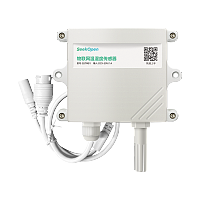
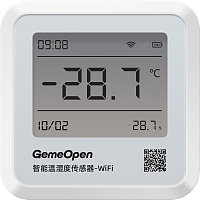
一款支持二次开发的温湿度传感器,内置锂电池,可超长待机90天离线采集存储20万条数据,WiFi网络连接,MQTT/TCP通讯协议,TypeC供电长支持通讯长连接,可自由调整采集频率与上报规则
主要特点
WiFi通信,双供电模式
超清断码屏显示,
支持离线存储数据20W条
超清断码屏显示,
支持离线存储数据20W条
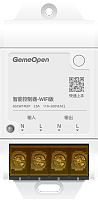
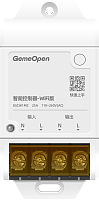
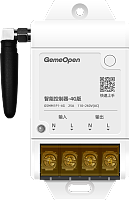
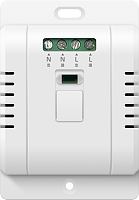
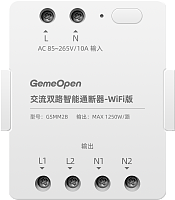
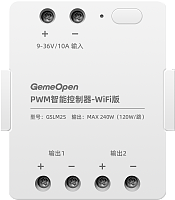
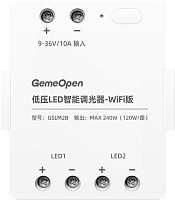
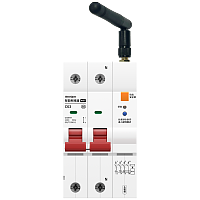
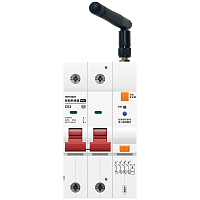
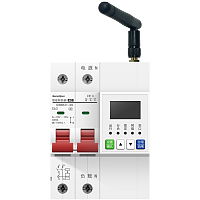
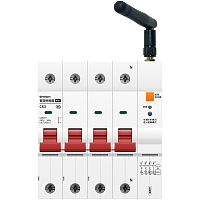
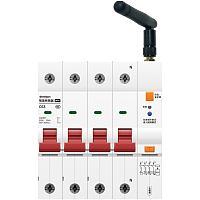
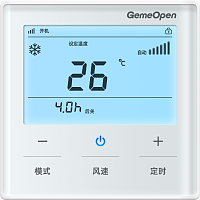
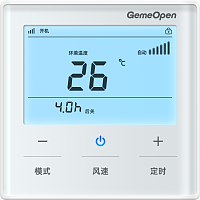
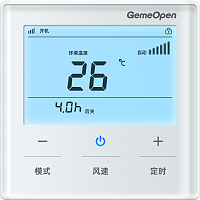
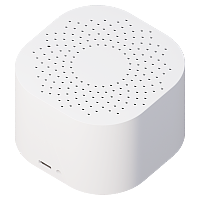
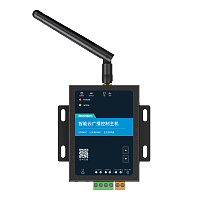
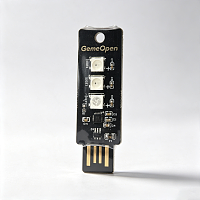
产品图片


技术支持

企业微信扫一扫
武汉智鸟科技有限责任公司
企业官网:www.smart-bird.cn
服务热线:130-0715-9689
办公地址:湖北省武汉市高新大道光谷崇文中心B1栋1401、1409
数据采集
自动上报温湿度
info-data-sync
指令简介
设备会持续将温湿度采集结果写入设备本地存储区(本地大约可存储30万条数据)。
设备缓存阈值达到上限时自动向平台分批同步数据(单批最多发送 200 条)。
已经上报成功的记录仍然保留在设备本地,本地存储区写满后,设备按时间顺序覆盖最早记录。
设备缓存阈值达到上限时自动向平台分批同步数据(单批最多发送 200 条)。
已经上报成功的记录仍然保留在设备本地,本地存储区写满后,设备按时间顺序覆盖最早记录。
向设备发送指令
服务端向设备订阅topic发送消息
字段属性
| # | 字段名称 | 字段类型 | 字段说明 | 示例值 |
|---|
设备返回信息
设备向服务端订阅topic上报消息
{
"batchIndex" : 0,
"batchTotal" : 1,
"commandName" : "info-data-sync",
"count" : 4,
"data" : [[1787992225,28.8,55.4]],
"fields" : ["timestamp","temperature","humidity"],
"mac" : "2026bb16aa14",
"source" : "auto"
}
"batchIndex" : 0,
"batchTotal" : 1,
"commandName" : "info-data-sync",
"count" : 4,
"data" : [[1787992225,28.8,55.4]],
"fields" : ["timestamp","temperature","humidity"],
"mac" : "2026bb16aa14",
"source" : "auto"
}
字段属性
| # | 字段名称 | 字段类型 | 字段说明 | 示例值 |
|---|---|---|---|---|
| 1 | batchIndex | int | 当前批次索引(从 0 开始) | 0 |
| 2 | batchTotal | int | 总批次数量 | 1 |
| 3 | commandName | String | 指令名称 | info-data-sync |
| 4 | count | int | 当前批次包含的记录数 | 4 |
| 5 | data | Object | 数据 | [[1787992225,28.8,55.4]] |
| 6 | fields | Object | 数据字段名称数组 | ["timestamp","temperature","humidity"] |
| 7 | mac | String | wifi设备MAC地址或4G设备的IMEI号,唯一标识 | 2026bb16aa14 |
| 8 | source | String | 指令回复“auto" | auto |
查询实时温湿度
info-statistic
指令简介
获取设备采集的温度、湿度和当前电池电量信息。
向设备发送指令
服务端向设备订阅topic发送消息
{
"messageId" : "202201241610366046",
"type" : "statistic"
}
"messageId" : "202201241610366046",
"type" : "statistic"
}
字段属性
| # | 字段名称 | 字段类型 | 字段说明 | 示例值 |
|---|---|---|---|---|
| 1 | messageId | String | 消息ID字段 | 202201241610366046 |
| 2 | type | String | 获取设备温湿度信息固定传"statistic" | statistic |
设备返回信息
设备向服务端订阅topic上报消息
{
"batteryLevel" : 98,
"commandName" : "info-statistic",
"humidity" : 54.45,
"mac" : "2026bb16aa14",
"messageId" : "20260520",
"source" : "command",
"temperature" : 28,
"timestamp" : 1711262254
}
"batteryLevel" : 98,
"commandName" : "info-statistic",
"humidity" : 54.45,
"mac" : "2026bb16aa14",
"messageId" : "20260520",
"source" : "command",
"temperature" : 28,
"timestamp" : 1711262254
}
字段属性
| # | 字段名称 | 字段类型 | 字段说明 | 示例值 |
|---|---|---|---|---|
| 1 | batteryLevel | int | 当前电量百分比 | 98 |
| 2 | commandName | String | 指令名称 | info-statistic |
| 3 | humidity | float | 湿度 (单位:%) | 54.45 |
| 4 | mac | String | wifi设备MAC地址或4G设备的IMEI号,唯一标识 | 2026bb16aa14 |
| 5 | messageId | String | 业务流水号。由请求方生成的唯一标识,响应方原样回显,用于请求与响应的关联匹配。 | 20260520 |
| 6 | source | String | 指令回复“command" | command |
| 7 | temperature | float | 温度 (单位:摄氏度) | 28 |
| 8 | timestamp | int | 时间戳 | 1711262254 |
设置采集规则
setting-sampling-interval
指令简介
设置设备温湿度数据采集的时间间隔和数据同步给平台的规则。
设备按此间隔将传感器数据写入本地存储,保障断网期间数据不丢失;联网后会自动同步尚未同步的数据。
设备首先自动发送 1 条设备统计信息,见“info-statistic”,然后开始同步离线数据,离线数据同步格式为:见“ info-data-sync”。
●数据采集及上报默认规则如下:
温湿度采集频率:1分钟。
Type-C供电下,数据缓存条数:1条(达到后触发上报,即1分钟上报一次);
电池供电下,数据缓存条数:15条(达到后触发上报,即15 分钟上报一次)。
验证阶段:
1.在业务开发/调试验证阶段,推荐使用Type-C 外部供电(USB-A to Type-C、 PD 快充协议都支持),Type-c供电时设备会退出低功耗模式,进入常联网状态。
2.如若正式场景仅使用电池供电,上报频率支持自定义调节,续航随上报频率变化,频率越高续航越短。
设备按此间隔将传感器数据写入本地存储,保障断网期间数据不丢失;联网后会自动同步尚未同步的数据。
设备首先自动发送 1 条设备统计信息,见“info-statistic”,然后开始同步离线数据,离线数据同步格式为:见“ info-data-sync”。
●数据采集及上报默认规则如下:
温湿度采集频率:1分钟。
Type-C供电下,数据缓存条数:1条(达到后触发上报,即1分钟上报一次);
电池供电下,数据缓存条数:15条(达到后触发上报,即15 分钟上报一次)。
验证阶段:
1.在业务开发/调试验证阶段,推荐使用Type-C 外部供电(USB-A to Type-C、 PD 快充协议都支持),Type-c供电时设备会退出低功耗模式,进入常联网状态。
2.如若正式场景仅使用电池供电,上报频率支持自定义调节,续航随上报频率变化,频率越高续航越短。
向设备发送指令
服务端向设备订阅topic发送消息
{
"batteryCacheCount" : 15,
"messageId" : "20260520",
"samplingInterval" : 60,
"type" : "setting",
"typecCacheCount" : 1
}
"batteryCacheCount" : 15,
"messageId" : "20260520",
"samplingInterval" : 60,
"type" : "setting",
"typecCacheCount" : 1
}
字段属性
| # | 字段名称 | 字段类型 | 字段说明 | 示例值 |
|---|---|---|---|---|
| 1 | batteryCacheCount | int | 电池供电模式下,本地缓存达到该条数触发上报,仅电池供电生效。最大值为17280条 | 15 |
| 2 | messageId | String | 业务流水号。由请求方生成的唯一标识,响应方原样回显,用于请求与响应的关联匹配。 | 20260520 |
| 3 | samplingInterval | int | 采集间隔(单位秒),最小值 5,范围 5-86400 | 60 |
| 4 | type | String | 设备设置固定值"setting" | setting |
| 5 | typecCacheCount | int | Type-C供电模式下,本地缓存达到该条数触发上报,仅Type‑C供电生效。最大值为17280条 | 1 |
设备返回信息
设备向服务端订阅topic上报消息
{
"batteryCacheCount" : 15,
"commandName" : "setting-sampling-interval",
"mac" : "2026bb16aa14",
"message" : "ok",
"messageId" : "20260520",
"samplingInterval" : 60,
"source" : "command",
"success" : true,
"typecCacheCount" : 1
}
"batteryCacheCount" : 15,
"commandName" : "setting-sampling-interval",
"mac" : "2026bb16aa14",
"message" : "ok",
"messageId" : "20260520",
"samplingInterval" : 60,
"source" : "command",
"success" : true,
"typecCacheCount" : 1
}
字段属性
| # | 字段名称 | 字段类型 | 字段说明 | 示例值 |
|---|---|---|---|---|
| 1 | batteryCacheCount | int | 电池供电模式下,本地缓存达到该条数触发上报,仅电池供电生效。最大值为17280条 | 15 |
| 2 | commandName | String | 指令名称 | setting-sampling-interval |
| 3 | mac | String | wifi设备MAC地址或4G设备的IMEI号,唯一标识 | 2026bb16aa14 |
| 4 | message | String | 执行返回结果 | ok |
| 5 | messageId | String | 业务流水号。由请求方生成的唯一标识,响应方原样回显,用于请求与响应的关联匹配。 | 20260520 |
| 6 | samplingInterval | int | 采集间隔(单位秒),最小值 5,范围 5-86400 | 60 |
| 7 | source | String | 指令回复“command" | command |
| 8 | success | boolean | 执行结果 | true |
| 9 | typecCacheCount | int | Type-C供电模式下,本地缓存达到该条数触发上报,仅Type‑C供电生效。最大值为17280条 | 1 |
设备维护
重置恢复出厂
controller-reset
指令简介
恢复出厂设置后配网信息和自定义信息都会清空,请谨慎操作!
向设备发送指令
服务端向设备订阅topic发送消息
{
"messageId" : "20260520",
"system" : "reset",
"type" : "setting"
}
"messageId" : "20260520",
"system" : "reset",
"type" : "setting"
}
字段属性
| # | 字段名称 | 字段类型 | 字段说明 | 示例值 |
|---|---|---|---|---|
| 1 | messageId | String | 业务流水号。由请求方生成的唯一标识,响应方原样回显,用于请求与响应的关联匹配。 | 20260520 |
| 2 | system | String | 重置/恢复出厂设置默认填"reset" | reset |
| 3 | type | String | 设备设置固定传"setting" | setting |
设备返回信息
设备向服务端订阅topic上报消息
{
"commandName" : "controller-reset",
"mac" : "2026bb1cc514",
"message" : "ok",
"messageId" : "20260520",
"source" : "command",
"success" : true
}
"commandName" : "controller-reset",
"mac" : "2026bb1cc514",
"message" : "ok",
"messageId" : "20260520",
"source" : "command",
"success" : true
}
字段属性
| # | 字段名称 | 字段类型 | 字段说明 | 示例值 |
|---|---|---|---|---|
| 1 | commandName | String | 指令名称 | controller-reset |
| 2 | mac | String | wifi设备MAC地址或4G设备的IMEI号,唯一标识 | 2026bb1cc514 |
| 3 | message | String | 执行返回结果 | ok |
| 4 | messageId | String | 业务流水号。由请求方生成的唯一标识,响应方原样回显,用于请求与响应的关联匹配。 | 20260520 |
| 5 | source | String | 指令回复“command" | command |
| 6 | success | boolean | 执行结果 | true |
设备软重启
controller-restart
指令简介
软重启后,通过指令设置的参数将生效,同时设备将重新连接Wifi网络,注意设备IP地址可能发生变化。特殊操作:长按按钮12s执行软重启。
向设备发送指令
服务端向设备订阅topic发送消息
{
"messageId" : "20260520",
"system" : "restart",
"type" : "setting"
}
"messageId" : "20260520",
"system" : "restart",
"type" : "setting"
}
字段属性
| # | 字段名称 | 字段类型 | 字段说明 | 示例值 |
|---|---|---|---|---|
| 1 | messageId | String | 业务流水号。由请求方生成的唯一标识,响应方原样回显,用于请求与响应的关联匹配。 | 20260520 |
| 2 | system | String | 设备软重启默认填"restart" | restart |
| 3 | type | String | 设备设置固定传"setting" | setting |
设备返回信息
设备向服务端订阅topic上报消息
{
"commandName" : "controller-restart",
"mac" : "2026bb1cc514",
"message" : "ok",
"messageId" : "20260520",
"source" : "command",
"success" : true
}
"commandName" : "controller-restart",
"mac" : "2026bb1cc514",
"message" : "ok",
"messageId" : "20260520",
"source" : "command",
"success" : true
}
字段属性
| # | 字段名称 | 字段类型 | 字段说明 | 示例值 |
|---|---|---|---|---|
| 1 | commandName | String | 指令名称 | controller-restart |
| 2 | mac | String | wifi设备MAC地址或4G设备的IMEI号,唯一标识 | 2026bb1cc514 |
| 3 | message | String | 执行返回结果 | ok |
| 4 | messageId | String | 业务流水号。由请求方生成的唯一标识,响应方原样回显,用于请求与响应的关联匹配。 | 20260520 |
| 5 | source | String | 指令回复“command" | command |
| 6 | success | boolean | 执行结果 | true |
获取设备信息
info-all
指令简介
获取设备信息一般会包含:设备通断电状态、MAC/IMEI、固件版本、设备内网IP地址、设备WIFI网络名称等信息,不同的产品返回的信息有所差异
向设备发送指令
服务端向设备订阅topic发送消息
{
"messageId" : "202201241610366046",
"type" : "info"
}
"messageId" : "202201241610366046",
"type" : "info"
}
字段属性
| # | 字段名称 | 字段类型 | 字段说明 | 示例值 |
|---|---|---|---|---|
| 1 | messageId | String | 消息ID字段 | 202201241610366046 |
| 2 | type | String | 设备设置固定传"info" | info |
设备返回信息
设备向服务端订阅topic上报消息
{
"batteryCacheCount" : 15,
"batteryLevel" : 98,
"bssid" : "742ad779046",
"code" : "GSTMD1B",
"commandName" : "info-all",
"dhcpEnable" : 1,
"humidityOffset" : -2.5,
"ip" : "192.168.122.119
",
"mac" : "2026bb16aa14",
"messageId" : "20260520",
"powerSource" : "Battery",
"samplingInterval" : 60,
"signal" : -75,
"source" : "command",
"ssid" : "gemeopen",
"tempOffset" : 0,
"typecCacheCount" : 1,
"version" : "1.0.0"
}
"batteryCacheCount" : 15,
"batteryLevel" : 98,
"bssid" : "742ad779046",
"code" : "GSTMD1B",
"commandName" : "info-all",
"dhcpEnable" : 1,
"humidityOffset" : -2.5,
"ip" : "192.168.122.119
",
"mac" : "2026bb16aa14",
"messageId" : "20260520",
"powerSource" : "Battery",
"samplingInterval" : 60,
"signal" : -75,
"source" : "command",
"ssid" : "gemeopen",
"tempOffset" : 0,
"typecCacheCount" : 1,
"version" : "1.0.0"
}
字段属性
| # | 字段名称 | 字段类型 | 字段说明 | 示例值 |
|---|---|---|---|---|
| 1 | batteryCacheCount | int | 电池供电模式下,本地缓存达到该条数触发上报,仅电池供电生效。最大值为17280条 | 15 |
| 2 | batteryLevel | int | 当前电量百分比 | 98 |
| 3 | bssid | String | 路由器 MAC 地址 | 742ad779046 |
| 4 | code | String | 设备型号代码 | GSTMD1B |
| 5 | commandName | String | 指令名称 | info-all |
| 6 | dhcpEnable | int | 自动寻址1:开启, 0:关闭,默认开启 | 1 |
| 7 | humidityOffset | float | 湿度补偿偏移值,单位:%RH,范围:-20~+20。 计算公式:校准后数据=实际读取的数据+humidityOffset | -2.5 |
| 8 | ip | String | 设备连接WIFI后获取的IP | 192.168.122.119 |
| 9 | mac | String | wifi设备MAC地址或4G设备的IMEI号,唯一标识 | 2026bb16aa14 |
| 10 | messageId | String | 业务流水号。由请求方生成的唯一标识,响应方原样回显,用于请求与响应的关联匹配。 | 20260520 |
| 11 | powerSource | String | 设备当前供电方式Type-C/Battery | Battery |
| 12 | samplingInterval | int | 采集间隔(单位秒),最小值 5,范围 5-86400 | 60 |
| 13 | signal | int | 信号强度,显示规则为: signal<= 0 && signal>= -50 //信号最好 signal< -50 && signal>= -70 //信号较好 signal< -70 && signal>= -80 //信号一般 signal<-80 && signal>= -100 //信号较差 signal没有在0~(-100)之间,表示无信号 | -75 |
| 14 | source | String | 指令回复“command" | command |
| 15 | ssid | String | 设备当前连接的WIFI名称 | gemeopen |
| 16 | tempOffset | float | 温度补偿偏移值,单位:℃,取值范围:+20~-20; 计算公式:校准后数据=实际读取的数据+tempOffset | 0 |
| 17 | typecCacheCount | int | Type-C供电模式下,本地缓存达到该条数触发上报,仅Type‑C供电生效。最大值为17280条 | 1 |
| 18 | version | String | 当前固件版本号 | 1.0.0 |
获取设备工作模式信息
info-protocol
指令简介
查询设备当前使用的通信协议配置信息,设备支持MQTT或TCP工作模式,不同的工作模式,返回的字段信息不同
向设备发送指令
服务端向设备订阅topic发送消息
{
"messageId" : "20260520",
"type" : "protocol"
}
"messageId" : "20260520",
"type" : "protocol"
}
字段属性
| # | 字段名称 | 字段类型 | 字段说明 | 示例值 |
|---|---|---|---|---|
| 1 | messageId | String | 业务流水号。由请求方生成的唯一标识,响应方原样回显,用于请求与响应的关联匹配。 | 20260520 |
| 2 | type | String | 获取设备通讯协议固定传protocol | protocol |
设备返回信息
设备向服务端订阅topic上报消息
{
"clientId" : "1C6920F083C4",
"commandName" : "info-protocol",
"mac" : "2026bb1cc514",
"messageId" : "202201241610366046",
"port" : "1883",
"protocol" : "mqtt",
"publish" : "/KIduUf/mSEiZxMFxOLD/1C6920F083C4/subscribe",
"server" : "mqtt.smart-bird.cn",
"source" : "command",
"subcribe" : "/KIduUf/mSEiZxMFxOLD/1C6920F083C4/publish",
"username" : "mSEiZxMFxOLD"
}
"clientId" : "1C6920F083C4",
"commandName" : "info-protocol",
"mac" : "2026bb1cc514",
"messageId" : "202201241610366046",
"port" : "1883",
"protocol" : "mqtt",
"publish" : "/KIduUf/mSEiZxMFxOLD/1C6920F083C4/subscribe",
"server" : "mqtt.smart-bird.cn",
"source" : "command",
"subcribe" : "/KIduUf/mSEiZxMFxOLD/1C6920F083C4/publish",
"username" : "mSEiZxMFxOLD"
}
字段属性
| # | 字段名称 | 字段类型 | 字段说明 | 示例值 |
|---|---|---|---|---|
| 1 | clientId | String | 自定义MQTT客户端ID注意:不可重复 | 1C6920F083C4 |
| 2 | commandName | String | 指令名称 | info-protocol |
| 3 | mac | String | wifi设备MAC地址或4G设备的IMEI号,唯一标识 | 2026bb1cc514 |
| 4 | messageId | String | 消息ID字段 | 202201241610366046 |
| 5 | port | String | 端口号 | 1883 |
| 6 | protocol | String | 工作模式,协议类型,MQTT协议固定传"mqtt" | mqtt |
| 7 | publish | String | 自定义MQTT发布主题 注意:不可重复 | /KIduUf/mSEiZxMFxOLD/1C6920F083C4/subscribe |
| 8 | server | String | 自定义MQTT服务器地址 | mqtt.smart-bird.cn |
| 9 | source | String | 指令回复“command" | command |
| 10 | subcribe | String | 自定义MQTT订阅主题注意:不可重复 | /KIduUf/mSEiZxMFxOLD/1C6920F083C4/publish |
| 11 | username | String | 自定义MQTT服务器用户名 | mSEiZxMFxOLD |
自定义HTTP
setting-http
指令简介
配置http回调地址,作为设备事件推送地址,注意不支持https,仅常供电支持
向设备发送指令
服务端向设备订阅topic发送消息
{
"messageId" : "202201241610366046",
"protocol" : "http",
"type" : "custom",
"url" : "http://192.168.0.66:8080/api/iot/upload"
}
"messageId" : "202201241610366046",
"protocol" : "http",
"type" : "custom",
"url" : "http://192.168.0.66:8080/api/iot/upload"
}
字段属性
| # | 字段名称 | 字段类型 | 字段说明 | 示例值 |
|---|---|---|---|---|
| 1 | messageId | String | 业务流水号。由请求方生成的唯一标识,响应方原样回显,用于请求与响应的关联匹配。 | 202201241610366046 |
| 2 | protocol | String | 协议类型 | http |
| 3 | type | String | 设备自定义固定传"custom" | custom |
| 4 | url | String | 自定义服务器地址 | http://192.168.0.66:8080/api/iot/upload |
设备返回信息
设备向服务端订阅topic上报消息
{
"commandName" : "setting-http",
"mac" : "2026bb1cc514",
"messageId" : "20260520",
"protocol" : "http",
"source" : "command",
"url" : "http://192.168.0.66:8080/api/iot/upload"
}
"commandName" : "setting-http",
"mac" : "2026bb1cc514",
"messageId" : "20260520",
"protocol" : "http",
"source" : "command",
"url" : "http://192.168.0.66:8080/api/iot/upload"
}
字段属性
| # | 字段名称 | 字段类型 | 字段说明 | 示例值 |
|---|---|---|---|---|
| 1 | commandName | String | 指令名称 | setting-http |
| 2 | mac | String | wifi设备MAC地址或4G设备的IMEI号,唯一标识 | 2026bb1cc514 |
| 3 | messageId | String | 业务流水号。由请求方生成的唯一标识,响应方原样回显,用于请求与响应的关联匹配。 | 20260520 |
| 4 | protocol | String | 协议类型 | http |
| 5 | source | String | 指令回复“command" | command |
| 6 | url | String | 自定义服务器地址 | http://192.168.0.66:8080/api/iot/upload |
设置温湿度补偿
setting-humidity-compensate
指令简介
设置温度和湿度的补偿值,用于校准传感器采集数据的偏差。补偿公式:校准后数据=实际读取的数据+补偿偏移值
向设备发送指令
服务端向设备订阅topic发送消息
{
"humidityOffset" : -2.5,
"tempOffset" : 0,
"type" : "setting"
}
"humidityOffset" : -2.5,
"tempOffset" : 0,
"type" : "setting"
}
字段属性
| # | 字段名称 | 字段类型 | 字段说明 | 示例值 |
|---|---|---|---|---|
| 1 | humidityOffset | float | 湿度补偿偏移值,单位:%RH,范围:-20~+20。 计算公式:校准后数据=实际读取的数据+humidityOffset | -2.5 |
| 2 | tempOffset | float | 温度补偿偏移值,单位:℃,取值范围:+20~-20; 计算公式:校准后数据=实际读取的数据+tempOffset | 0 |
| 3 | type | String | 设备设置固定值"setting" | setting |
设备返回信息
设备向服务端订阅topic上报消息
{
"commandName" : "",
"humidityOffset" : -2.5,
"mac" : "2026bb16aa14",
"message" : "ok",
"messageId" : "20260520",
"source" : "command",
"success" : true,
"tempOffset" : 0
}
"commandName" : "",
"humidityOffset" : -2.5,
"mac" : "2026bb16aa14",
"message" : "ok",
"messageId" : "20260520",
"source" : "command",
"success" : true,
"tempOffset" : 0
}
字段属性
| # | 字段名称 | 字段类型 | 字段说明 | 示例值 |
|---|---|---|---|---|
| 1 | commandName | String | 指令名称 | |
| 2 | humidityOffset | float | 湿度补偿偏移值,单位:%RH,范围:-20~+20。 计算公式:校准后数据=实际读取的数据+humidityOffset | -2.5 |
| 3 | mac | String | wifi设备MAC地址或4G设备的IMEI号,唯一标识 | 2026bb16aa14 |
| 4 | message | String | 执行返回结果 | ok |
| 5 | messageId | String | 业务流水号。由请求方生成的唯一标识,响应方原样回显,用于请求与响应的关联匹配。 | 20260520 |
| 6 | source | String | 指令回复“command" | command |
| 7 | success | boolean | 执行结果 | true |
| 8 | tempOffset | float | 温度补偿偏移值,单位:℃,取值范围:+20~-20; 计算公式:校准后数据=实际读取的数据+tempOffset | 0 |
自定义MQTT
setting-mqtt
指令简介
设备支持自定义 MQTT,注意:该配置重启后生效。
向设备发送指令
服务端向设备订阅topic发送消息
{
"clientId" : "custom",
"messageId" : "20260520",
"password" : "password",
"port" : "1883",
"protocol" : "mqtt",
"publish" : "/topic/qos0",
"server" : "192.168.0.66",
"subcribe" : "/topic/qos1",
"type" : "custom",
"username" : "username"
}
"clientId" : "custom",
"messageId" : "20260520",
"password" : "password",
"port" : "1883",
"protocol" : "mqtt",
"publish" : "/topic/qos0",
"server" : "192.168.0.66",
"subcribe" : "/topic/qos1",
"type" : "custom",
"username" : "username"
}
字段属性
| # | 字段名称 | 字段类型 | 字段说明 | 示例值 |
|---|---|---|---|---|
| 1 | clientId | String | 自定义MQTT客户端ID注意:不可重复 | custom |
| 2 | messageId | String | 业务流水号。由请求方生成的唯一标识,响应方原样回显,用于请求与响应的关联匹配。 | 20260520 |
| 3 | password | String | 密码 | password |
| 4 | port | String | 端口号 | 1883 |
| 5 | protocol | String | 协议类型,MQTT协议固定传"mqtt" | mqtt |
| 6 | publish | String | 自定义MQTT发布主题 注意:不可重复 | /topic/qos0 |
| 7 | server | String | 自定义MQTT服务器地址 | 192.168.0.66 |
| 8 | subcribe | String | 自定义订阅主题,注意:不可重复 | /topic/qos1 |
| 9 | type | String | 设备自定义固定传"custom" | custom |
| 10 | username | String | 自定义MQTT服务器用户名 | username |
设备返回信息
设备向服务端订阅topic上报消息
{
"clientId" : "custom",
"commandName" : "setting-mqtt",
"mac" : "2026bb1cc514",
"messageId" : "20260520",
"password" : "password",
"port" : "1883",
"protocol" : "mqtt",
"publish" : "/topic/qos0",
"server" : "192.168.0.66",
"source" : "command",
"subcribe" : "/topic/qos1",
"username" : "username"
}
"clientId" : "custom",
"commandName" : "setting-mqtt",
"mac" : "2026bb1cc514",
"messageId" : "20260520",
"password" : "password",
"port" : "1883",
"protocol" : "mqtt",
"publish" : "/topic/qos0",
"server" : "192.168.0.66",
"source" : "command",
"subcribe" : "/topic/qos1",
"username" : "username"
}
字段属性
| # | 字段名称 | 字段类型 | 字段说明 | 示例值 |
|---|---|---|---|---|
| 1 | clientId | String | 自定义MQTT客户端ID注意:不可重复 | custom |
| 2 | commandName | String | 指令名称 | setting-mqtt |
| 3 | mac | String | wifi设备MAC地址或4G设备的IMEI号,唯一标识 | 2026bb1cc514 |
| 4 | messageId | String | 业务流水号。由请求方生成的唯一标识,响应方原样回显,用于请求与响应的关联匹配。 | 20260520 |
| 5 | password | String | 密码 | password |
| 6 | port | String | 端口号 | 1883 |
| 7 | protocol | String | 协议类型 | mqtt |
| 8 | publish | String | 自定义发布主题 注意:不可重复 | /topic/qos0 |
| 9 | server | String | 自定义服务器地址 | 192.168.0.66 |
| 10 | source | String | 指令回复“command" | command |
| 11 | subcribe | String | 自定义订阅主题,注意:不可重复 | /topic/qos1 |
| 12 | username | String | 自定义服务器用户名 | username |
自定义TCP
setting-tcp
指令简介
备支持通过 MQTT 方式自定义 TCP 信息,注意:该配置重新后生效。
向设备发送指令
服务端向设备订阅topic发送消息
{
"messageId" : "20260520",
"port" : "8080",
"protocol" : "tcp",
"server" : "192.168.0.66",
"type" : "custom"
}
"messageId" : "20260520",
"port" : "8080",
"protocol" : "tcp",
"server" : "192.168.0.66",
"type" : "custom"
}
字段属性
| # | 字段名称 | 字段类型 | 字段说明 | 示例值 |
|---|---|---|---|---|
| 1 | messageId | String | 业务流水号。由请求方生成的唯一标识,响应方原样回显,用于请求与响应的关联匹配。 | 20260520 |
| 2 | port | String | 端口号 | 8080 |
| 3 | protocol | String | 协议类型 | tcp |
| 4 | server | String | 自定义服务器地址 | 192.168.0.66 |
| 5 | type | String | 设备自定义固定传"custom" | custom |
设备返回信息
设备向服务端订阅topic上报消息
{
"commandName" : "setting-tcp",
"mac" : "2026bb1cc514",
"messageId" : "20260520",
"port" : "8080",
"protocol" : "tcp",
"server" : "192.168.0.66
",
"source" : "command"
}
"commandName" : "setting-tcp",
"mac" : "2026bb1cc514",
"messageId" : "20260520",
"port" : "8080",
"protocol" : "tcp",
"server" : "192.168.0.66
",
"source" : "command"
}
字段属性
| # | 字段名称 | 字段类型 | 字段说明 | 示例值 |
|---|---|---|---|---|
| 1 | commandName | String | 指令名称 | setting-tcp |
| 2 | mac | String | wifi设备MAC地址或4G设备的IMEI号,唯一标识 | 2026bb1cc514 |
| 3 | messageId | String | 业务流水号。由请求方生成的唯一标识,响应方原样回显,用于请求与响应的关联匹配。 | 20260520 |
| 4 | port | String | 端口号 | 8080 |
| 5 | protocol | String | 协议类型 | tcp |
| 6 | server | String | 自定义服务器地址 | 192.168.0.66 |
| 7 | source | String | 指令回复“command" | command |
设置静态IP
setting-wifi-dhcpEnable
指令简介
设备默认为动态获取ip,通过该接口开启静态IP,需重启生效
配置的静态IP需和路由器处于同一网段下
配置的静态IP需和路由器处于同一网段下
向设备发送指令
服务端向设备订阅topic发送消息
{
"dhcpEnable" : 1,
"dns" : "192.168.0.1",
"gateway" : "192.168.0.1",
"local_ip" : "192.168.0.118",
"messageId" : "20260520",
"subnet" : "255.255.255.0",
"type" : "setting"
}
"dhcpEnable" : 1,
"dns" : "192.168.0.1",
"gateway" : "192.168.0.1",
"local_ip" : "192.168.0.118",
"messageId" : "20260520",
"subnet" : "255.255.255.0",
"type" : "setting"
}
字段属性
| # | 字段名称 | 字段类型 | 字段说明 | 示例值 |
|---|---|---|---|---|
| 1 | dhcpEnable | int | 自动寻址1:开启, 0:关闭,默认开启 | 1 |
| 2 | dns | String | DNS服务器地址 | 192.168.0.1 |
| 3 | gateway | String | 默认网关 | 192.168.0.1 |
| 4 | local_ip | String | IP地址 | 192.168.0.118 |
| 5 | messageId | String | 业务流水号。由请求方生成的唯一标识,响应方原样回显,用于请求与响应的关联匹配。 | 20260520 |
| 6 | subnet | String | 子网掩码 | 255.255.255.0 |
| 7 | type | String | 设备设置固定值"setting" | setting |
设备返回信息
设备向服务端订阅topic上报消息
{
"commandName" : "setting-wifi-dhcpEnable",
"mac" : "2026bb16aa14",
"message" : "ok",
"messageId" : "20260520",
"source" : "command",
"success" : true
}
"commandName" : "setting-wifi-dhcpEnable",
"mac" : "2026bb16aa14",
"message" : "ok",
"messageId" : "20260520",
"source" : "command",
"success" : true
}
字段属性
| # | 字段名称 | 字段类型 | 字段说明 | 示例值 |
|---|---|---|---|---|
| 1 | commandName | String | 指令名称 | setting-wifi-dhcpEnable |
| 2 | mac | String | wifi设备MAC地址或4G设备的IMEI号,唯一标识 | 2026bb16aa14 |
| 3 | message | String | 执行返回结果 | ok |
| 4 | messageId | String | 业务流水号。由请求方生成的唯一标识,响应方原样回显,用于请求与响应的关联匹配。 | 20260520 |
| 5 | source | String | 指令回复“command" | command |
| 6 | success | boolean | 执行结果 | true |
设置配网按键锁
setting-wifi-lock
指令简介
wifi配网锁定后,设备无法通过长按配网按钮进入配网操作。
向设备发送指令
服务端向设备订阅topic发送消息
{
"messageId" : "20260520",
"type" : "setting",
"wifiLock" : 0
}
"messageId" : "20260520",
"type" : "setting",
"wifiLock" : 0
}
字段属性
| # | 字段名称 | 字段类型 | 字段说明 | 示例值 |
|---|---|---|---|---|
| 1 | messageId | String | 业务流水号。由请求方生成的唯一标识,响应方原样回显,用于请求与响应的关联匹配。 | 20260520 |
| 2 | type | String | 设备设置固定值"setting" | setting |
| 3 | wifiLock | int | 配网锁,0:关闭,1:开启 | 0 |
设备返回信息
设备向服务端订阅topic上报消息
{
"commandName" : "setting-wifi-lock",
"mac" : "2026bb16aa14",
"message" : "ok",
"messageId" : "20260520",
"source" : "command",
"success" : true,
"wifiLock" : 0
}
"commandName" : "setting-wifi-lock",
"mac" : "2026bb16aa14",
"message" : "ok",
"messageId" : "20260520",
"source" : "command",
"success" : true,
"wifiLock" : 0
}
字段属性
| # | 字段名称 | 字段类型 | 字段说明 | 示例值 |
|---|---|---|---|---|
| 1 | commandName | String | 指令名称 | setting-wifi-lock |
| 2 | mac | String | wifi设备MAC地址或4G设备的IMEI号,唯一标识 | 2026bb16aa14 |
| 3 | message | String | 执行返回结果 | ok |
| 4 | messageId | String | 业务流水号。由请求方生成的唯一标识,响应方原样回显,用于请求与响应的关联匹配。 | 20260520 |
| 5 | source | String | 指令回复“command" | command |
| 6 | success | boolean | 执行结果 | true |
| 7 | wifiLock | int | 配网锁,0:关闭,1:开启 | 0 |