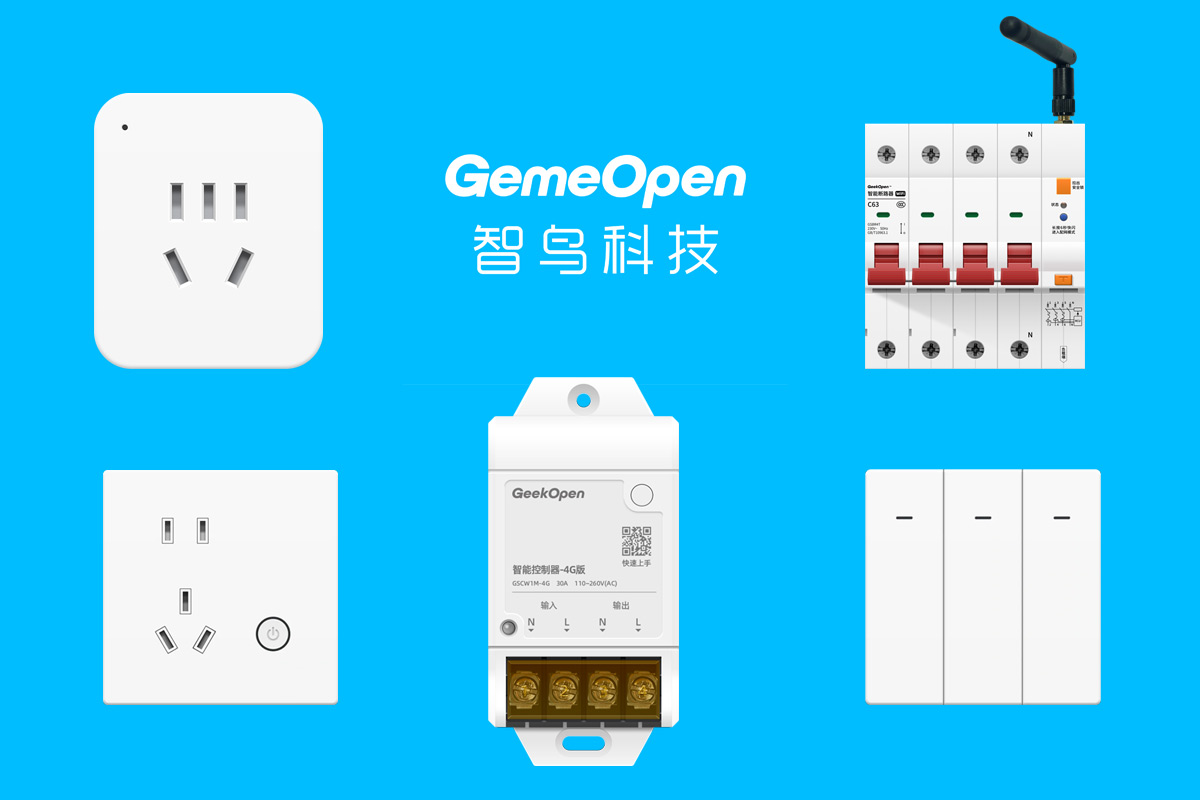





















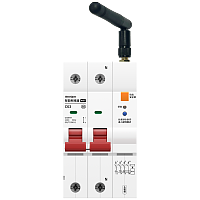
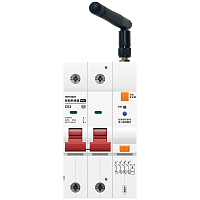
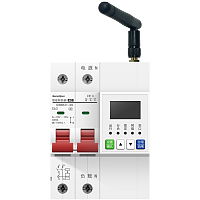
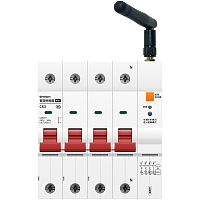
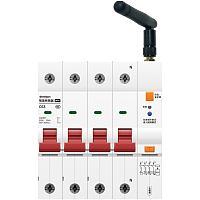
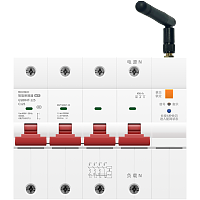
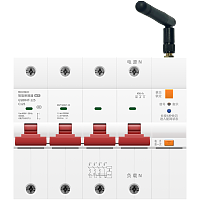

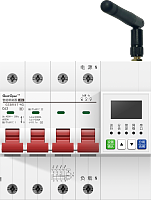





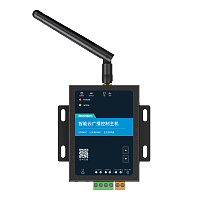
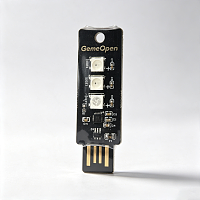
GemeOpen 智能云广播控制主机 (型号:GSSM2P) - 开发者指令


# 智能云广播控制主机 (型号:GSSM2P) - 开发者指令
## 产品基本描述
## 产品主要特点
WiFi+以太网/4G+以太网连接,左右双声道20W功放
支持本地云端音频播放,TTS文字转语音,48种拟人音色
DC12V供电
支持本地云端音频播放,TTS文字转语音,48种拟人音色
DC12V供电
## 官网产品资料
### 产品详细信息
### 淘宝购买网址
### 京东购买网址
### 开发者文档
https://www.smart-bird.cn/doc/product/GSSM/device/GSSM2P/command
## 产品电气参数
---
| 参数名 | 参数值 |
|------|------|
|
品牌
| GemeOpen
|
|
上市日期
| 2026年9月
|
|
产品类型
| 以太网/WiFi云广播
|
|
产品型号
| GSSM2P
|
|
外观尺寸
| -
|
|
输入电压
| 直流9-24V
|
|
工作电流
| 2A
|
|
通讯方式
| -
|
|
通讯模块
| -
|
|
供电接口
| -
|
|
阻抗功率
| -
|
|
振动膜规格
| -
|
|
腔体设计
| -
|
|
外壳材质
| -
|
---
## 广播控制
### 音量加
*player-add-vol*
增大播放音量
**向设备发送指令(服务端向设备订阅topic发送消息)**
```json
{
"action" : "add-volume",
"messageId" : "202201241610366046",
"type" : "player"
}
"action" : "add-volume",
"messageId" : "202201241610366046",
"type" : "player"
}
```
#### 字段属性
---
| 字段名称 | 字段类型 | 字段说明 | 示例值 |
|------|------|------|------|
|
action
| String
| 固定动作
| add-volume
|
|
channel
| String
| 通道
| left
|
|
freq
| int
| 频率,单位(Khz)
| 31
|
|
gain
| int
| 增益,单位dB,范围-13到13。
| -13
|
|
messageId
| String
| 消息ID字段
| 202201241610366046
|
|
type
| String
| 指令类型
| player
|
---
**设备返回信息(设备向服务端订阅topic上报消息)**
```json
{
"commandName" : "player-add-volume",
"mac" : "206ef1883b7c",
"message" : "OK",
"messageId" : "202201241610366046",
"source" : "command",
"success" : true,
"volume" : 85
}
"commandName" : "player-add-volume",
"mac" : "206ef1883b7c",
"message" : "OK",
"messageId" : "202201241610366046",
"source" : "command",
"success" : true,
"volume" : 85
}
```
#### 字段属性
---
| 字段名称 | 字段类型 | 字段说明 | 示例值 |
|------|------|------|------|
|
channel
| String
| 左右
| left
|
|
commandName
| String
| 指令名称
| player-add-volume
|
|
freq
| int
| 频率,单位(Khz)
| 31
|
|
gain
| int
| 增益,单位dB,范围-13到13。
| -13
|
|
mac
| String
| wifi设备MAC地址或4G设备的IMEI号,唯一标识
| 206ef1883b7c
|
|
message
| String
| 执行返回结果
| OK
|
|
messageId
| String
| 消息ID字段
| 202201241610366046
|
|
name
| String
| 歌曲名字
| 001.mp3
|
|
size
| int
| 歌曲大小(单位字节)
| 12099546
|
|
source
| String
| 指令回复“command"
| command
|
|
success
| boolean
| 执行结果
| true
|
|
volume
| int
| 音量大小(0-100)
| 85
|
---
### 删除SD卡音频文件
*player-delete*
删除SD卡内指定的音频文件
**向设备发送指令(服务端向设备订阅topic发送消息)**
```json
{
"action" : "delete",
"name" : "我爱中国",
"type" : "player"
}
"action" : "delete",
"name" : "我爱中国",
"type" : "player"
}
```
#### 字段属性
---
| 字段名称 | 字段类型 | 字段说明 | 示例值 |
|------|------|------|------|
|
action
| String
| 固定动作
| delete
|
|
name
| String
| 音频名
| 我爱中国
|
|
type
| String
| 指令类型
| player
|
---
**设备返回信息(设备向服务端订阅topic上报消息)**
```json
{
"commandName" : "player-delete",
"mac" : "206ef1883b7c",
"message" : "OK",
"messageId" : "202201241610366046",
"name" : "我爱中国",
"source" : "command",
"success" : true
}
"commandName" : "player-delete",
"mac" : "206ef1883b7c",
"message" : "OK",
"messageId" : "202201241610366046",
"name" : "我爱中国",
"source" : "command",
"success" : true
}
```
#### 字段属性
---
| 字段名称 | 字段类型 | 字段说明 | 示例值 |
|------|------|------|------|
|
commandName
| String
| 指令名称
| player-delete
|
|
mac
| String
| wifi设备MAC地址或4G设备的IMEI号,唯一标识
| 206ef1883b7c
|
|
message
| String
| 执行返回结果
| OK
|
|
messageId
| String
| 消息ID字段
| 202201241610366046
|
|
name
| String
| 歌曲名字
| 我爱中国
|
|
source
| String
| 指令回复“command"
| command
|
|
success
| boolean
| 执行结果
| true
|
---
### 下载音频文件到SD卡
*player-download*
下载指定URL的音频文件到SDK卡
**向设备发送指令(服务端向设备订阅topic发送消息)**
```json
{
"action" : "download",
"name" : "饿狼传说",
"type" : "player",
"url" : "http://smart-bird-oss.smart-bird.cn/music/2025/%E9%A5%BF%E7%8B%BC%E4%BC%A0%E8%AF%B4.mp3"
}
"action" : "download",
"name" : "饿狼传说",
"type" : "player",
"url" : "http://smart-bird-oss.smart-bird.cn/music/2025/%E9%A5%BF%E7%8B%BC%E4%BC%A0%E8%AF%B4.mp3"
}
```
#### 字段属性
---
| 字段名称 | 字段类型 | 字段说明 | 示例值 |
|------|------|------|------|
|
action
| String
| 固定动作
| download
|
|
name
| String
| 保存到在sd,歌曲名字
| 饿狼传说
|
|
type
| String
| 指令类型
| player
|
|
url
| String
| 下载的http地址
| http://smart-bird-oss.smart-bird.cn/music/2025/%E9%A5%BF%E7%8B%BC%E4%BC%A0%E8%AF%B4.mp3
|
---
**设备返回信息(设备向服务端订阅topic上报消息)**
```json
{
"commandName" : "player-download",
"mac" : "2026bb16aa14",
"progress" : 0,
"source" : "command",
"status" : 0
}
"commandName" : "player-download",
"mac" : "2026bb16aa14",
"progress" : 0,
"source" : "command",
"status" : 0
}
```
#### 字段属性
---
| 字段名称 | 字段类型 | 字段说明 | 示例值 |
|------|------|------|------|
|
commandName
| String
| 指令名称
| player-download
|
|
mac
| String
| wifi设备MAC地址或4G设备的IMEI号,唯一标识
| 2026bb16aa14
|
|
progress
| int
| 进度值(0-100%)
| 0
|
|
source
| String
| 指令回复“command"
| command
|
|
status
| int
| 状态 0:开始 ,1:进行中 ,2:结束
| 0
|
---
### 获取播放器参数
*player-getParams*
查看当前的EQ参数,音量参数,播放模式
**向设备发送指令(服务端向设备订阅topic发送消息)**
```json
{
"action" : "getParams",
"type" : "player"
}
"action" : "getParams",
"type" : "player"
}
```
#### 字段属性
---
| 字段名称 | 字段类型 | 字段说明 | 示例值 |
|------|------|------|------|
|
action
| String
| 固定动作
| getParams
|
|
type
| String
| 指令类型
| player
|
---
**设备返回信息(设备向服务端订阅topic上报消息)**
```json
{
"commandName" : "player-getParams",
"eqGains" : [-13, -10, -5, 0, 3, 5, 3, 0, -5, -10, -13, -10, -5, 0, 3, 5, 3, 0, -5, -10],
"mac" : "2026bb16aa14",
"playMode" : "ListLoopPlay",
"sdCardFreeSpace" : 256,
"sdCardTotalSpace" : 512,
"sdCardUsage" : 26,
"source" : "command",
"volume" : 70
}
"commandName" : "player-getParams",
"eqGains" : [-13, -10, -5, 0, 3, 5, 3, 0, -5, -10, -13, -10, -5, 0, 3, 5, 3, 0, -5, -10],
"mac" : "2026bb16aa14",
"playMode" : "ListLoopPlay",
"sdCardFreeSpace" : 256,
"sdCardTotalSpace" : 512,
"sdCardUsage" : 26,
"source" : "command",
"volume" : 70
}
```
#### 字段属性
---
| 字段名称 | 字段类型 | 字段说明 | 示例值 |
|------|------|------|------|
|
commandName
| String
| 指令名称
| player-getParams
|
|
eqGains
| List
| eqGains: int[20] EQ均衡器增益值
前10个为左声道,后10个为右声道,一一对应以下10个频段:
频段(Hz): 31 62 125 250 500 1K 2K 4K 8K 16K
每个频段增益范围: -13 ~ +13
-13 = 最大削减
0 = 不调整(原始)
+13 = 最大增益
示例(左右声道相同):
[-13, -10, -5, 0, 3, 5, 3, 0, -5, -10, ← 左声道
-13, -10, -5, 0, 3, 5, 3, 0, -5, -10] ← 右声道
| [-13, -10, -5, 0, 3, 5, 3, 0, -5, -10, -13, -10, -5, 0, 3, 5, 3, 0, -5, -10]
|
|
mac
| String
| wifi设备MAC地址或4G设备的IMEI号,唯一标识
| 2026bb16aa14
|
|
playMode
| String
| 播放模式:(OnePlay:播完一首就停),(OneLoopPlay:单曲循环),(RandomPlay:随机播放),(ListLoopPlay:列表循环)
| ListLoopPlay
|
|
sdCardFreeSpace
| int
| 内存卡剩余空间,单位:MB
| 256
|
|
sdCardTotalSpace
| int
| 内存卡总大小,单位:MB
| 512
|
|
sdCardUsage
| int
| 内存卡使用率,单位:%
| 26
|
|
source
| String
| 指令回复“command"
| command
|
|
volume
| int
| 音量大小(0-100)
| 70
|
---
### 查询SD卡音频文件
*player-getSongList*
查询设备内置SD卡的所有音频文件列表信息
**向设备发送指令(服务端向设备订阅topic发送消息)**
```json
{
"action" : "getSongList",
"type" : "player"
}
"action" : "getSongList",
"type" : "player"
}
```
#### 字段属性
---
| 字段名称 | 字段类型 | 字段说明 | 示例值 |
|------|------|------|------|
|
action
| String
| 固定动作
| getSongList
|
|
type
| String
| 指令类型
| player
|
---
**设备返回信息(设备向服务端订阅topic上报消息)**
```json
{
"commandName" : "player-getSongList",
"fileCount" : 1,
"mac" : "2026bb16aa14",
"songs" :
{
"name" : "我爱中国",
"size" : 8504797
},
"source" : "command"
}
"commandName" : "player-getSongList",
"fileCount" : 1,
"mac" : "2026bb16aa14",
"songs" :
{
"name" : "我爱中国",
"size" : 8504797
},
"source" : "command"
}
```
#### 字段属性
---
| 字段名称 | 字段类型 | 字段说明 | 示例值 |
|------|------|------|------|
|
commandName
| String
| 指令名称
| player-getSongList
|
|
fileCount
| int
| 歌曲数量
| 1
|
|
mac
| String
| wifi设备MAC地址或4G设备的IMEI号,唯一标识
| 2026bb16aa14
|
|
name
| String
| 歌曲名字
| 我爱中国
|
|
size
| int
| 歌曲大小(单位字节)
| 8504797
|
|
songs
| Object
| 所有歌曲信息
| |
|
source
| String
| 指令回复“command"
| command
|
---
### 播放云端音频文件
*player-http-play*
播放指定URL的音频文件
**向设备发送指令(服务端向设备订阅topic发送消息)**
```json
{
"action" : "http-play",
"messageId" : 20260520,
"priority" : high,
"type" : "player",
"url" : "http://smart-bird-oss.smart-bird.cn/music/2025/%E9%9F%B3%E7%AE%B1%E7%AE%80%E4%BB%8B.mp3"
}
"action" : "http-play",
"messageId" : 20260520,
"priority" : high,
"type" : "player",
"url" : "http://smart-bird-oss.smart-bird.cn/music/2025/%E9%9F%B3%E7%AE%B1%E7%AE%80%E4%BB%8B.mp3"
}
```
#### 字段属性
---
| 字段名称 | 字段类型 | 字段说明 | 示例值 |
|------|------|------|------|
|
action
| String
| 固定字段
| http-play
|
|
messageId
| | 业务流水号。由请求方生成的唯一标识,响应方原样回显,用于请求与响应的关联匹配。
| 20260520
|
|
priority
| | 若有这个字段,表示插播,
| high
|
|
type
| String
| 指令类型
| player
|
|
url
| String
| url地址
| http://smart-bird-oss.smart-bird.cn/music/2025/%E9%9F%B3%E7%AE%B1%E7%AE%80%E4%BB%8B.mp3
|
---
**设备返回信息(设备向服务端订阅topic上报消息)**
```json
{
"commandName" : "player-http-play",
"mac" : "2026bb16aa14",
"message" : "ok",
"source" : "command",
"success" : true,
"url" : "http://smart-bird-oss.smart-bird.cn/music/2025/%E9%9F%B3%E7%AE%B1%E7%AE%80%E4%BB%8B.mp3"
}
"commandName" : "player-http-play",
"mac" : "2026bb16aa14",
"message" : "ok",
"source" : "command",
"success" : true,
"url" : "http://smart-bird-oss.smart-bird.cn/music/2025/%E9%9F%B3%E7%AE%B1%E7%AE%80%E4%BB%8B.mp3"
}
```
#### 字段属性
---
| 字段名称 | 字段类型 | 字段说明 | 示例值 |
|------|------|------|------|
|
commandName
| String
| 指令名称
| player-http-play
|
|
mac
| String
| wifi设备MAC地址或4G设备的IMEI号,唯一标识
| 2026bb16aa14
|
|
message
| String
| 执行返回结果
| ok
|
|
source
| String
| 指令回复“command"
| command
|
|
success
| boolean
| 执行结果
| true
|
|
url
| String
| url地址
| http://smart-bird-oss.smart-bird.cn/music/2025/%E9%9F%B3%E7%AE%B1%E7%AE%80%E4%BB%8B.mp3
|
---
### 播放下一曲
*player-next*
播放SD卡音频文件下一曲
**向设备发送指令(服务端向设备订阅topic发送消息)**
```json
{
"action" : "next",
"type" : "player"
}
"action" : "next",
"type" : "player"
}
```
#### 字段属性
---
| 字段名称 | 字段类型 | 字段说明 | 示例值 |
|------|------|------|------|
|
action
| String
| 固定动作
| next
|
|
type
| String
| 指令类型
| player
|
---
**设备返回信息(设备向服务端订阅topic上报消息)**
```json
{
"commandName" : "player-next",
"mac" : "4CEBD60BFD62",
"message" : "OK",
"messageId" : "202201241610366046",
"name" : "我爱中国",
"source" : "command",
"success" : true
}
"commandName" : "player-next",
"mac" : "4CEBD60BFD62",
"message" : "OK",
"messageId" : "202201241610366046",
"name" : "我爱中国",
"source" : "command",
"success" : true
}
```
#### 字段属性
---
| 字段名称 | 字段类型 | 字段说明 | 示例值 |
|------|------|------|------|
|
commandName
| String
| 指令名称
| player-next
|
|
mac
| String
| wifi设备MAC地址或4G设备的IMEI号,唯一标识
| 4CEBD60BFD62
|
|
message
| String
| 执行返回结果
| OK
|
|
messageId
| String
| 消息ID字段
| 202201241610366046
|
|
name
| String
| 歌曲名字
| 我爱中国
|
|
source
| String
| 指令回复“command"
| command
|
|
success
| boolean
| 执行结果
| true
|
---
### 设置播放器参数
*player-params-set*
设置音频播放解码补偿EQ值
**向设备发送指令(服务端向设备订阅topic发送消息)**
```json
{
"action" : "setParams",
"eqGains" : [-13, -10, -5, 0, 3, 5, 3, 0, -5, -10, -13, -10, -5, 0, 3, 5, 3, 0, -5, -10],
"playMode" : "ListLoopPlay",
"type" : "player",
"volume" : 85
}
"action" : "setParams",
"eqGains" : [-13, -10, -5, 0, 3, 5, 3, 0, -5, -10, -13, -10, -5, 0, 3, 5, 3, 0, -5, -10],
"playMode" : "ListLoopPlay",
"type" : "player",
"volume" : 85
}
```
#### 字段属性
---
| 字段名称 | 字段类型 | 字段说明 | 示例值 |
|------|------|------|------|
|
action
| String
| 固定动作
| setParams
|
|
eqGains
| List
| eqGains: int[20] EQ均衡器增益值
前10个为左声道,后10个为右声道,一一对应以下10个频段:
频段(Hz): 31 62 125 250 500 1K 2K 4K 8K 16K
每个频段增益范围: -13 ~ +13
-13 = 最大削减
0 = 不调整(原始)
+13 = 最大增益
示例(左右声道相同):
[-13, -10, -5, 0, 3, 5, 3, 0, -5, -10, ← 左声道
-13, -10, -5, 0, 3, 5, 3, 0, -5, -10] ← 右声道
| [-13, -10, -5, 0, 3, 5, 3, 0, -5, -10, -13, -10, -5, 0, 3, 5, 3, 0, -5, -10]
|
|
playMode
| String
| 播放模式:(OnePlay:播完一首就停),(OneLoopPlay:单曲循环),(RandomPlay:随机播放),(ListLoopPlay:列表循环)
| ListLoopPlay
|
|
type
| String
| 指令类型
| player
|
|
volume
| int
| 音量大小(0-100)
| 85
|
---
**设备返回信息(设备向服务端订阅topic上报消息)**
```json
{
"commandName" : "player-params-set",
"eqGains" : [-13, -10, -5, 0, 3, 5, 3, 0, -5, -10, -13, -10, -5, 0, 3, 5, 3, 0, -5, -10],
"mac" : "2026bb16aa14",
"message" : "ok",
"playMode" : "ListLoopPlay",
"source" : "command",
"success" : true,
"volume" : 85
}
"commandName" : "player-params-set",
"eqGains" : [-13, -10, -5, 0, 3, 5, 3, 0, -5, -10, -13, -10, -5, 0, 3, 5, 3, 0, -5, -10],
"mac" : "2026bb16aa14",
"message" : "ok",
"playMode" : "ListLoopPlay",
"source" : "command",
"success" : true,
"volume" : 85
}
```
#### 字段属性
---
| 字段名称 | 字段类型 | 字段说明 | 示例值 |
|------|------|------|------|
|
commandName
| String
| 指令名称
| player-params-set
|
|
eqGains
| List
| eqGains: int[20] EQ均衡器增益值
前10个为左声道,后10个为右声道,一一对应以下10个频段:
频段(Hz): 31 62 125 250 500 1K 2K 4K 8K 16K
每个频段增益范围: -13 ~ +13
-13 = 最大削减
0 = 不调整(原始)
+13 = 最大增益
示例(左右声道相同):
[-13, -10, -5, 0, 3, 5, 3, 0, -5, -10, ← 左声道
-13, -10, -5, 0, 3, 5, 3, 0, -5, -10] ← 右声道
| [-13, -10, -5, 0, 3, 5, 3, 0, -5, -10, -13, -10, -5, 0, 3, 5, 3, 0, -5, -10]
|
|
mac
| String
| wifi设备MAC地址或4G设备的IMEI号,唯一标识
| 2026bb16aa14
|
|
message
| String
| 执行返回结果
| ok
|
|
playMode
| String
| 播放模式:(OnePlay:播完一首就停),(OneLoopPlay:单曲循环),(RandomPlay:随机播放),(ListLoopPlay:列表循环)
| ListLoopPlay
|
|
source
| String
| 指令回复“command"
| command
|
|
success
| boolean
| 执行结果
| true
|
|
volume
| int
| 音量大小(0-100)
| 85
|
---
### 暂停播放
*player-pause*
暂定音频播放
**向设备发送指令(服务端向设备订阅topic发送消息)**
```json
{
"action" : "pause",
"messageId" : "202201241610366046",
"type" : "player"
}
"action" : "pause",
"messageId" : "202201241610366046",
"type" : "player"
}
```
#### 字段属性
---
| 字段名称 | 字段类型 | 字段说明 | 示例值 |
|------|------|------|------|
|
action
| String
| 固定动作
| pause
|
|
messageId
| String
| 消息ID字段
| 202201241610366046
|
|
type
| String
| 指令类型
| player
|
---
**设备返回信息(设备向服务端订阅topic上报消息)**
```json
{
"commandName" : "player-pause",
"mac" : "4CEBD60BFD62",
"message" : "OK",
"messageId" : "202201241610366046",
"source" : "command",
"success" : true
}
"commandName" : "player-pause",
"mac" : "4CEBD60BFD62",
"message" : "OK",
"messageId" : "202201241610366046",
"source" : "command",
"success" : true
}
```
#### 字段属性
---
| 字段名称 | 字段类型 | 字段说明 | 示例值 |
|------|------|------|------|
|
commandName
| String
| 指令名称
| player-pause
|
|
mac
| String
| wifi设备MAC地址或4G设备的IMEI号,唯一标识
| 4CEBD60BFD62
|
|
message
| String
| 执行返回结果
| OK
|
|
messageId
| String
| 消息ID字段
| 202201241610366046
|
|
source
| String
| 指令回复“command"
| command
|
|
success
| boolean
| 执行结果
| true
|
---
### 播放SD卡音频
*player-play*
播放SD卡存储的音频
**向设备发送指令(服务端向设备订阅topic发送消息)**
```json
{
"action" : "play",
"messageId" : "202201241610366046",
"type" : "player"
}
"action" : "play",
"messageId" : "202201241610366046",
"type" : "player"
}
```
#### 字段属性
---
| 字段名称 | 字段类型 | 字段说明 | 示例值 |
|------|------|------|------|
|
action
| String
| 固定动作
| play
|
|
messageId
| String
| 消息ID字段
| 202201241610366046
|
|
type
| String
| 指令类型
| player
|
---
**设备返回信息(设备向服务端订阅topic上报消息)**
```json
{
"commandName" : "player-play",
"mac" : "4CEBD60BFD62",
"message" : "OK",
"messageId" : "202201241610366046",
"source" : "command",
"success" : true
}
"commandName" : "player-play",
"mac" : "4CEBD60BFD62",
"message" : "OK",
"messageId" : "202201241610366046",
"source" : "command",
"success" : true
}
```
#### 字段属性
---
| 字段名称 | 字段类型 | 字段说明 | 示例值 |
|------|------|------|------|
|
commandName
| String
| 指令名称
| player-play
|
|
mac
| String
| wifi设备MAC地址或4G设备的IMEI号,唯一标识
| 4CEBD60BFD62
|
|
message
| String
| 执行返回结果
| OK
|
|
messageId
| String
| 消息ID字段
| 202201241610366046
|
|
source
| String
| 指令回复“command"
| command
|
|
success
| boolean
| 执行结果
| true
|
---
### 播放上一曲
*player-prev*
播放SD卡上一曲音频文件
**向设备发送指令(服务端向设备订阅topic发送消息)**
```json
{
"action" : "prev",
"type" : "player"
}
"action" : "prev",
"type" : "player"
}
```
#### 字段属性
---
| 字段名称 | 字段类型 | 字段说明 | 示例值 |
|------|------|------|------|
|
action
| String
| 指令名称
| prev
|
|
type
| String
| 指令类型
| player
|
---
**设备返回信息(设备向服务端订阅topic上报消息)**
```json
{
"commandName" : "player-prev",
"mac" : "4CEBD60BFD62",
"message" : "OK",
"messageId" : "202201241610366046",
"name" : "晴天",
"source" : "command",
"success" : true
}
"commandName" : "player-prev",
"mac" : "4CEBD60BFD62",
"message" : "OK",
"messageId" : "202201241610366046",
"name" : "晴天",
"source" : "command",
"success" : true
}
```
#### 字段属性
---
| 字段名称 | 字段类型 | 字段说明 | 示例值 |
|------|------|------|------|
|
commandName
| String
| 指令名称
| player-prev
|
|
mac
| String
| wifi设备MAC地址或4G设备的IMEI号,唯一标识
| 4CEBD60BFD62
|
|
message
| String
| 执行返回结果,播放的歌曲地址
| OK
|
|
messageId
| String
| 消息ID字段
| 202201241610366046
|
|
name
| String
| 歌曲名字
| 晴天
|
|
source
| String
| 指令回复“command"
| command
|
|
success
| boolean
| 执行结果
| true
|
---
### 播放指定SD卡音频
*player-sd-play*
播放SD卡内的指定音频文件
**向设备发送指令(服务端向设备订阅topic发送消息)**
```json
{
"action" : "sd-play",
"name" : "明天会更好",
"type" : "player"
}
"action" : "sd-play",
"name" : "明天会更好",
"type" : "player"
}
```
#### 字段属性
---
| 字段名称 | 字段类型 | 字段说明 | 示例值 |
|------|------|------|------|
|
action
| String
| 固定字段
| sd-play
|
|
name
| String
| 歌曲名字,无需后缀
| 明天会更好
|
|
type
| String
| 指令类型
| player
|
---
**设备返回信息(设备向服务端订阅topic上报消息)**
```json
{
"commandName" : "player-sd-play",
"mac" : "2026bb16aa14",
"message" : "ok",
"name" : "半岛铁盒",
"source" : "command",
"success" : true
}
"commandName" : "player-sd-play",
"mac" : "2026bb16aa14",
"message" : "ok",
"name" : "半岛铁盒",
"source" : "command",
"success" : true
}
```
#### 字段属性
---
| 字段名称 | 字段类型 | 字段说明 | 示例值 |
|------|------|------|------|
|
commandName
| String
| 指令名称
| player-sd-play
|
|
mac
| String
| wifi设备MAC地址或4G设备的IMEI号,唯一标识
| 2026bb16aa14
|
|
message
| String
| 执行返回结果
| ok
|
|
name
| String
| 歌曲名字
| 半岛铁盒
|
|
source
| String
| 指令回复“command"
| command
|
|
success
| boolean
| 执行结果
| true
|
---
### 停止播放
*player-stop*
停止播放音频
**向设备发送指令(服务端向设备订阅topic发送消息)**
```json
{
"action" : "stop",
"messageId" : "202201241610366046",
"type" : "player"
}
"action" : "stop",
"messageId" : "202201241610366046",
"type" : "player"
}
```
#### 字段属性
---
| 字段名称 | 字段类型 | 字段说明 | 示例值 |
|------|------|------|------|
|
action
| String
| 固定动作
| stop
|
|
messageId
| String
| 消息ID字段
| 202201241610366046
|
|
type
| String
| 指令类型
| player
|
---
**设备返回信息(设备向服务端订阅topic上报消息)**
```json
{
"commandName" : "player-stop",
"mac" : "4CEBD60BFD62",
"message" : "OK",
"messageId" : "202201241610366046",
"source" : "command",
"success" : true
}
"commandName" : "player-stop",
"mac" : "4CEBD60BFD62",
"message" : "OK",
"messageId" : "202201241610366046",
"source" : "command",
"success" : true
}
```
#### 字段属性
---
| 字段名称 | 字段类型 | 字段说明 | 示例值 |
|------|------|------|------|
|
commandName
| String
| 指令名称
| player-stop
|
|
mac
| String
| wifi设备MAC地址或4G设备的IMEI号,唯一标识
| 4CEBD60BFD62
|
|
message
| String
| 执行返回结果
| OK
|
|
messageId
| String
| 消息ID字段
| 202201241610366046
|
|
source
| String
| 指令回复“command"
| command
|
|
success
| boolean
| 执行结果
| true
|
---
### 音量减
*player-sub-vol*
减小播放音量
**向设备发送指令(服务端向设备订阅topic发送消息)**
```json
{
"action" : "sub-volume",
"messageId" : "202201241610366046",
"type" : "player"
}
"action" : "sub-volume",
"messageId" : "202201241610366046",
"type" : "player"
}
```
#### 字段属性
---
| 字段名称 | 字段类型 | 字段说明 | 示例值 |
|------|------|------|------|
|
action
| String
| 固定动作
| sub-volume
|
|
messageId
| String
| 消息ID字段
| 202201241610366046
|
|
type
| String
| 指令类型
| player
|
---
**设备返回信息(设备向服务端订阅topic上报消息)**
```json
{
"commandName" : "player-sub-volume",
"mac" : "4CEBD60BFD62",
"message" : "ok",
"messageId" : "202201241610366046",
"source" : "command",
"success" : true,
"volume" : 80
}
"commandName" : "player-sub-volume",
"mac" : "4CEBD60BFD62",
"message" : "ok",
"messageId" : "202201241610366046",
"source" : "command",
"success" : true,
"volume" : 80
}
```
#### 字段属性
---
| 字段名称 | 字段类型 | 字段说明 | 示例值 |
|------|------|------|------|
|
001.MP3
| String
| 歌曲名字
| |
|
channel
| String
| 左右通道
| left
|
|
commandName
| String
| 指令名称
| player-sub-volume
|
|
freq
| int
| 频率,单位(Khz)
| 31
|
|
gain
| int
| 增益,单位dB,范围-13到13。
| -13
|
|
mac
| String
| wifi设备MAC地址或4G设备的IMEI号,唯一标识
| 4CEBD60BFD62
|
|
message
| String
| 执行返回结果
| ok
|
|
messageId
| String
| 消息ID字段
| 202201241610366046
|
|
name
| String
| 歌曲名字
| 003.mp3
|
|
size
| int
| 歌曲大小(单位字节)
| 12041911
|
|
source
| String
| 指令回复“command"
| command
|
|
success
| boolean
| 执行结果
| true
|
|
volume
| int
| 音量大小(0-100)
| 80
|
---
## TTS云端合成
### TTS语音合成
*controller-play*
voice支持Cherry、Serena、Ethan、Chelsie、Momo、Vivian、Moon、Maia、<br/>Kai、Nofish、Bella、Jennifer、Ryan、Katerina、Aiden、Eldric_Sage、<br/>Mia、Mochi、Bellona、Vincent、Bunny、Neil、Elias、Arthur、Nini、<br/>Ebona、Seren、Pip、Stella、Bodega、Sonrisa、Alek、Dolce、Sohee、<br/>Ono_Anna、Lenn、Emilien、Andre、Radio_Gol、Jada、Dylan、Li、Marcus、<br/>Roy、Peter、Sunny、Eric、Rocky、Kiki 。text文本最大支持150个中文字
**向设备发送指令(服务端向设备订阅topic发送消息)**
```json
{
"action" : "tts-play",
"text" : "您好,我是 Rocky,各个国家都有各个国家的国歌,啲啲国家都有啲啲国家嘅国歌",
"type" : "player",
"voice" : "Rocky"
}
"action" : "tts-play",
"text" : "您好,我是 Rocky,各个国家都有各个国家的国歌,啲啲国家都有啲啲国家嘅国歌",
"type" : "player",
"voice" : "Rocky"
}
```
#### 字段属性
---
| 字段名称 | 字段类型 | 字段说明 | 示例值 |
|------|------|------|------|
|
action
| String
| 学习红外码指令默认填"learn"
| tts-play
|
|
text
| String
| 文字转语音文本
| 您好,我是 Rocky,各个国家都有各个国家的国歌,啲啲国家都有啲啲国家嘅国歌
|
|
type
| String
| 固定值"player"
| player
|
|
voice
| String
| 通义大模型,千问TTS 音色选择
| Rocky
|
---
**设备返回信息(设备向服务端订阅topic上报消息)**
```json
{
"commandName" : "player-tts-play",
"mac" : "9070691a66f4",
"message" : "OK",
"source" : "command",
"success" : true,
"text" : "您好,我是 Rocky,各个国家都有各个国家的国歌,啲啲国家都有啲啲国家嘅国歌"
}
"commandName" : "player-tts-play",
"mac" : "9070691a66f4",
"message" : "OK",
"source" : "command",
"success" : true,
"text" : "您好,我是 Rocky,各个国家都有各个国家的国歌,啲啲国家都有啲啲国家嘅国歌"
}
```
#### 字段属性
---
| 字段名称 | 字段类型 | 字段说明 | 示例值 |
|------|------|------|------|
|
commandName
| String
| 指令名称
| player-tts-play
|
|
mac
| String
| wifi设备MAC地址或4G设备的IMEI号,唯一标识
| 9070691a66f4
|
|
message
| String
| 执行结果描述:对命令执行结果的文本说明。执行完成且无异常:ok ;如果出现异常,返回异常结果描述。
| OK
|
|
source
| String
| 指令回复“command"
| command
|
|
success
| boolean
| 执行结果,执行成功:true;执行失败:false
| true
|
|
text
| String
| 文字转语音文本
| 您好,我是 Rocky,各个国家都有各个国家的国歌,啲啲国家都有啲啲国家嘅国歌
|
---
## 设备维护
### 重置/恢复出厂设置
*controller-reset*
恢复出厂设置后配网信息和自定义信息都会清空,请谨慎操作!
**向设备发送指令(服务端向设备订阅topic发送消息)**
```json
{
"messageId" : "202201241610366046",
"system" : "reset",
"type" : "setting"
}
"messageId" : "202201241610366046",
"system" : "reset",
"type" : "setting"
}
```
#### 字段属性
---
| 字段名称 | 字段类型 | 字段说明 | 示例值 |
|------|------|------|------|
|
messageId
| String
| 消息ID字段
| 202201241610366046
|
|
system
| String
| 复位
| reset
|
|
type
| String
| 设置
| setting
|
---
**设备返回信息(设备向服务端订阅topic上报消息)**
```json
{
"commandName" : "controller-reset",
"mac" : "206ef1883b7c",
"message" : "ok",
"messageId" : "202201241610366046",
"source" : "command",
"success" : true
}
"commandName" : "controller-reset",
"mac" : "206ef1883b7c",
"message" : "ok",
"messageId" : "202201241610366046",
"source" : "command",
"success" : true
}
```
#### 字段属性
---
| 字段名称 | 字段类型 | 字段说明 | 示例值 |
|------|------|------|------|
|
commandName
| String
| 指令名称
| controller-reset
|
|
mac
| String
| wifi设备MAC地址或4G设备的IMEI号,唯一标识
| 206ef1883b7c
|
|
message
| String
| 执行返回结果
| ok
|
|
messageId
| String
| 消息ID字段
| 202201241610366046
|
|
source
| String
| 指令回复“command"
| command
|
|
success
| boolean
| 执行结果
| true
|
---
### 设备软重启
*controller-restart*
软重启后,通过指令设置的参数将生效,同时设备将重新连接Wifi/4G网络,注意设备IP地址可能发生变化
**向设备发送指令(服务端向设备订阅topic发送消息)**
```json
{
"messageId" : "202201241610366046",
"system" : "restart",
"type" : "setting"
}
"messageId" : "202201241610366046",
"system" : "restart",
"type" : "setting"
}
```
#### 字段属性
---
| 字段名称 | 字段类型 | 字段说明 | 示例值 |
|------|------|------|------|
|
messageId
| String
| 消息ID字段
| 202201241610366046
|
|
system
| String
| 重启
| restart
|
|
type
| String
| 设备设置固定传"setting"
| setting
|
---
**设备返回信息(设备向服务端订阅topic上报消息)**
```json
{
"commandName" : "controller-restart",
"mac" : "206ef1883b7c",
"message" : "ok",
"messageId" : "202201241610366046",
"source" : "command",
"success" : true
}
"commandName" : "controller-restart",
"mac" : "206ef1883b7c",
"message" : "ok",
"messageId" : "202201241610366046",
"source" : "command",
"success" : true
}
```
#### 字段属性
---
| 字段名称 | 字段类型 | 字段说明 | 示例值 |
|------|------|------|------|
|
commandName
| String
| 指令名称
| controller-restart
|
|
mac
| String
| wifi设备MAC地址或4G设备的IMEI号,唯一标识
| 206ef1883b7c
|
|
message
| String
| 执行返回结果
| ok
|
|
messageId
| String
| 消息ID字段
| 202201241610366046
|
|
source
| String
| 指令回复“command"
| command
|
|
success
| boolean
| 执行结果
| true
|
---
### 获取设备信息
*info-all*
获取设备信息一般会包含:设备通断电状态、MAC/IMEI、固件版本、设备内网IP地址、设备WIFI网络名称等信息,不同的产品返回的信息有所差异
**向设备发送指令(服务端向设备订阅topic发送消息)**
```json
{
"messageId" : "7518068202",
"type" : "info"
}
"messageId" : "7518068202",
"type" : "info"
}
```
#### 字段属性
---
| 字段名称 | 字段类型 | 字段说明 | 示例值 |
|------|------|------|------|
|
messageId
| String
| 业务流水号。由请求方生成的唯一标识,响应方原样回显,用于请求与响应的关联匹配。
| 7518068202
|
|
type
| String
| 固定值"xxx"
| info
|
---
**设备返回信息(设备向服务端订阅topic上报消息)**
```json
{
"code" : "GSSM2P",
"commandName" : "info-all",
"ip" : "192.168.1.113",
"keyLock" : 0,
"mac" : "44b176dc6620",
"messageId" : "7518068202",
"source" : "command",
"version" : "1.0.2",
"wifiLock" : 0
}
"code" : "GSSM2P",
"commandName" : "info-all",
"ip" : "192.168.1.113",
"keyLock" : 0,
"mac" : "44b176dc6620",
"messageId" : "7518068202",
"source" : "command",
"version" : "1.0.2",
"wifiLock" : 0
}
```
#### 字段属性
---
| 字段名称 | 字段类型 | 字段说明 | 示例值 |
|------|------|------|------|
|
code
| String
| 设备型号代码
| GSSM2P
|
|
commandName
| String
| 指令名称
| info-all
|
|
ip
| String
| 设备连接WIFI后获取的IP
| 192.168.1.113
|
|
keyLock
| int
| 按键锁,0:关闭,1:开启
| 0
|
|
mac
| String
| wifi设备MAC地址或4G设备的IMEI号,唯一标识
| 44b176dc6620
|
|
messageId
| String
| 业务流水号。由请求方生成的唯一标识,响应方原样回显,用于请求与响应的关联匹配。
| 7518068202
|
|
source
| String
| 指令回复“command"
| command
|
|
version
| String
| 当前固件版本号
| 1.0.2
|
|
wifiLock
| int
| 配网锁,0:关闭,1:开启
| 0
|
---
### 查询网络连接信息
*info-connect*
查询设备以太网、wifi、4G联网信息
**向设备发送指令(服务端向设备订阅topic发送消息)**
```json
{
"type" : "connect"
}
"type" : "connect"
}
```
#### 字段属性
---
| 字段名称 | 字段类型 | 字段说明 | 示例值 |
|------|------|------|------|
|
type
| String
| 固定值"connect"
| connect
|
---
**设备返回信息(设备向服务端订阅topic上报消息)**
```json
{
"bssid" : "a0c5f2b73086",
"commandName" : "info-connect",
"connMethod" : "wifi",
"dhcpEnable" : 1,
"gateway" : "10.168.1.1",
"local_ip" : "10.168.1.126",
"mac" : "9070691a688c",
"signal" : -75,
"source" : "command",
"ssid" : "gemeopen",
"subnet" : "255.255.255.0"
}
"bssid" : "a0c5f2b73086",
"commandName" : "info-connect",
"connMethod" : "wifi",
"dhcpEnable" : 1,
"gateway" : "10.168.1.1",
"local_ip" : "10.168.1.126",
"mac" : "9070691a688c",
"signal" : -75,
"source" : "command",
"ssid" : "gemeopen",
"subnet" : "255.255.255.0"
}
```
#### 字段属性
---
| 字段名称 | 字段类型 | 字段说明 | 示例值 |
|------|------|------|------|
|
bssid
| String
| 路由器 MAC 地址
| a0c5f2b73086
|
|
commandName
| String
| 指令名称
| info-connect
|
|
connMethod
| String
| 网络连接方式wifi或者ethernet
| wifi
|
|
dhcpEnable
| int
| 自动寻址1:开启, 0:关闭,默认开启
| 1
|
|
gateway
| String
| 默认网关
| 10.168.1.1
|
|
local_ip
| String
| IP地址
| 10.168.1.126
|
|
mac
| String
| wifi设备MAC地址或4G设备的IMEI号,唯一标识
| 9070691a688c
|
|
signal
| int
| 信号强度,显示规则为: signal<= 0 && signal>= -50
//信号最好 signal< -50 && signal>= -70
//信号较好 signal< -70 && signal>= -80
//信号一般 signal<-80 && signal>= -100
//信号较差 signal没有在0~(-100)之间,表示无信号
| -75
|
|
source
| String
| 指令回复“command"
| command
|
|
ssid
| String
| 设备当前连接的WIFI名称
| gemeopen
|
|
subnet
| String
| 子网掩码
| 255.255.255.0
|
---
### 获取设备通讯信息
*info-protocol*
获取设备通讯信息
**向设备发送指令(服务端向设备订阅topic发送消息)**
```json
{
"messageId" : "202201241610366046",
"type" : "protocol"
}
"messageId" : "202201241610366046",
"type" : "protocol"
}
```
#### 字段属性
---
| 字段名称 | 字段类型 | 字段说明 | 示例值 |
|------|------|------|------|
|
messageId
| String
| 消息ID字段
| 202201241610366046
|
|
type
| String
| 通讯信息
| protocol
|
---
**设备返回信息(设备向服务端订阅topic上报消息)**
```json
{
"clientId" : "206ef1883b7c",
"commandName" : "info-protocol",
"mac" : "206ef1883b7c",
"messageId" : "202201241610366046",
"port" : "1883",
"protocol" : "mqtt",
"publish" : "/xneyoF/fHgbhpVjKJPH/206ef1883b7c/subscribe",
"server" : "mqtt.smart-bird.cn",
"source" : "command",
"subcribe" : "/xneyoF/fHgbhpVjKJPH/206ef1883b7c/publish",
"username" : "fHgbhpVjKJPH"
}
"clientId" : "206ef1883b7c",
"commandName" : "info-protocol",
"mac" : "206ef1883b7c",
"messageId" : "202201241610366046",
"port" : "1883",
"protocol" : "mqtt",
"publish" : "/xneyoF/fHgbhpVjKJPH/206ef1883b7c/subscribe",
"server" : "mqtt.smart-bird.cn",
"source" : "command",
"subcribe" : "/xneyoF/fHgbhpVjKJPH/206ef1883b7c/publish",
"username" : "fHgbhpVjKJPH"
}
```
#### 字段属性
---
| 字段名称 | 字段类型 | 字段说明 | 示例值 |
|------|------|------|------|
|
clientId
| String
| 自定义MQTT客户端ID注意:不可重复
| 206ef1883b7c
|
|
commandName
| String
| 指令名称
| info-protocol
|
|
mac
| String
| wifi设备MAC地址或4G设备的IMEI号,唯一标识
| 206ef1883b7c
|
|
messageId
| String
| 消息ID字段
| 202201241610366046
|
|
port
| String
| 端口号
| 1883
|
|
protocol
| String
| 协议类型,MQTT协议固定传"mqtt"
| mqtt
|
|
publish
| String
| 自定义MQTT发布主题 注意:不可重复
| /xneyoF/fHgbhpVjKJPH/206ef1883b7c/subscribe
|
|
server
| String
| 自定义MQTT服务器地址
| mqtt.smart-bird.cn
|
|
source
| String
| 指令回复“command"
| command
|
|
subcribe
| String
| 自定义MQTT订阅主题注意:不可重复
| /xneyoF/fHgbhpVjKJPH/206ef1883b7c/publish
|
|
username
| String
| 自定义MQTT服务器用户名
| fHgbhpVjKJPH
|
---
### 以太网静态IP配置
*setting-ethernet-dhcpEnable*
以太网连接情况下,通过当前指令,可以给设备配置固定IP。
**向设备发送指令(服务端向设备订阅topic发送消息)**
```json
{
"connMethod" : "ethernet",
"dhcpEnable" : 0,
"dns" : "192.168.0.1",
"gateway" : "192.168.0.1",
"subnet" : "255.255.255.0",
"type" : "setting"
}
"connMethod" : "ethernet",
"dhcpEnable" : 0,
"dns" : "192.168.0.1",
"gateway" : "192.168.0.1",
"subnet" : "255.255.255.0",
"type" : "setting"
}
```
#### 字段属性
---
| 字段名称 | 字段类型 | 字段说明 | 示例值 |
|------|------|------|------|
|
connMethod
| String
| 网络连接方式wifi或者ethernet
| ethernet
|
|
dhcpEnable
| int
| 自动寻址1:开启, 0:关闭,默认开启
| 0
|
|
dns
| String
| DNS服务器地址
| 192.168.0.1
|
|
gateway
| String
| 默认网关
| 192.168.0.1
|
|
subnet
| String
| 子网掩码
| 255.255.255.0
|
|
type
| String
| 固定值"xxx"
| setting
|
---
**设备返回信息(设备向服务端订阅topic上报消息)**
```json
{
"commandName" : "setting-connMethod-config",
"mac" : "9070691a66f4",
"message" : "ok",
"source" : "command",
"success" : true
}
"commandName" : "setting-connMethod-config",
"mac" : "9070691a66f4",
"message" : "ok",
"source" : "command",
"success" : true
}
```
#### 字段属性
---
| 字段名称 | 字段类型 | 字段说明 | 示例值 |
|------|------|------|------|
|
commandName
| String
| 指令名称
| setting-connMethod-config
|
|
mac
| String
| wifi设备MAC地址或4G设备的IMEI号,唯一标识
| 9070691a66f4
|
|
message
| String
| 执行结果描述:对命令执行结果的文本说明。执行完成且无异常:ok ;如果出现异常,返回异常结果描述。
| ok
|
|
source
| String
| 指令回复“command"
| command
|
|
success
| boolean
| 执行结果,执行成功:true;执行失败:false
| true
|
---
### 自定义HTTP配置
*setting-http*
用于配置http回调地址,用来设备事件推送地址,注意不支持https
**向设备发送指令(服务端向设备订阅topic发送消息)**
```json
{
"protocol" : "http",
"type" : "custom",
"url" : "http://192.168.0.137:8080"
}
"protocol" : "http",
"type" : "custom",
"url" : "http://192.168.0.137:8080"
}
```
#### 字段属性
---
| 字段名称 | 字段类型 | 字段说明 | 示例值 |
|------|------|------|------|
|
protocol
| String
| 协议类型
| http
|
|
type
| String
| 固定值"custom"
| custom
|
|
url
| String
| url地址
| http://192.168.0.137:8080
|
---
**设备返回信息(设备向服务端订阅topic上报消息)**
```json
{
"commandName" : "setting-http",
"mac" : "9070691a66f4",
"protocol" : "http",
"source" : "command",
"url" : "http://192.168.0.137:8080"
}
"commandName" : "setting-http",
"mac" : "9070691a66f4",
"protocol" : "http",
"source" : "command",
"url" : "http://192.168.0.137:8080"
}
```
#### 字段属性
---
| 字段名称 | 字段类型 | 字段说明 | 示例值 |
|------|------|------|------|
|
commandName
| String
| 指令名称
| setting-http
|
|
mac
| String
| wifi设备MAC地址或4G设备的IMEI号,唯一标识
| 9070691a66f4
|
|
protocol
| String
| 协议类型
| http
|
|
source
| String
| 指令回复“command"
| command
|
|
url
| String
| url地址
| http://192.168.0.137:8080
|
---
### 设置按键控制锁
*setting-key-lock*
功能按键锁定后,设备仅能通过MQTT/TCP协议操作,例如控制开关的通断、插座的通断电,都只能通过指令操作
**向设备发送指令(服务端向设备订阅topic发送消息)**
```json
{
"keyLock" : 0,
"type" : "setting"
}
"keyLock" : 0,
"type" : "setting"
}
```
#### 字段属性
---
| 字段名称 | 字段类型 | 字段说明 | 示例值 |
|------|------|------|------|
|
keyLock
| int
| 按键锁,0:关闭,1:开启
| 0
|
|
type
| String
| 固定值"setting"
| setting
|
---
**设备返回信息(设备向服务端订阅topic上报消息)**
```json
{
"bssid" : "742ad779046",
"code" : "GSSM2P",
"commandName" : "setting-key-lock",
"ip" : "192.168.122.119",
"keyLock" : 0,
"mac" : "2026bb16aa14",
"signal" : -75,
"source" : "command",
"ssid" : "gemeopen",
"version" : "1.0.0",
"wifiLock" : 0
}
"bssid" : "742ad779046",
"code" : "GSSM2P",
"commandName" : "setting-key-lock",
"ip" : "192.168.122.119",
"keyLock" : 0,
"mac" : "2026bb16aa14",
"signal" : -75,
"source" : "command",
"ssid" : "gemeopen",
"version" : "1.0.0",
"wifiLock" : 0
}
```
#### 字段属性
---
| 字段名称 | 字段类型 | 字段说明 | 示例值 |
|------|------|------|------|
|
bssid
| String
| 路由器 MAC 地址
| 742ad779046
|
|
code
| String
| 设备型号代码
| GSSM2P
|
|
commandName
| String
| 指令名称
| setting-key-lock
|
|
ip
| String
| 设备连接WIFI后获取的IP
| 192.168.122.119
|
|
keyLock
| int
| 按键锁,0:关闭,1:开启
| 0
|
|
mac
| String
| wifi设备MAC地址或4G设备的IMEI号,唯一标识
| 2026bb16aa14
|
|
signal
| int
| 信号强度,显示规则为: signal<= 0 && signal>= -50
//信号最好 signal< -50 && signal>= -70
//信号较好 signal< -70 && signal>= -80
//信号一般 signal<-80 && signal>= -100
//信号较差 signal没有在0~(-100)之间,表示无信号
| -75
|
|
source
| String
| 指令回复“command"
| command
|
|
ssid
| String
| 设备当前连接的WIFI名称
| gemeopen
|
|
version
| String
| 当前固件版本号
| 1.0.0
|
|
wifiLock
| int
| 配网锁,0:关闭,1:开启
| 0
|
---
### 自定义MQTT
*setting-mqtt*
设备支持自定义MQTT,注意:在通过MQTT自定义MQTT信息后,需要将设备断电重启或者向设备发送重启命令才可生效。
**向设备发送指令(服务端向设备订阅topic发送消息)**
```json
{
"clientId" : "admin",
"password" : "123456",
"port" : "1883",
"protocol" : "mqtt",
"publish" : "/topic/qos0",
"server" : "192.168.0.66",
"subcribe" : "/topic/qos1",
"type" : "custom",
"username" : "admin"
}
"clientId" : "admin",
"password" : "123456",
"port" : "1883",
"protocol" : "mqtt",
"publish" : "/topic/qos0",
"server" : "192.168.0.66",
"subcribe" : "/topic/qos1",
"type" : "custom",
"username" : "admin"
}
```
#### 字段属性
---
| 字段名称 | 字段类型 | 字段说明 | 示例值 |
|------|------|------|------|
|
clientId
| String
| 自定义MQTT客户端ID注意:不可重复
| admin
|
|
password
| String
| 密码
| 123456
|
|
port
| String
| 端口号
| 1883
|
|
protocol
| String
| 协议类型
| mqtt
|
|
publish
| String
| 自定义MQTT发布主题 注意:不可重复
| /topic/qos0
|
|
server
| String
| 自定义MQTT服务器地址
| 192.168.0.66
|
|
subcribe
| String
| 自定义MQTT订阅主题注意:不可重复
| /topic/qos1
|
|
type
| String
| 设备设置固定传"setting"
| custom
|
|
username
| String
| 自定义MQTT服务器用户名
| admin
|
---
**设备返回信息(设备向服务端订阅topic上报消息)**
```json
{
"clientId" : "admin",
"commandName" : "setting-mqtt",
"mac" : "4CEBD60BFD62",
"port" : "1883",
"protocol" : "mqtt",
"publish" : "/topic/qos0",
"server" : "192.168.0.66",
"source" : "command",
"subcribe" : "/topic/qos1
",
"subcribe2" : "/topic/qos2",
"username" : "admin
"
}
"clientId" : "admin",
"commandName" : "setting-mqtt",
"mac" : "4CEBD60BFD62",
"port" : "1883",
"protocol" : "mqtt",
"publish" : "/topic/qos0",
"server" : "192.168.0.66",
"source" : "command",
"subcribe" : "/topic/qos1
",
"subcribe2" : "/topic/qos2",
"username" : "admin
"
}
```
#### 字段属性
---
| 字段名称 | 字段类型 | 字段说明 | 示例值 |
|------|------|------|------|
|
clientId
| String
| 自定义MQTT客户端ID注意:不可重复
| admin
|
|
commandName
| String
| 指令名称
| setting-mqtt
|
|
mac
| String
| wifi设备MAC地址或4G设备的IMEI号,唯一标识
| 4CEBD60BFD62
|
|
port
| String
| 端口号
| 1883
|
|
protocol
| String
| 协议类型
| mqtt
|
|
publish
| String
| 自定义MQTT发布主题 注意:不可重复
| /topic/qos0
|
|
server
| String
| 自定义MQTT服务器地址
| 192.168.0.66
|
|
source
| String
| 指令回复“command"
| command
|
|
subcribe
| String
| 自定义MQTT订阅主题注意:不可重复
| /topic/qos1
|
|
subcribe2
| String
| 订阅第2个主题
| /topic/qos2
|
|
username
| String
| 自定义MQTT服务器用户名
| admin
|
---
### 自定义TCP
*setting-tcp*
设备支持通过MQTT方式自定义TCP信息,注意:通过MQTT自定义TCP信息后,需要将设备断电重启或者向设备发送重启命令才可生效。
**向设备发送指令(服务端向设备订阅topic发送消息)**
```json
{
"port" : "8080",
"protocol" : "tcp",
"server" : "192.168.0.137",
"type" : "custom"
}
"port" : "8080",
"protocol" : "tcp",
"server" : "192.168.0.137",
"type" : "custom"
}
```
#### 字段属性
---
| 字段名称 | 字段类型 | 字段说明 | 示例值 |
|------|------|------|------|
|
port
| String
| 端口号
| 8080
|
|
protocol
| String
| 协议类型
| tcp
|
|
server
| String
| 自定义MQTT服务器地址
| 192.168.0.137
|
|
type
| String
| 设备设置固定传"setting"
| custom
|
---
**设备返回信息(设备向服务端订阅topic上报消息)**
```json
{
"commandName" : "setting-tcp",
"mac" : "4CEBD60BFD62",
"port" : "8080",
"protocol" : "tcp",
"server" : "192.168.0.66
",
"source" : "command"
}
"commandName" : "setting-tcp",
"mac" : "4CEBD60BFD62",
"port" : "8080",
"protocol" : "tcp",
"server" : "192.168.0.66
",
"source" : "command"
}
```
#### 字段属性
---
| 字段名称 | 字段类型 | 字段说明 | 示例值 |
|------|------|------|------|
|
commandName
| String
| 指令名称
| setting-tcp
|
|
mac
| String
| wifi设备MAC地址或4G设备的IMEI号,唯一标识
| 4CEBD60BFD62
|
|
port
| String
| 端口号
| 8080
|
|
protocol
| String
| 协议类型
| tcp
|
|
server
| String
| 自定义MQTT服务器地址
| 192.168.0.66
|
|
source
| String
| 指令回复“command"
| command
|
---
### 设备WiFi信息配置
*setting-wifi-config*
设置设备连接的WiFi账号和密码,设置成功后覆盖原WiFi信息。<br/>一般需要重启设备后,才会生效。<br/>但当前产品,在网线连接且连通正常情况下,会优先以太网连接。
**向设备发送指令(服务端向设备订阅topic发送消息)**
```json
{
"password" : "123456",
"ssid" : "GemeOpen",
"type" : "setting"
}
"password" : "123456",
"ssid" : "GemeOpen",
"type" : "setting"
}
```
#### 字段属性
---
| 字段名称 | 字段类型 | 字段说明 | 示例值 |
|------|------|------|------|
|
password
| String
| 密码
| 123456
|
|
ssid
| String
| 设备当前连接的WIFI名称
| GemeOpen
|
|
type
| String
| 固定值"xxx"
| setting
|
---
**设备返回信息(设备向服务端订阅topic上报消息)**
```json
{
"commandName" : "setting-wifi-config",
"mac" : "4CEBD60BFD62",
"message" : "ok",
"source" : "command",
"success" : true
}
"commandName" : "setting-wifi-config",
"mac" : "4CEBD60BFD62",
"message" : "ok",
"source" : "command",
"success" : true
}
```
#### 字段属性
---
| 字段名称 | 字段类型 | 字段说明 | 示例值 |
|------|------|------|------|
|
commandName
| String
| 指令名称
| setting-wifi-config
|
|
mac
| String
| wifi设备MAC地址或4G设备的IMEI号,唯一标识
| 4CEBD60BFD62
|
|
message
| String
| 执行结果描述:对命令执行结果的文本说明。执行完成且无异常:ok ;如果出现异常,返回异常结果描述。
| ok
|
|
source
| String
| 指令回复“command"
| command
|
|
success
| boolean
| 执行结果,执行成功:true;执行失败:false
| true
|
---
### WiFi静态IP信息配置
*setting-wifi-dhcpEnable*
设备默认为动态获取ip,通过该接口开启静态IP,需重启生效 配置的静态IP需和路由器处于同一网段下
**向设备发送指令(服务端向设备订阅topic发送消息)**
```json
{
"dhcpEnable" : 0,
"dns" : "192.168.0.1",
"gateway" : "192.168.0.1",
"subnet" : "255.255.255.0",
"type" : "setting"
}
"dhcpEnable" : 0,
"dns" : "192.168.0.1",
"gateway" : "192.168.0.1",
"subnet" : "255.255.255.0",
"type" : "setting"
}
```
#### 字段属性
---
| 字段名称 | 字段类型 | 字段说明 | 示例值 |
|------|------|------|------|
|
dhcpEnable
| int
| 自动寻址1:开启, 0:关闭,默认开启
| 0
|
|
dns
| String
| DNS服务器地址
| 192.168.0.1
|
|
gateway
| String
| 默认网关
| 192.168.0.1
|
|
subnet
| String
| 子网掩码
| 255.255.255.0
|
|
type
| String
| 固定值"xxx"
| setting
|
---
**设备返回信息(设备向服务端订阅topic上报消息)**
```json
{
"commandName" : "setting-wifi-dhcpEnable",
"mac" : "4CEBD60BFD62",
"message" : "ok",
"source" : "command",
"success" : true
}
"commandName" : "setting-wifi-dhcpEnable",
"mac" : "4CEBD60BFD62",
"message" : "ok",
"source" : "command",
"success" : true
}
```
#### 字段属性
---
| 字段名称 | 字段类型 | 字段说明 | 示例值 |
|------|------|------|------|
|
commandName
| String
| 指令名称
| setting-wifi-dhcpEnable
|
|
mac
| String
| wifi设备MAC地址或4G设备的IMEI号,唯一标识
| 4CEBD60BFD62
|
|
message
| String
| 执行结果描述:对命令执行结果的文本说明。执行完成且无异常:ok ;如果出现异常,返回异常结果描述。
| ok
|
|
source
| String
| 指令回复“command"
| command
|
|
success
| boolean
| 执行结果,执行成功:true;执行失败:false
| true
|
---
### 设置WiFi配网锁
*setting-wifi-lock*
wifi配网锁定后,设备无法通过长按配网按钮进入配网操作,仅能通过MQTT/TCP协议解锁配网功能<br/>
**向设备发送指令(服务端向设备订阅topic发送消息)**
```json
{
"messageId" : "202201241610366046",
"type" : "setting",
"wifiLock" : 0
}
"messageId" : "202201241610366046",
"type" : "setting",
"wifiLock" : 0
}
```
#### 字段属性
---
| 字段名称 | 字段类型 | 字段说明 | 示例值 |
|------|------|------|------|
|
messageId
| String
| 消息ID字段
| 202201241610366046
|
|
type
| String
| 类型
| setting
|
|
wifiLock
| int
| 配网锁,0:关闭,1:开启
| 0
|
---
**设备返回信息(设备向服务端订阅topic上报消息)**
```json
{
"bssid" : "742ad779046",
"code" : "GSSM2P",
"commandName" : "setting-wifi-lock",
"ip" : "192.168.122.119",
"keyLock" : 0,
"mac" : "4CEBD60BFD62",
"messageId" : "202201241610366046",
"signal" : -75,
"source" : "command",
"ssid" : "GemeOpen",
"version" : "1.0.9",
"wifiLock" : 0
}
"bssid" : "742ad779046",
"code" : "GSSM2P",
"commandName" : "setting-wifi-lock",
"ip" : "192.168.122.119",
"keyLock" : 0,
"mac" : "4CEBD60BFD62",
"messageId" : "202201241610366046",
"signal" : -75,
"source" : "command",
"ssid" : "GemeOpen",
"version" : "1.0.9",
"wifiLock" : 0
}
```
#### 字段属性
---
| 字段名称 | 字段类型 | 字段说明 | 示例值 |
|------|------|------|------|
|
bssid
| String
| 路由器 MAC 地址
| 742ad779046
|
|
code
| String
| 设备型号代码
| GSSM2P
|
|
commandName
| String
| 指令名称
| setting-wifi-lock
|
|
ip
| String
| 设备连接网络后获取的IP
| 192.168.122.119
|
|
keyLock
| int
| 按键锁,0:关闭,1:开启
| 0
|
|
mac
| String
| wifi设备MAC地址或4G设备的IMEI号,唯一标识
| 4CEBD60BFD62
|
|
messageId
| String
| 消息ID字段
| 202201241610366046
|
|
signal
| int
| 信号强度,显示规则为: signal<= 0 && signal>= -50
//信号最好 signal< -50 && signal>= -70
//信号较好 signal< -70 && signal>= -80
//信号一般 signal<-80 && signal>= -100
//信号较差 signal没有在0~(-100)之间,表示无信号
| -75
|
|
source
| String
| 指令回复“command"
| command
|
|
ssid
| String
| 设备当前连接的WIFI名称
| GemeOpen
|
|
version
| String
| 当前固件版本号
| 1.0.9
|
|
wifiLock
| int
| 配网锁,0:关闭,1:开启
| 0
|
---